Not seeing source edit and other features in the dialog of core text component | Community
Skip to main content
Level 4
June 5, 2018

Not seeing source edit and other features in the dialog of core text component

  • June 5, 2018
  • 1 reply
  • 5147 views

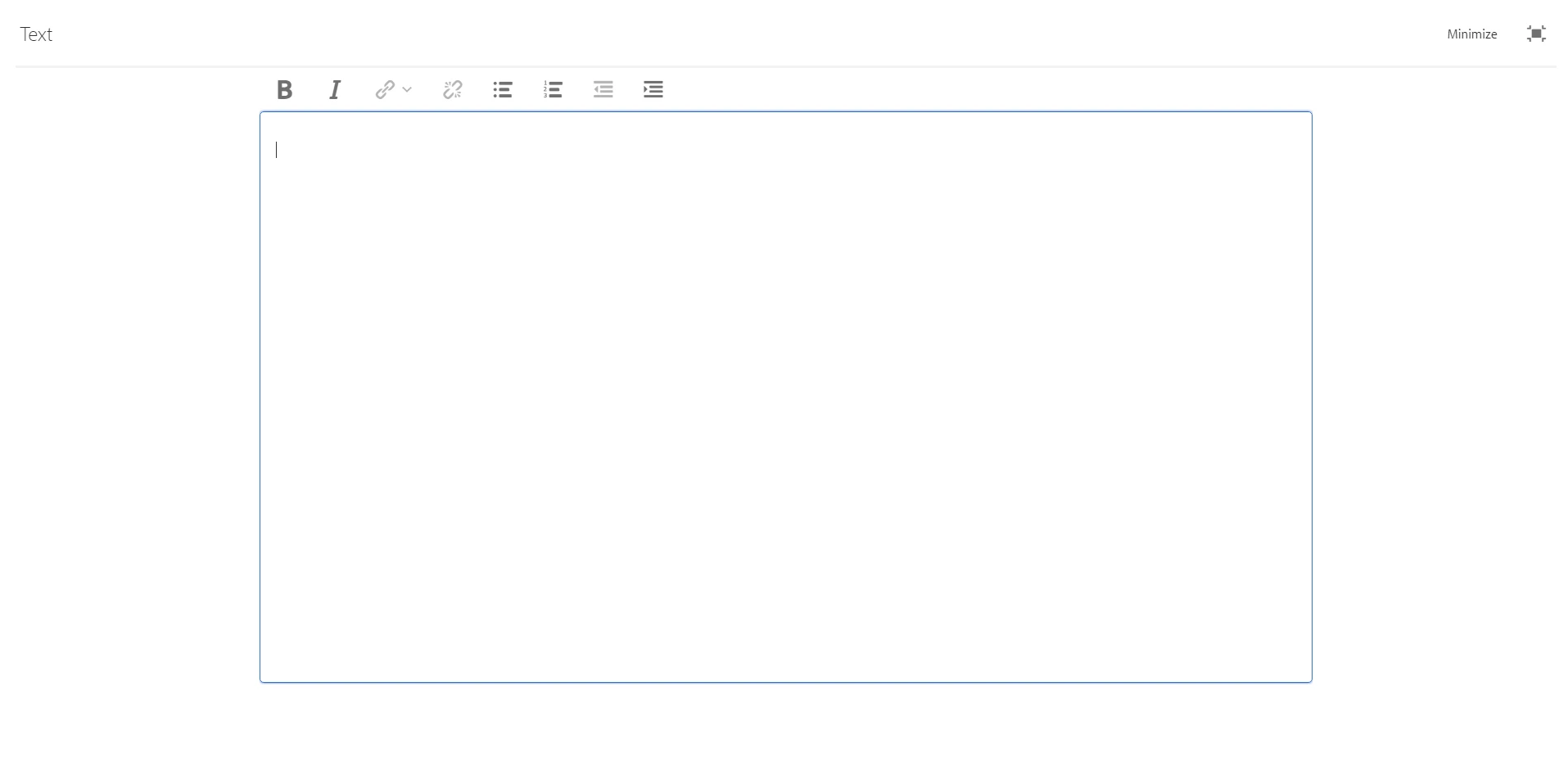
I have installed aem core components package (version 1.1.0) on my 6.3 local instance. This package has all the v1 components. For the text component, I don't see  a lot of features within the rich text editor. For eg, I dont see source editor, copy paste options, find& replace options etc. I have gone to design mode and have enabled all the features within the design dialog of the component as shown in below picture.
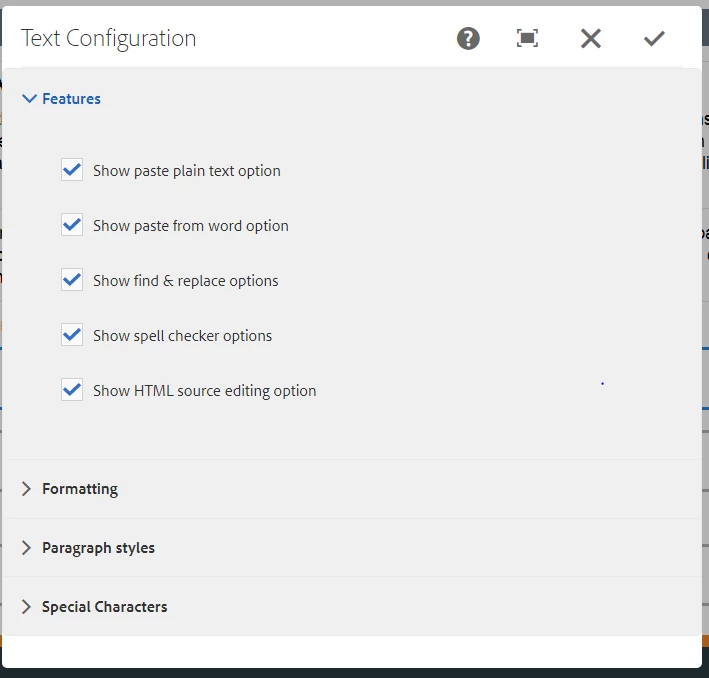
But still I dont see a lot of options in the rich text editor as shown in the below image. Am I missing anything here ?
This post is no longer active and is closed to new replies. Need help? Start a new post to ask your question.

1 reply

nalla0109Author
Level 4
June 6, 2018

Could someone please help me with the above query ?

smacdonald2008
Level 10
June 6, 2018

To get the different RTE plug-ins, modify the dialog by adding the plugin nodes - as discussed here -- Scott's Digital Community: Configuring Experience Manager Rich Text Editor Plugins in a Touch UI Component Dialog

nalla0109Author
Level 4
June 6, 2018

Hi Rohit,

Make sure you add uiSettings node to get the plugins in the RTE as described in the article: Configuring Experience Manager Rich Text Editor Plugins in a Touch UI Component Dialog

Thanks,

Ratna Kumar.


yup for that I need to customize the AEM core components. However as per adobe docs, by default the AEM core text component will have all the inbuilt rte plugins present for all the features.