
Solved
Not able to see Adobe analytics calls in Debugger
Hi All,
I can able to see the adobe rules firing in the console, but same i am not able to see in the debugger and the data also not getting collected
Thanks in advance,
Edwin
Hi All,
I can able to see the adobe rules firing in the console, but same i am not able to see in the debugger and the data also not getting collected
Thanks in advance,
Edwin
Couple of suggestions
a) Have you tried the Adobe Experience Platform debugger in other websites for example https://experienceleaguecommunities.adobe.com/. Do you see analytics rules triggering for this website whereas it doesn't show any info in your website alone?
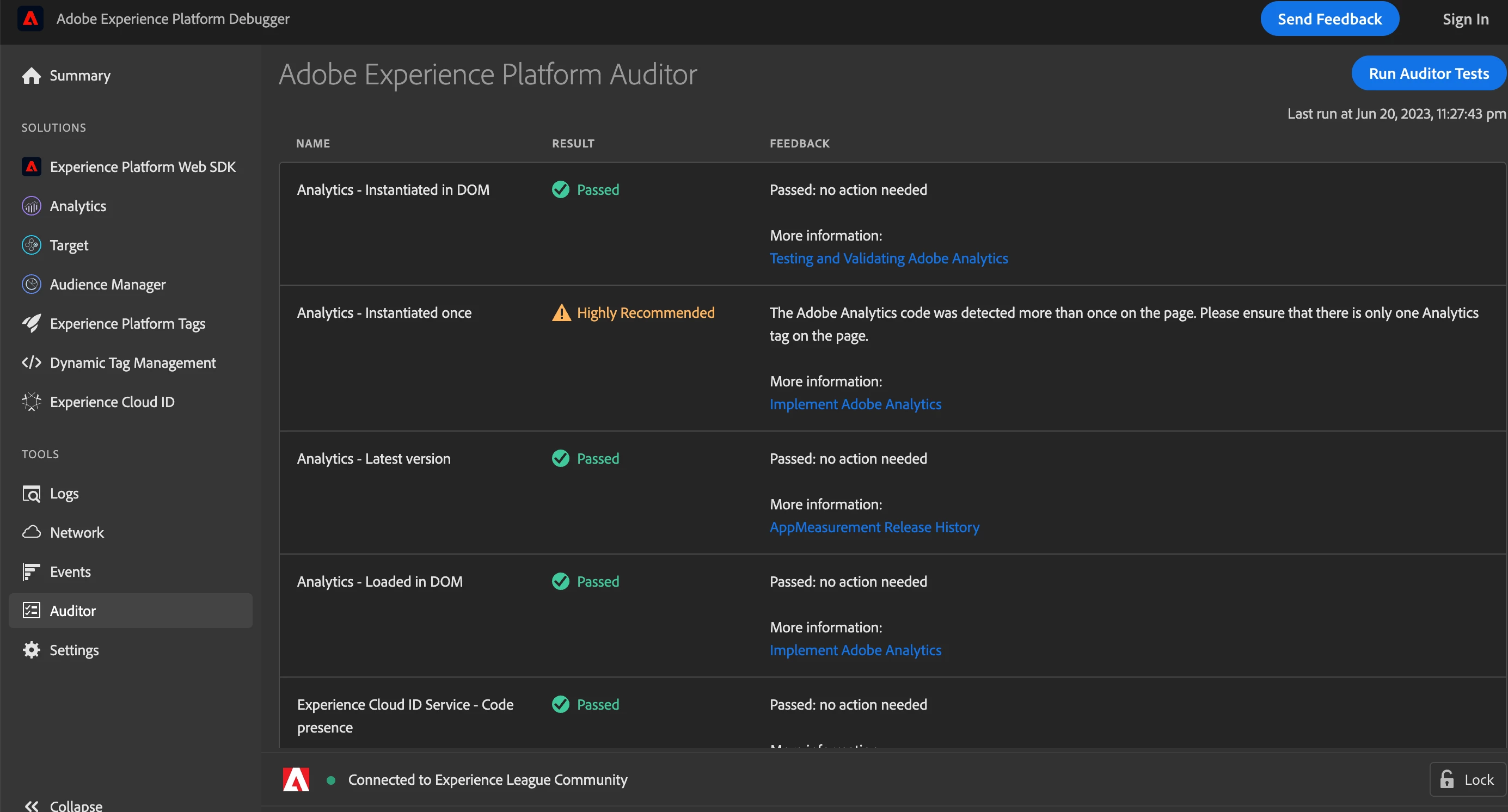
b) Run the test under Auditor tab. This will validate against analytics tags and data variables as shown below
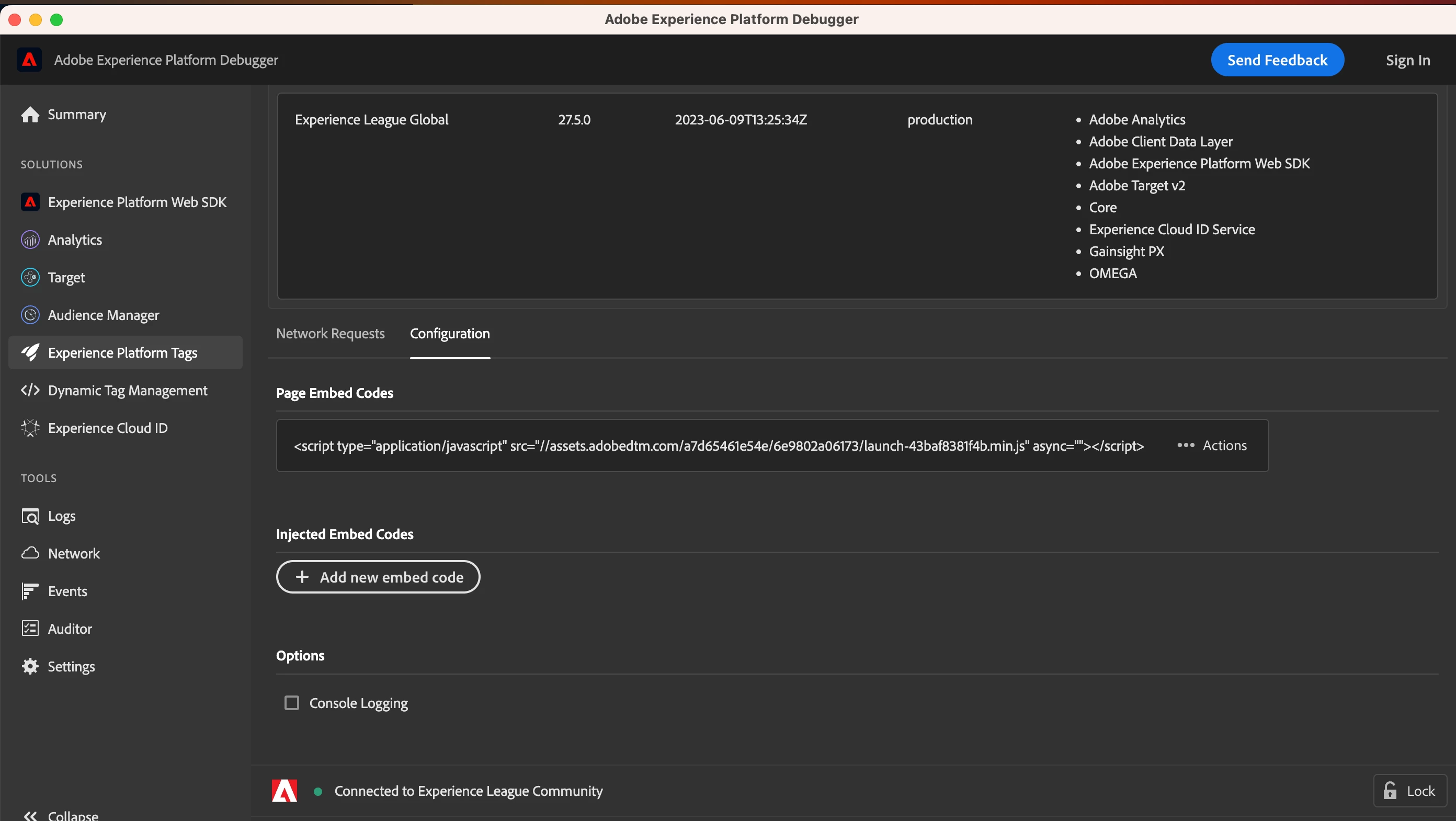
c) Also under Experience platform tags check the page embed codes it should show your script launch tag by default.If it doesn't show then try manually embedding your script and try refreshing the page and observe the debugger for events capture
Enter your E-mail address. We'll send you an e-mail with instructions to reset your password.