
No results in Adobe Search and Promote XML response | Community
Skip to main content
kishore_polsani
Level 4
July 6, 2020
Solved

No results in Adobe Search and Promote XML response

  • July 6, 2020
  • 3 replies
  • 1732 views

I can see indexed data in Reports -> Data view, when I try to access the XML response it shows 0 results. I have created a pre-search rule, if query parameter has "Site=aemquickstart", then use a different template. Is there any change I need to do at template level to see results in XML response?
 

http://spXXXXX.guided.ss-omtrdc.net/?Site=aemquickstart

This post is no longer active and is closed to new replies. Need help? Start a new post to ask your question.
Best answer by Ravi_Pampana

Hi,


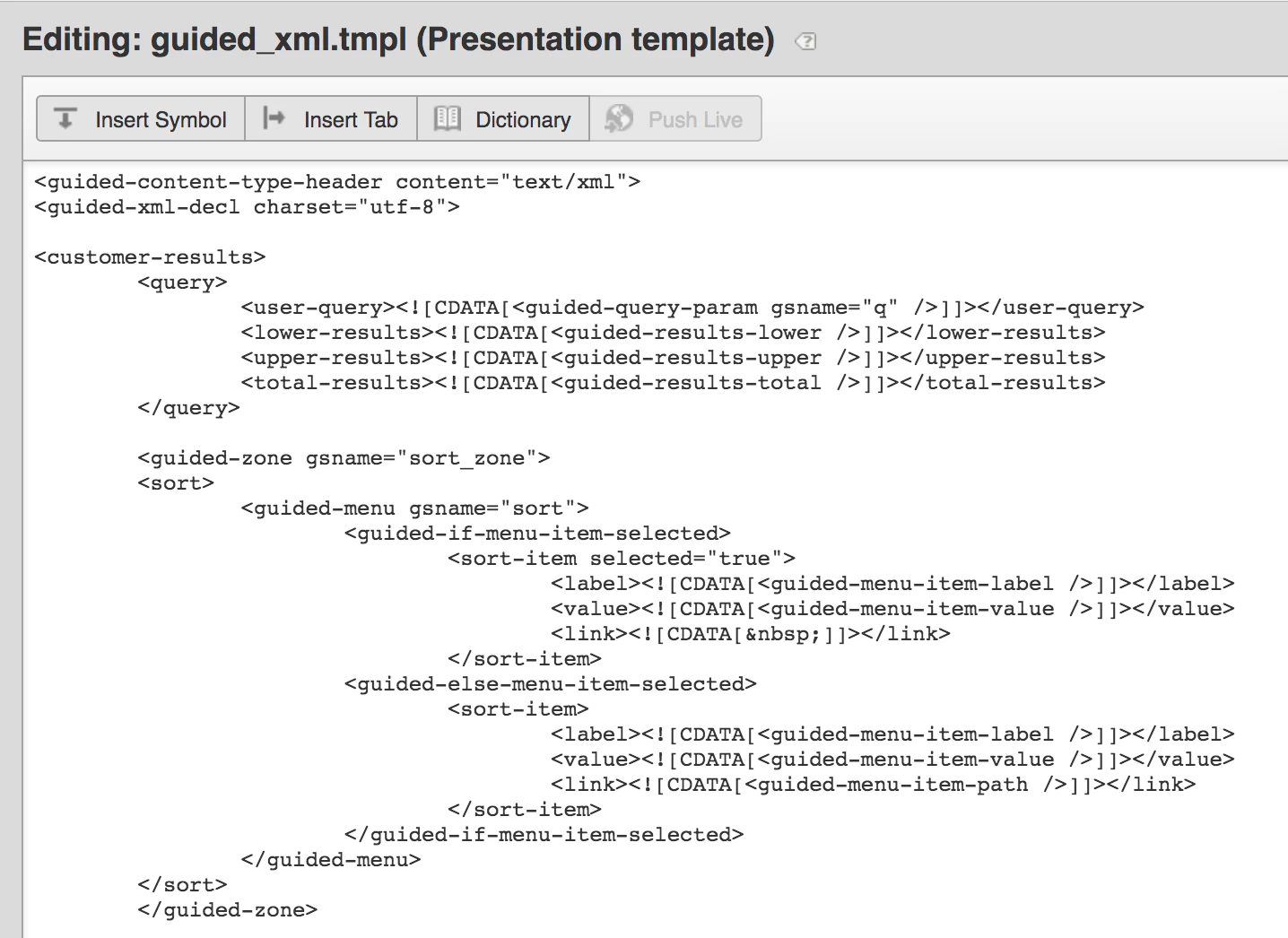
Did you created a presentation template under design ==> templates (guided_xml.tmpl) to display the results in xml ? 


Below is the screenshot for your response.


3 replies

Ravi_Pampana
Community Advisor
Ravi_PampanaCommunity AdvisorAccepted solution
Community Advisor
July 6, 2020

Hi,


Did you created a presentation template under design ==> templates (guided_xml.tmpl) to display the results in xml ? 


Below is the screenshot for your response.


kishore_polsani
Level 4
July 6, 2020
Yes, I have guided_xml.tmpl
Community Advisor
July 6, 2020

have you pushed the configurations to live and ran a live index?

Try the below URL

http://xxxxxxxxxxx.guided.ss-omtrdc.net/Site=aemquickstart&sp_q=*

Refer the following URL for details on enabling custom presentation and backend templates - https://www.albinsblog.com/2020/06/how-to-configure-navigation-facet-in-adobe-search-and-promote.html#.XwNZTmhKg2w

Regards

Albin I

www.albinsblog.com


Level 2
July 7, 2020

Hi @kishore_polsani ,


Required results fields can be added in the presentation layer ( Design--> Templates) i.e tmpl extension as follows:

<results>
<result-set>
<name><![CDATA[default]]></name>
<guided-results gsname="default">
<result>
 <field name="category"><![CDATA[<guided-result-field gsname="category"/>]]></field>
</result>
</guided-results>
</result-set>
</results>

Make field name is mapped to value of that in the index connector. After this, do indexing once.

Index →Full Index →Staged Index →Run Full Index and preview the results.