New text field value not getting saved in metadata of workflow? | Community
Skip to main content
June 26, 2024
Solved

New text field value not getting saved in metadata of workflow?

  • June 26, 2024
  • 2 replies
  • 467 views

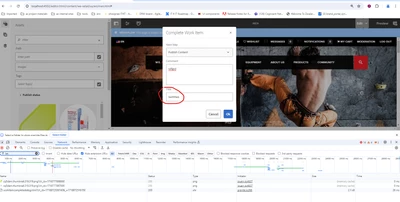
We had requirement to add new text field in workflow completion dialog as shown below.

/libs/cq/inbox/content/inbox/dialogs/workitemcompletedialog/items/form/items/testTitle
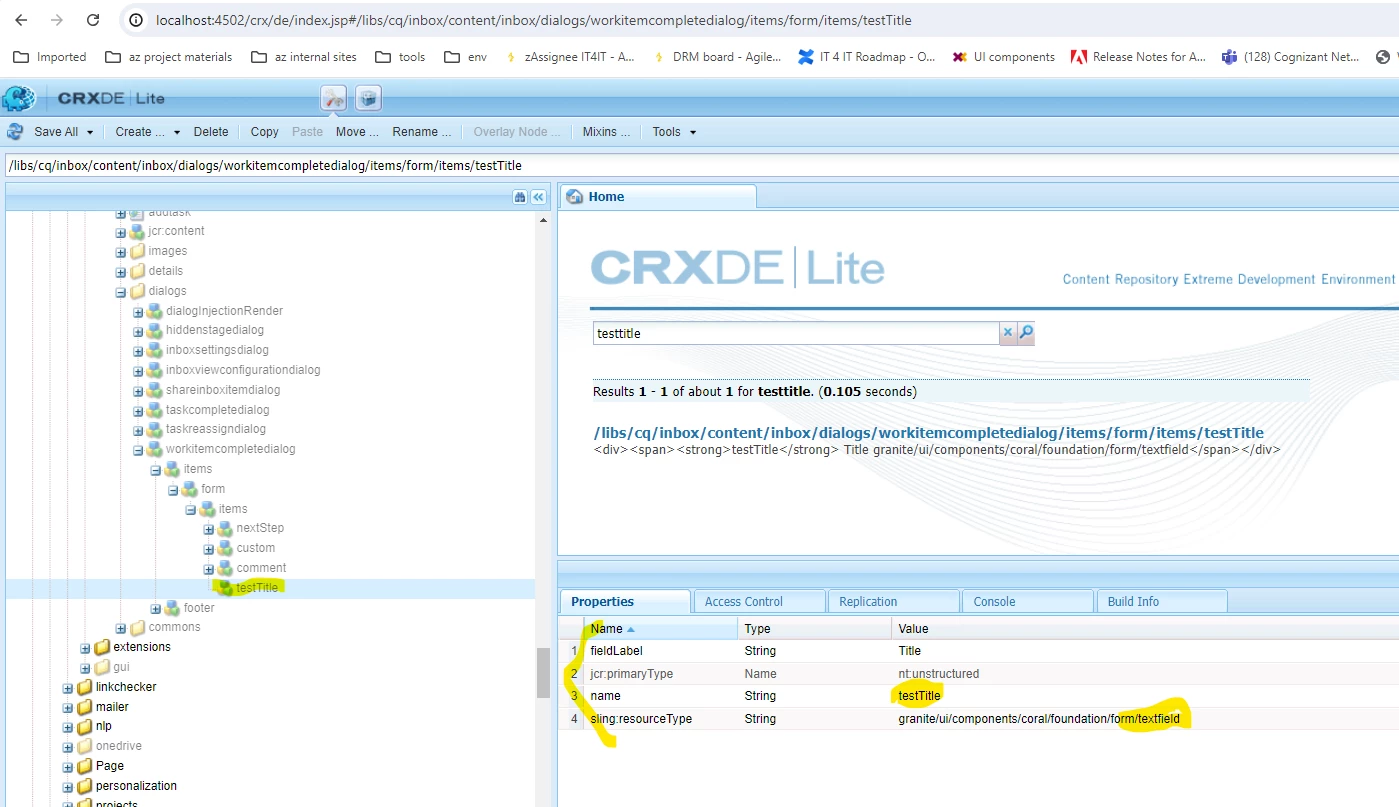
 

We also updated "inbox.commons.workitem.js" highlighted in bold below and also in screenshot before post call is made.

/libs/cq/inbox/gui/components/inbox/clientlibs/commons/js/inbox.commons.workitem.js


data[("comment-" + taskId)] = $("[name=comment]", "#workitemCompletionDialog").val();

data[("testTitle-" + taskId)] = $("[name=testTitle]", "#workitemCompletionDialog").val();
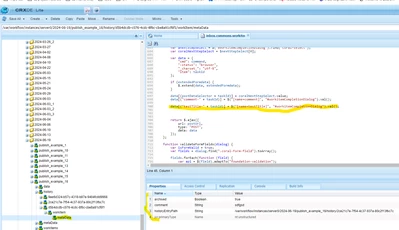


The new field is not getting stored in metadata. Looks like the changes made in "inbox.commons.workitem.js" is not somehow getting reflected. Even we commented the entire js code, still workflow is getting completed, but new dialog data is not getting stored. Not sure what we are missing here. Can you please help?


Note:

1. For showing purpose have modified directly under libs, but same was tried after extending the files under app

2. Already there is an answer, but not sure that is valid one.

 https://experienceleaguecommunities.adobe.com/t5/adobe-experience-manager/how-to-do-add-extra-textfield-workitemcompletedialog-in-workflow/td-p/244294 

This post is no longer active and is closed to new replies. Need help? Start a new post to ask your question.
Best answer by EstebanBustamante

Hi,


I don't fully understand what you are trying to do, but perhaps it is worth taking a look at the dialog participant OR the Dynamic participant steps. Here, you can simply attach a dialogue (with all your extra fields), and out-of-the-box, that data will flow as expected. Please check this: https://experienceleague.adobe.com/en/docs/experience-manager-65/content/implementing/developing/extending-aem/extending-workflows/workflows-step-ref#dialog-participant-step 

https://medium.com/@toimrank/aem-dynamic-participant-step-1cd58e15f28 

Hope this helps

2 replies

EstebanBustamante
Community Advisor and Adobe Champion
EstebanBustamanteCommunity Advisor and Adobe ChampionAccepted solution
Community Advisor and Adobe Champion
June 26, 2024

Hi,


I don't fully understand what you are trying to do, but perhaps it is worth taking a look at the dialog participant OR the Dynamic participant steps. Here, you can simply attach a dialogue (with all your extra fields), and out-of-the-box, that data will flow as expected. Please check this: https://experienceleague.adobe.com/en/docs/experience-manager-65/content/implementing/developing/extending-aem/extending-workflows/workflows-step-ref#dialog-participant-step 

https://medium.com/@toimrank/aem-dynamic-participant-step-1cd58e15f28 

Hope this helps

Esteban Bustamante
kautuk_sahni
Community Manager
Community Manager
July 16, 2024

@bhagiyabalajis7 Did you find the suggestion helpful? Please let us know if you require more information. Otherwise, please mark the answer as correct for posterity. If you've discovered a solution yourself, we would appreciate it if you could share it with the community. Thank you!

Kautuk Sahni