This is the filter.xml where you would want to validate configurations.
Refer - Jackrabbit Filevault - Workspace Filter
The filter element can have an optional mode attribute which specified the import mode used when importing content. the following values are possible:
- “replace”
- This is the normal behavior. Existing content is replaced completely by the imported content, i.e. is overridden or deleted accordingly.
- “merge”
- Existing content is not modified, i.e. only new content is added and none is deleted or modified.
- “update”
- Existing content is updated, new content is added and none is deleted.
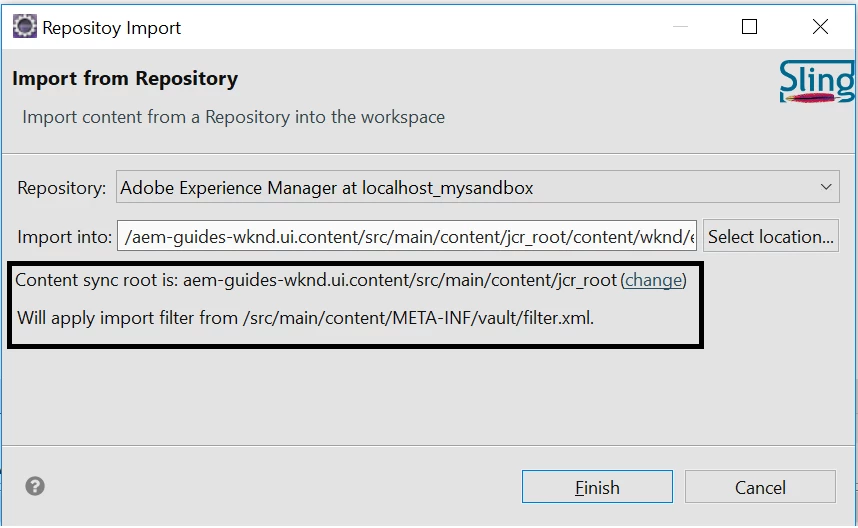
Import from server would sync the /crx/de contents to local filesystem/eclipse and
Export to server would do the vice versa
If you modify something in eclipse which is not present in /crx/de then you should perform 'Export to server'. In this case, if you do import from server, then you local eclipse changes that are not yet synced would get deleted from filesystem/eclipse.
If you modify something in /crx/de which is not present in eclipse/filesystem then you should perform 'Import to server'.