Minify HTML ins AEM 6.5 | Community
Skip to main content
Level 2
July 2, 2024
Solved

Minify HTML ins AEM 6.5

  • July 2, 2024
  • 5 replies
  • 2158 views

Hi Guys,
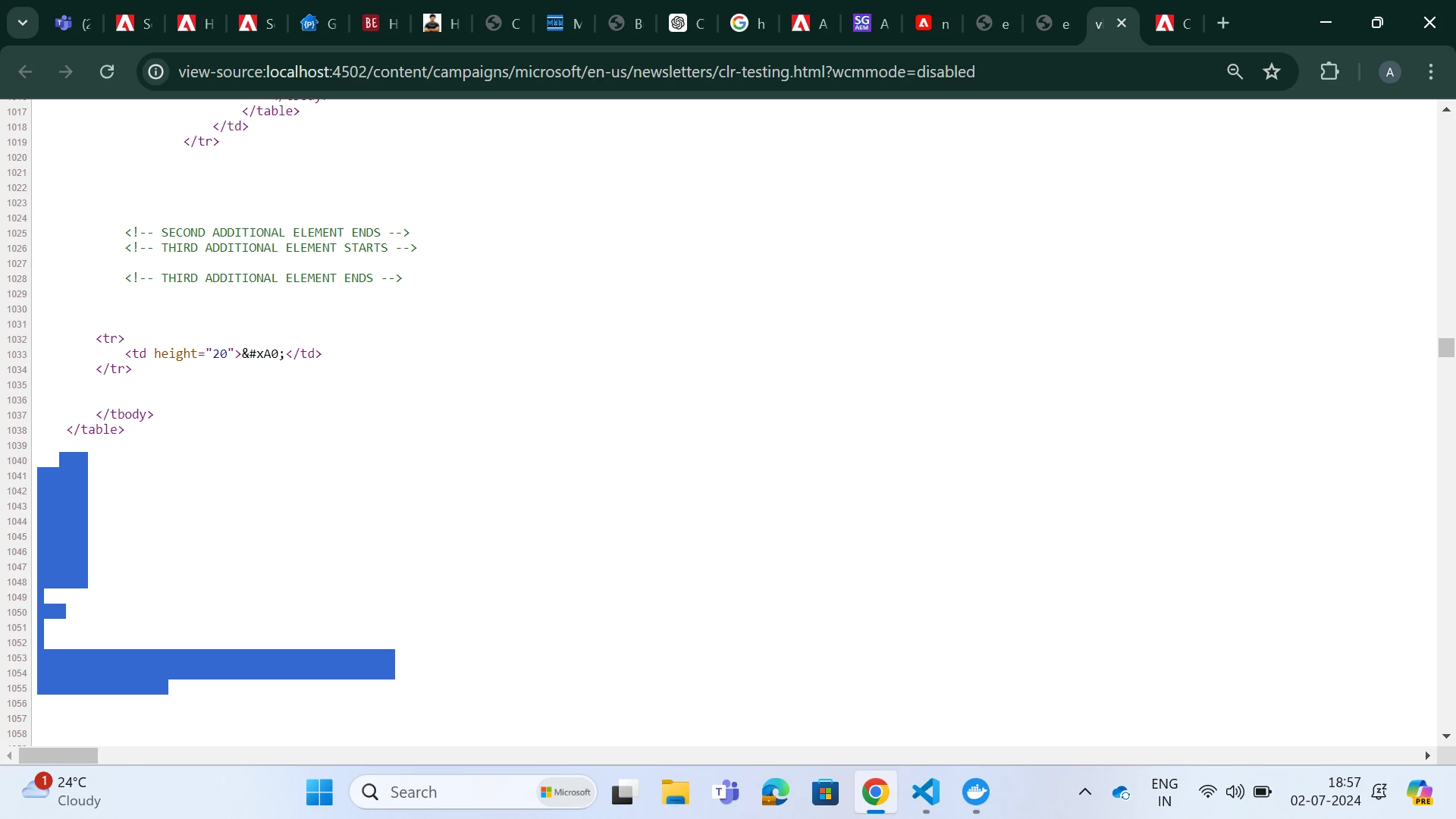
I want to minify HTML in my project. When I do view source code for page ,in the HTML generated, I can see lot of whitespace. I need a way to minify the HTML files (in a way that after minifcation , the size of the HTML should be 30% less than original HTML file.)

note: The scenario mentioned in bracket is secondary, Primary aim is to minify the HTML files
(screenshot below)

Thank You,
Aditya Srivastava

This post is no longer active and is closed to new replies. Need help? Start a new post to ask your question.
Best answer by Jineet_Vora

@adi411 - I believe you are doing email development in AEM and sending the HTML to comms platform.


The comms platform can request the AEM page by calling a custom servlet. In the servlet you can then do HttpGet of the page path (which is requested) and the compress and send as response.


You need to add maven dependency for html compressor:

<dependency> <groupId>com.googlecode.htmlcompressor</groupId> <artifactId>htmlcompressor</artifactId> <version>1.5.3</version> <scope>provided</scope> </dependency>


5 replies

EstebanBustamante
Community Advisor and Adobe Champion
July 2, 2024

Hi, 

Please check this blog which explains how to enable the mod_deflate from Apache (dispatcher) https://www.albinsblog.com/2018/09/improve-performance-of-adobe-experience.html which is responsible for compressing other types of documents.

Also check the official documentation about the same: https://experienceleague.adobe.com/en/docs/experience-manager-dispatcher/using/configuring/dispatcher-configuration#specifying-the-documents-to-cache 


Hope this helps

Esteban Bustamante
Jineet_Vora
Community Advisor and Adobe Champion
July 2, 2024

@adi411 - While compression can be achived from Dispatcher by enabling gzip as mentioned by others using Apache Dispatcher modules. One other way is to use HTML Compression libraries which gives you flexibility to remove whitespaces, clean CSS, etc.

Check Google's HTML Compressor Java library - https://code.google.com/archive/p/htmlcompressor/


A custom servlet can be written to produce the output:

HttpGet httpGet = new HttpGet(url); HttpResponse httpResponse = httpClient.execute(httpGet); String output = httpResponse.getEntity().toString() HtmlCompressor compressor = new HtmlCompressor(); String compressedHtml = compressor.compress(html); response.setContentType(ContentType.TEXT_HTML.getMimeType()); response.setStatus(HttpStatus.SC_OK); response.getWriter().write(compressedHtml);


adi411Author
Level 2
July 3, 2024

Hi @jineet_vora  - Can you explain a bit more on the custom servlet part?

 https://code.google.com/archive/p/htmlcompressor/  --> I visited this link and there I found Maven Integration section, but how to use it  those links result in  404.

Jineet_Vora
Community Advisor and Adobe Champion
Jineet_VoraCommunity Advisor and Adobe ChampionAccepted solution
Community Advisor and Adobe Champion
July 4, 2024

@adi411 - I believe you are doing email development in AEM and sending the HTML to comms platform.


The comms platform can request the AEM page by calling a custom servlet. In the servlet you can then do HttpGet of the page path (which is requested) and the compress and send as response.


You need to add maven dependency for html compressor:

<dependency> <groupId>com.googlecode.htmlcompressor</groupId> <artifactId>htmlcompressor</artifactId> <version>1.5.3</version> <scope>provided</scope> </dependency>


AMANATH_ULLAH
Community Advisor
Community Advisor
July 3, 2024

@adi411 

In addition to responses shared by others, In case if you are using CDN such as Cloudflare / Akamai

You can try to enable HTML minification in CDN configuration

https://developers.cloudflare.com/speed/optimization/content/auto-minify/


Amanath Ullah
arunpatidar
Community Advisor
Community Advisor
July 3, 2024

Hi @adi411 
What are the reasons for minifying HTML? What benefits you are targeting? If the goal is solely to deliver faster content to end users, you can use Gzip compression?

Gzip compression works by compressing the files on the server side and decompressing them on the client side, further reducing load times and improving user experience.
https://blog.hubspot.com/website/gzip-compression 


Arun Patidar