
Maven Archetype 26 -all module fails to install embedded package if Project is inside Folder | Community
Skip to main content
Bhuwan_B
Community Advisor
Community Advisor
May 30, 2022
Solved

Maven Archetype 26 -all module fails to install embedded package if Project is inside Folder

  • May 30, 2022
  • 2 replies
  • 1347 views

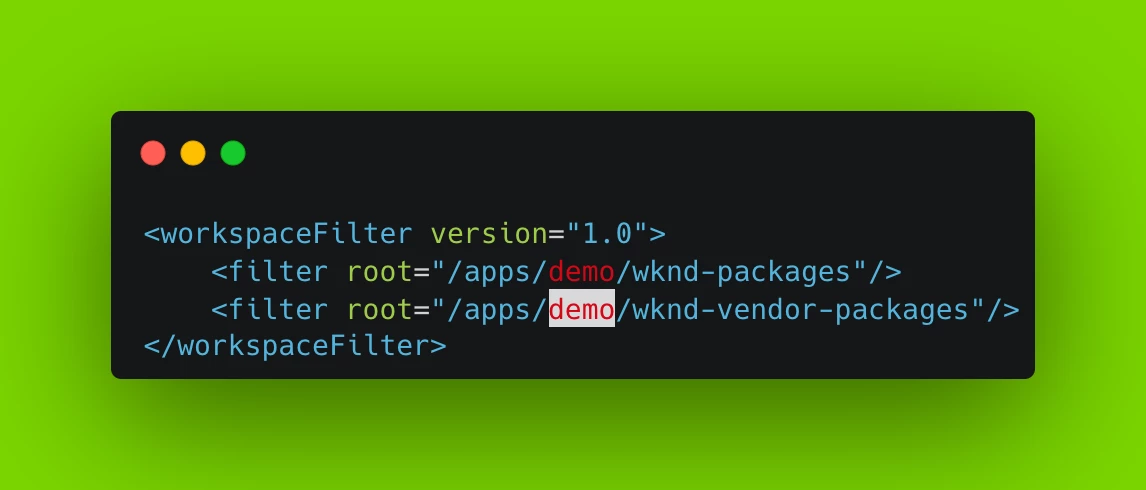
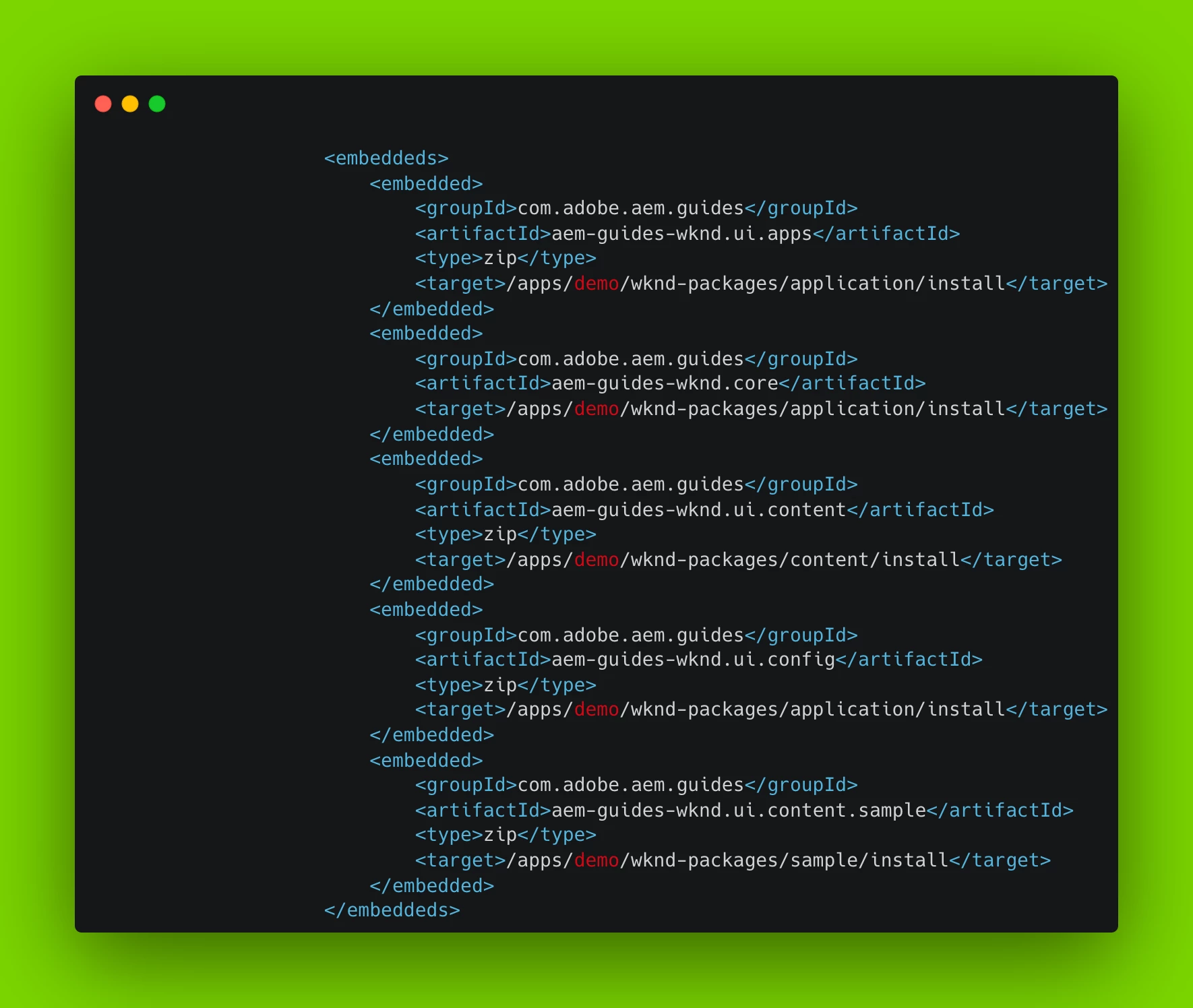
All module is installing the embedded packages directly under /apps, but it fails when we are changing filter.xml and Target to some folder.
 

This post is no longer active and is closed to new replies. Need help? Start a new post to ask your question.
Best answer by SantoshSai

@santoshsai I already tried restructuring other modules and deploying but no luck. 


@bhuwan_b 

I did re-structured

  • Updating ui.apps (all the paths, filter.xml etc), ui.apps.structure, ui.config, ui.content

and all went well, here is the github project for you I have uploaded, have a look at it - https://github.com/sansai2011/myproject-aem-project
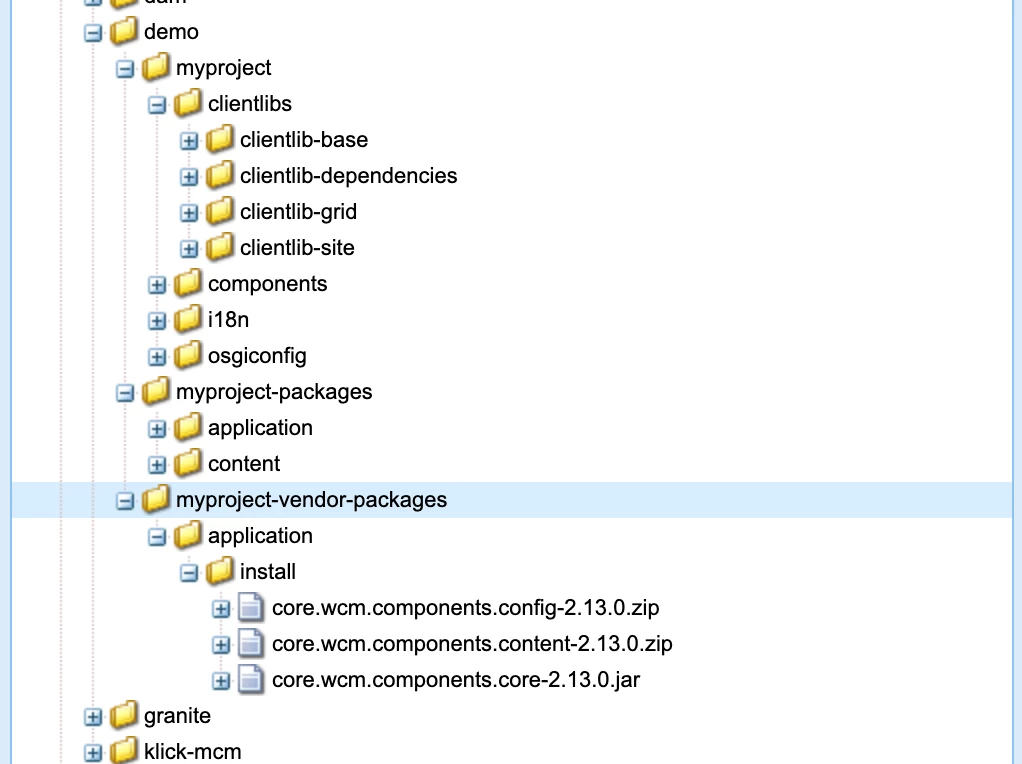
 

Everything is deployed as per your expectation.

Hope that helps!

Regards,
Santosh

2 replies

SantoshSai
Community Advisor
Community Advisor
May 30, 2022

Hi @bhuwan_b 

It works for me!

<workspaceFilter version="1.0">
<filter root="/apps/demo/myproject-packages"/>
<filter root="/apps/demo/myproject-vendor-packages"/>
</workspaceFilter>
<embeddeds>
<embedded>
<groupId>com.myproject.aem</groupId>
<artifactId>myproject-aem-project.ui.apps</artifactId>
<type>zip</type>
<target>/apps/demo/myproject-packages/application/install</target>
</embedded>
<embedded>
<groupId>com.myproject.aem</groupId>
<artifactId>myproject-aem-project.core</artifactId>
<target>/apps/demo/myproject-packages/application/install</target>
</embedded>
<embedded>
<groupId>com.myproject.aem</groupId>
<artifactId>myproject-aem-project.ui.content</artifactId>
<type>zip</type>
<target>/apps/demo/myproject-packages/content/install</target>
</embedded>
<embedded>
<groupId>com.myproject.aem</groupId>
<artifactId>myproject-aem-project.ui.config</artifactId>
<type>zip</type>
<target>/apps/demo/myproject-packages/application/install</target>
</embedded>
<embedded>
<groupId>com.adobe.cq</groupId>
<artifactId>core.wcm.components.content</artifactId>
<type>zip</type>
<target>/apps/demo/myproject-vendor-packages/application/install</target>
</embedded>
<embedded>
<groupId>com.adobe.cq</groupId>
<artifactId>core.wcm.components.core</artifactId>
<target>/apps/demo/myproject-vendor-packages/application/install</target>
</embedded>
<embedded>
<groupId>com.adobe.cq</groupId>
<artifactId>core.wcm.components.config</artifactId>
<type>zip</type>
<target>/apps/demo/myproject-vendor-packages/application/install</target>
</embedded>
</embeddeds>


What is the build error you are getting?

Regards,
Santosh

Santosh Sai
Bhuwan_B
Community Advisor
Bhuwan_BCommunity AdvisorAuthor
Community Advisor
May 30, 2022

@santoshsai: Please check if you are getting all changes inside /apps/demo/wknd(Components, Clientlibs, etc.) and other modules changes (like run modes, etc.) appearing within the folder. What I am expecting is like below (Below behavior is when you install it directly under /apps).

SantoshSai
Community Advisor
Community Advisor
May 30, 2022

@bhuwan_b  for that I believe you have to restructure, all other modules(ui.apps, ui.configs etc.) also to place it under demo, because embed instruction for filevault-package-maven-plugin just club together and just install under <target>/apps/demo/myproject-packages/application/install</target> as you instructed.


Santosh Sai
sunil_kumar_
Level 5
May 31, 2022

Hi @bhuwan_b ,
If your project is having ui.apps.structure module. Check filters added in the pom.xml of this module.