Mandatory field is still red even though the field has value | Community
Skip to main content
Nandheswara
Level 4
October 14, 2022
Solved

Mandatory field is still red even though the field has value

  • October 14, 2022
  • 5 replies
  • 2620 views

Hi all,

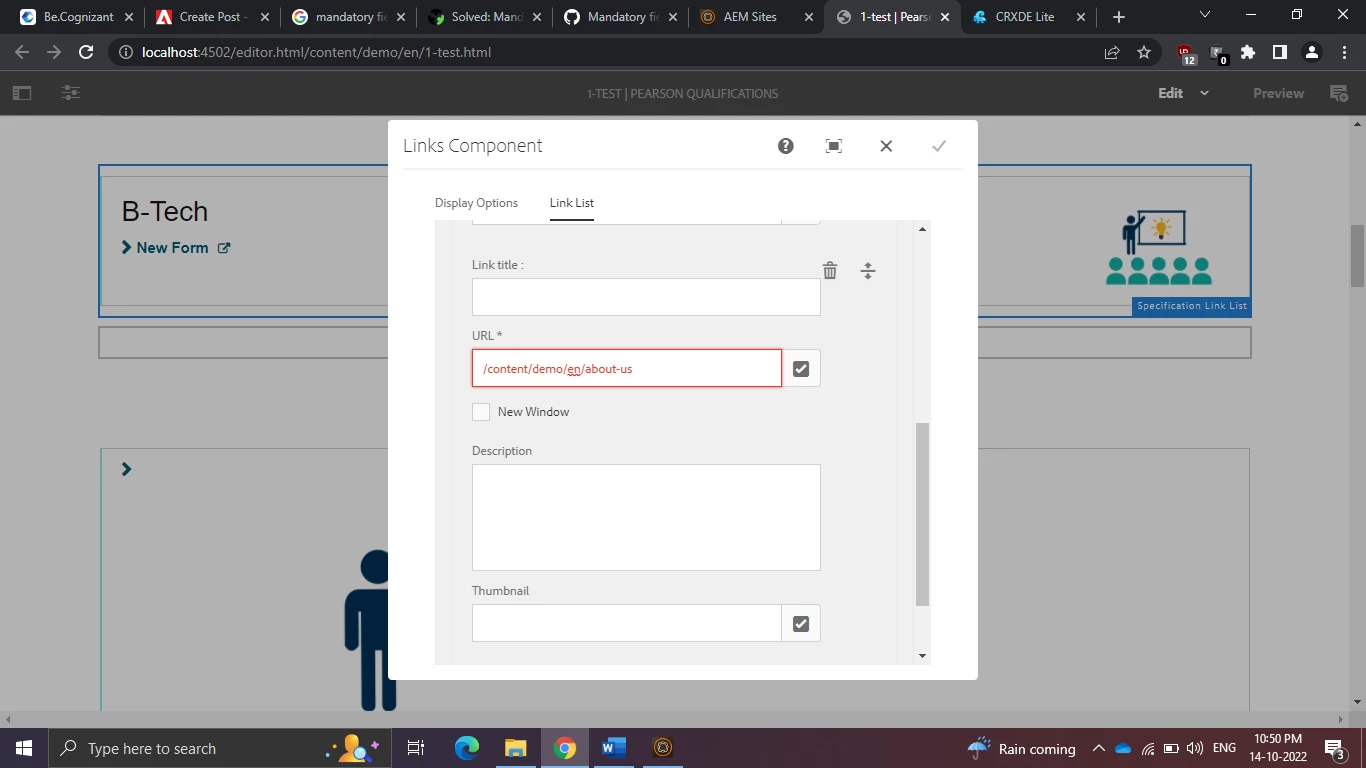
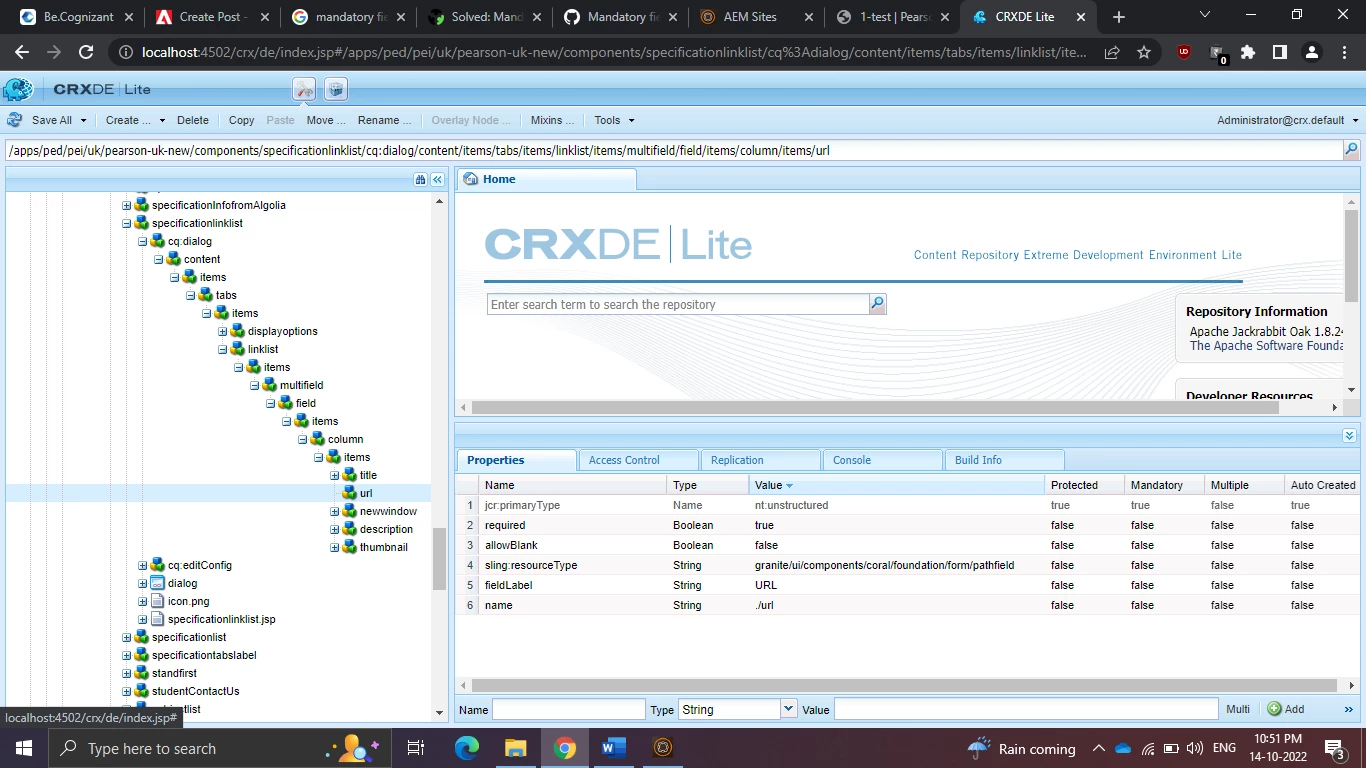
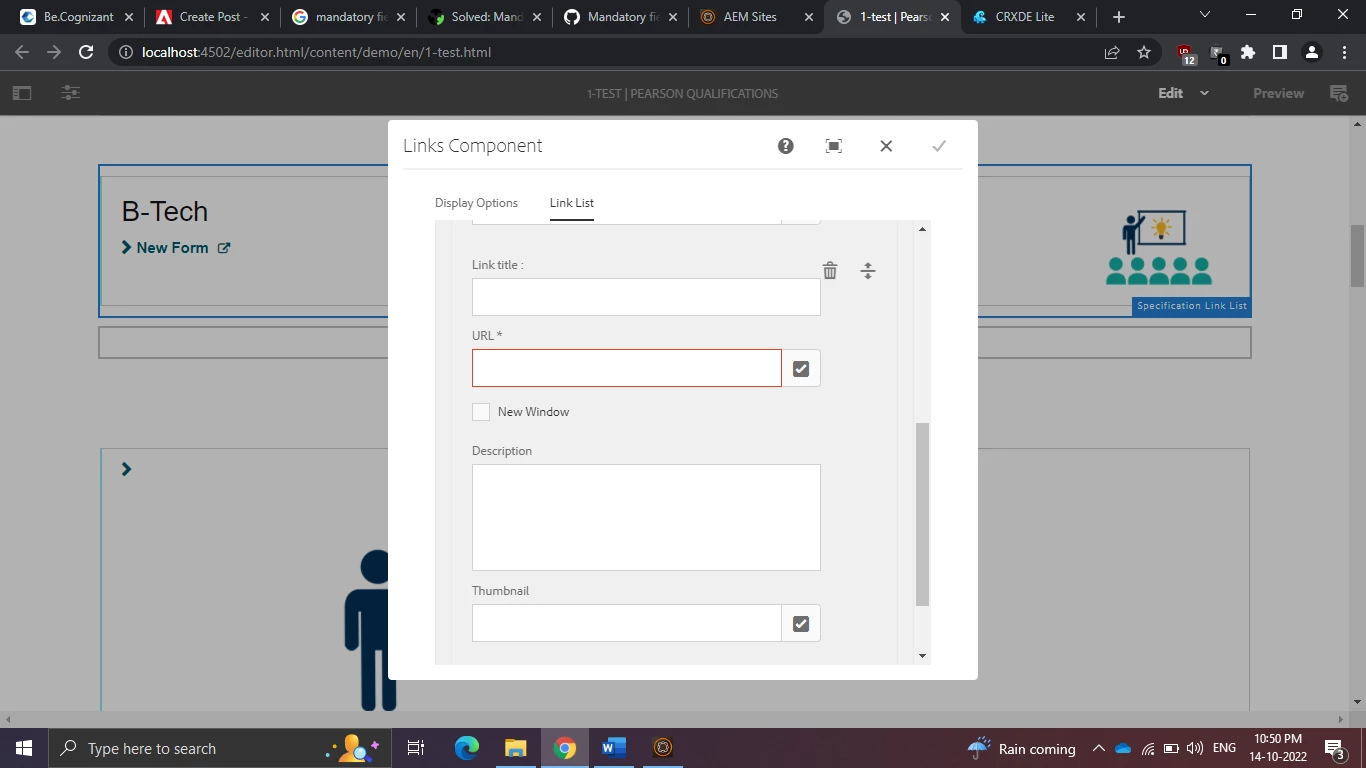
I am using aem 6.4 in my touch ui component having one multifield tab inside that having one path field i marked as mandatory by using the property required Boolean true in this mandatory field is still red even though the field has value.

Expected is once the value is selected means that time that mandatory field highlighting red color should be disappear. 

Give me some solution to resolve this issue.

I attached some screenshot of my component below
   

This post is no longer active and is closed to new replies. Need help? Start a new post to ask your question.
Best answer by BrianKasingli

Basic Steps to Debug an Error in AEM, see what kind of useful logs you are getting, and share it with us. The required Granite UI 1.0 property-configuration comes out of the BOX from aem, which means that this problem shouldn't really exist. 

You should not add custom code to solve this problem, but see what the actual problem is, and possibly fix the problem by restarting your AEM, or upgrade your local AEM service-pack to the latest version. 


By the way, your configuration to the Touch UI field looks alright, but allowBlank is not really a configuration for the path field. Take a look at all the available configurations you can utilise with the official Granite UI 1.0 documentation > PathField — Granite UI 1.0 documentation (adobe.com)


I know it can be challenging to decipher the documentation to XML configuration, take a look a this blog article to learn with ease -> How to Convert Adobe’s Granite UI 1.0 Documentation to XML - Sourced Code

5 replies

Aditya_Chabuku
Community Advisor
Community Advisor
October 14, 2022

You have to write a custom validator using foundation validation. Here I give you a glimpse of the code and steps to solve this problem for your reference.

Step1: Write custom JS to Register required fields in each multifield.

(function ($, window, document)
{
var registry = $(window).adaptTo("foundation-registry");
})
($, window, document);

Step2: Validate required fields.

(function ($, window, document)
{
var registry = $(window).adaptTo("foundation-registry");
registry.register("foundation.validation.validator",{
selector: "[data-validation=url-validate]",
validate: function (el)
{
var element = $(el);
var elementVal = element.val();
if(elementVal.length == 0)
{

return "Please enter URL";
}
else
{
return;
}

}
});
})
($, window, document);
Hope this Helps,

Aditya.Ch
Thanks,Aditya Chabuku
B_Sravan
Community Advisor
Community Advisor
October 14, 2022

Hi @nandheswara ,


"allowBlank" is not pathfield property, please remove it and just keep the "required" property and check.
if it doesn't work, please copy a pathfield from core components, to avoid wasting time in debugging this.

Regards,

Sravan

BrianKasingli
Community Advisor and Adobe Champion
October 15, 2022

@nandheswara can you try this in incognito, maybe there is a conflict with your Browser's extensions?

arunpatidar
Community Advisor
Community Advisor
October 17, 2022

Have you tried moving focus in the other input field or submitting dialog?

Can you also check if there are any console error when you empty the field and filled again?

Arun Patidar
Nandheswara
Level 4
October 19, 2022

Yes I tried to move the focus on others fields also still red highlight showing but when i enter some values in other fields means that highlight will gone and even in console also no errors

BrianKasingli
Community Advisor and Adobe Champion
BrianKasingliCommunity Advisor and Adobe ChampionAccepted solution
Community Advisor and Adobe Champion
October 17, 2022

Basic Steps to Debug an Error in AEM, see what kind of useful logs you are getting, and share it with us. The required Granite UI 1.0 property-configuration comes out of the BOX from aem, which means that this problem shouldn't really exist. 

You should not add custom code to solve this problem, but see what the actual problem is, and possibly fix the problem by restarting your AEM, or upgrade your local AEM service-pack to the latest version. 


By the way, your configuration to the Touch UI field looks alright, but allowBlank is not really a configuration for the path field. Take a look at all the available configurations you can utilise with the official Granite UI 1.0 documentation > PathField — Granite UI 1.0 documentation (adobe.com)


I know it can be challenging to decipher the documentation to XML configuration, take a look a this blog article to learn with ease -> How to Convert Adobe’s Granite UI 1.0 Documentation to XML - Sourced Code