Lucene Indexing for content fragment "unique" text field option
I have a content fragment with a text box that has the “unique” option enabled. When the fragment loads, it triggers the unique field validation call (/mnt/overlay/dam/cfm/admin/components/authoring/validations/uniquefield.json), but it doesn’t return any response.
In the Query Performance tool, I can see the following error:
“The query read or traversed more than 100000 nodes. To avoid affecting other tasks, processing was stopped.”
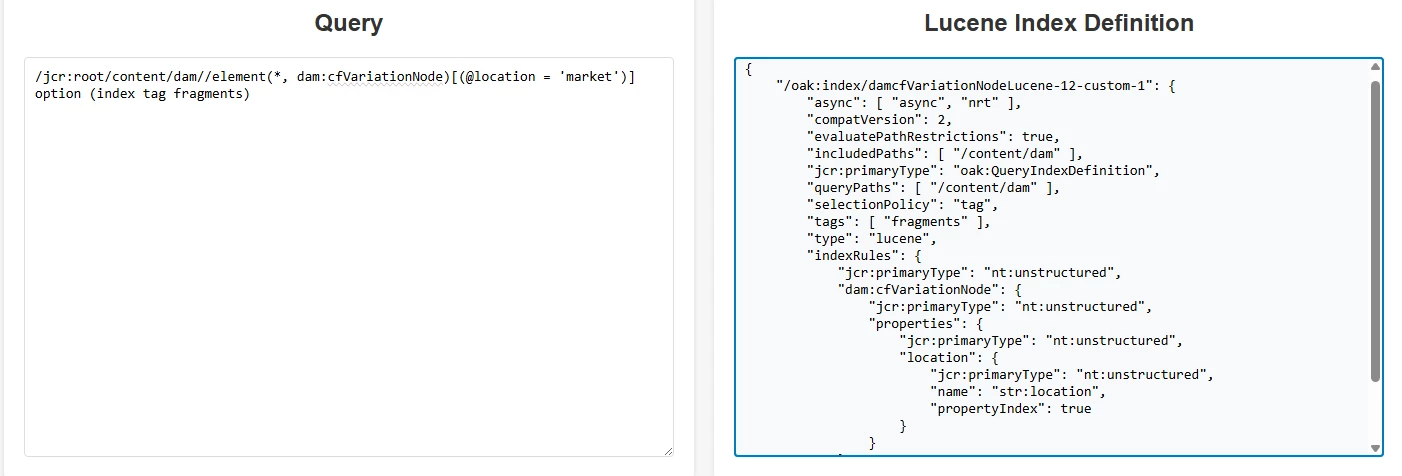
To fix this issue, I configured Lucene indexing for this query:
/jcr:root/content/dam//element(*, dam:cfVariationNode)[(@location = 'market')] option (index tag fragments)
I used the Oak Index Generator (https://thomasmueller.github.io/oakTools/indexDefGenerator.html to create the index definition. However, it didn’t work. After adding the configuration, the Content Fragment didn’t use the index. I tried restarting and reindexing, but there was no luck.\
What could be the issue?
{ "/oak:index/damcfVariationNodeLucene-12-custom-1": { "async": [ "async", "nrt" ], "compatVersion": 2, "evaluatePathRestrictions": true, "includedPaths": [ "/content/dam" ], "jcr:primaryType": "oak:QueryIndexDefinition", "queryPaths": [ "/content/dam" ], "selectionPolicy": "tag", "tags": [ "fragments" ], "type": "lucene", "indexRules": { "jcr:primaryType": "nt:unstructured", "dam:cfVariationNode": { "jcr:primaryType": "nt:unstructured", "properties": { "jcr:primaryType": "nt:unstructured", "location": { "jcr:primaryType": "nt:unstructured", "name": "str:location", "propertyIndex": true } } } } } }