


Index Traversal in AEM: A Common Source of Performance Issues
Index Traversal in AEM: A Common Source of Performance Issues
Introduction
Index traversal is one of the most common and most misunderstood causes of performance issues in Adobe Experience Manager (AEM). It rarely appears during local development or early project phases, but tends to surface once a system goes live, content volumes grow, and real user traffic starts hitting authoring and delivery workflows. What makes index traversal particularly dangerous is how easy it is to introduce. A single custom JCR query, a reporting feature, or an authoring UI enhancement can quietly trigger queries that scan tens or even hundreds of thousands of nodes. At first, the impact may be barely noticeable. However, over time, content grows, and queries accumulate, increasing CPU usage, slowing down AEM Author, and in the worst cases, destabilizing entire environments.
Because traversal warnings are logged rather than surfaced as functional errors, they are often ignored or misunderstood until performance issues become visible to end users or editors. By then, identifying the root cause can be difficult without proper observability and indexing discipline. This post explains what index traversal is, why it happens when custom queries are introduced, how to detect it in logs, and how to proactively monitor and fix it using proper Oak indexes and Splunk for observability.
Key points
Why Index Traversal Matters in AEM
Index traversal is one of the most common root causes of long-term AEM performance degradation. It often goes unnoticed during development and early project phases but becomes increasingly expensive as content volumes grow. Because traversal is logged as a warning rather than a functional error, it is frequently ignored until authors start experiencing slowdowns.
How Custom Queries Introduce Risk
Traversal issues are rarely caused by AEM itself. They are usually introduced through custom JCR queries added for components, authoring tools, reporting, or APIs. Queries without proper path restrictions or without indexed properties force Oak to scan large portions of the repository, consuming CPU and memory unnecessarily.
Detecting Traversal Through Logs
AEM explicitly logs index traversal warnings, including the number of nodes traversed and the query filter responsible. These signals provide clear evidence of inefficient queries, but they are easy to miss in noisy production logs without centralized log aggregation and analysis.
Using Splunk for Visibility and Trend Analysis
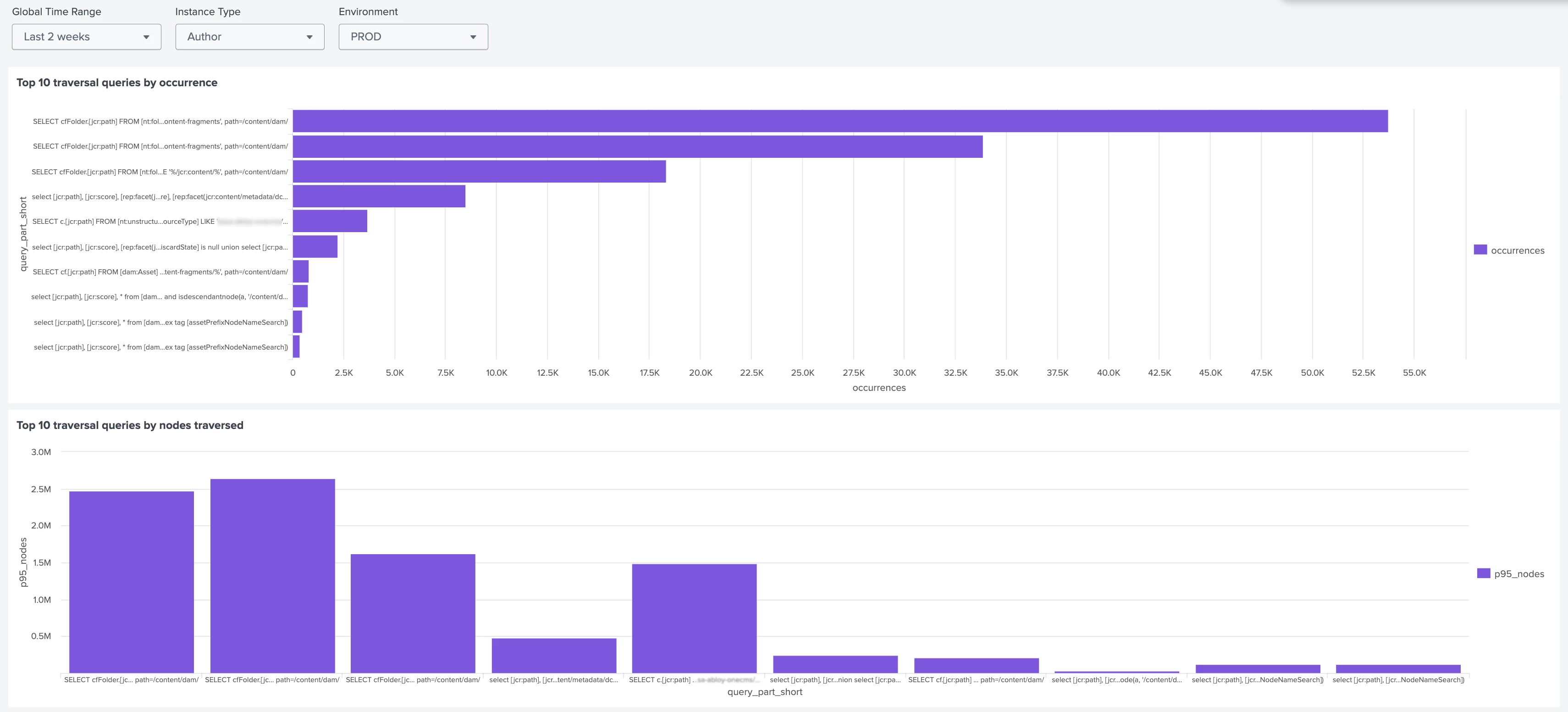
Aggregating traversal warnings in Splunk turns isolated log messages into actionable insights. Teams can identify the most frequent and most expensive traversal patterns, track trends over time, and detect new problem queries as they appear. This shifts traversal detection from reactive troubleshooting to proactive monitoring.
Fixing Traversal at the Query Level
Not every traversal requires a new index. Many issues can be resolved by tightening path restrictions, avoiding broad wildcards, and reducing unnecessary full-text searches. Improving query selectivity is often the simplest and safest first step.
When and How to Add Custom Indexes
When queries are intentional and cannot be simplified further, custom Oak indexes are the correct solution. Indexing the specific properties used in query filters allows Oak to resolve queries efficiently and eliminates traversal. Careful decisions are required to balance new custom indexes versus extending existing out-of-the-box ones.
Validating Index Usage Before Production
The Query Performance Tool makes it possible to confirm how Oak executes a query and whether an index is being used. This allows teams to validate index behavior early, avoid unnecessary traversal, and prevent performance regressions before changes reach production.
Proactive Performance Management
Index traversal is not a one-time issue but an ongoing risk as new features and queries are introduced. Continuous monitoring, disciplined query design, and intentional indexing help teams prevent gradual performance decay and protect the authoring experience over the lifetime of an AEM platform.
Full Article
Read the full article on https://meticulous.digital/blog/f/index-traversal-in-aem-a-common-source-of-performance-issues to find out more. Note that the full article includes query samples used to create the Splunk Alerts and Dashboards.
Q&A
Please use this thread to ask questions relating to this article