In asset metadata modifed by is not getting updated with correct user id
In the asset metadata, I have a custom tab with a custom field called "Modified By." I have a schema named "myproject," where I added this custom tab, labeled "File Information," and created a field called "Modified By." This field is mapped to a custom property, "xmp:modified-by"
. The "Modified By" field is non-editable, as its value is set from the backend whenever anyone updates any field in the asset's metadata (e.g., the title).
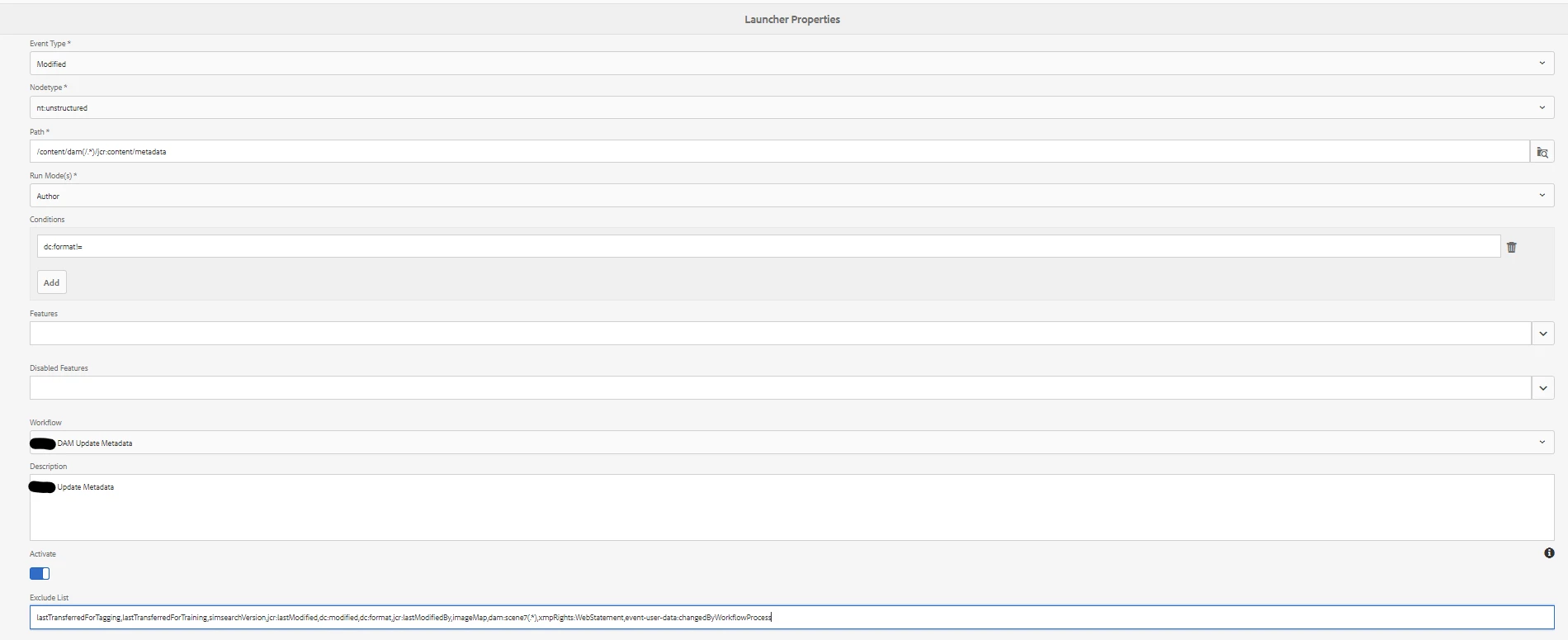
When a metadata field is updated, a custom workflow called "Update Metadata" is triggered by a launcher. Within this workflow, there is a process step called "Update CQ Name," where we update/add the custom property "xmp:modified-by" into asset's metadata node.
We fetch the value of the jcr:lastModifiedBy property from the asset's jcr:content node and save it in the asset's metadata node under the property xmp:modified-by.
However, the xmp:modified-by property is getting updated with an older value of jcr:lastModifiedBy. From my understanding, the workflow is triggered before the jcr:lastModifiedBy property is updated with the latest user who made the changes. I have checked the timing of jcr:lastModified and reviewed the logs to see when the workflow code is executed.
The workflow is getting completed successfully. There is no error in the logs.
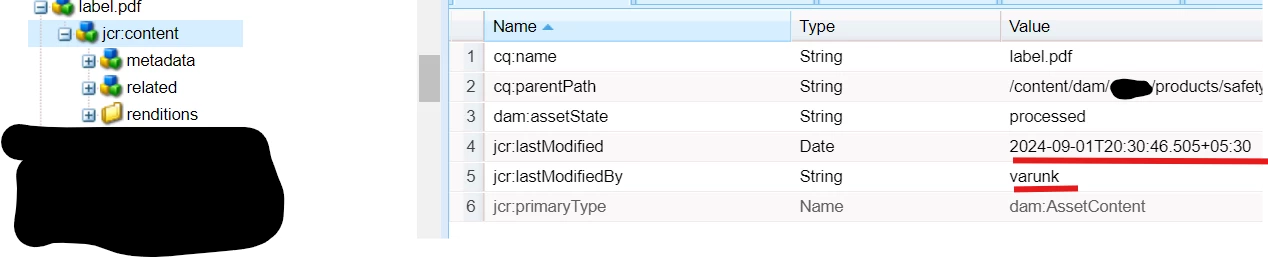
I have used varunk user id for modification in asset properties.
This is the Screenshot before updating asset properties
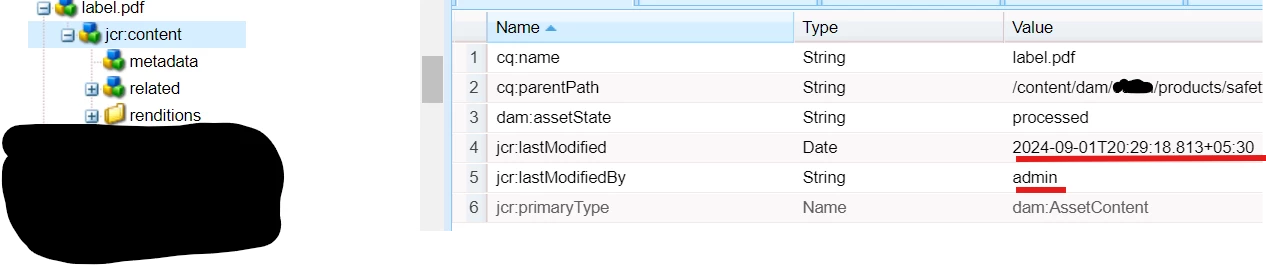
This is the Screenshot after updating asset properties
screenshot of xmp:modifed-by property in the metadata node after updating asset properties

screenshot of log file with workflow process start time

you can notice workflow process step started at :
01.09.2024 20:30:46.390
and value of jcr:lastModifed property in the jcr:content node is(in 2nd screenshot):
2024-09-01 T 20:30:46.505+05:30
screenshot of the launcher properties
why it is taking the previous value of jcr:lastModifiedBy and why workflow is triggered before latest value get saved in jcr:lastModifiedBy?