How to use folder level properties for permissions ACL in DAM | Community
Skip to main content
April 25, 2025
Solved

How to use folder level properties for permissions ACL in DAM

  • April 25, 2025
  • 2 replies
  • 743 views

trying to use Metadata based permissions for show/hide assets


Metadata-Driven Permissions in AEM Assets | Adobe Experience Manager


this is working fine for assets 

deny all assets using rep:ntNames="dam:Asset"

and then allowing based on metadata property status="Approved "
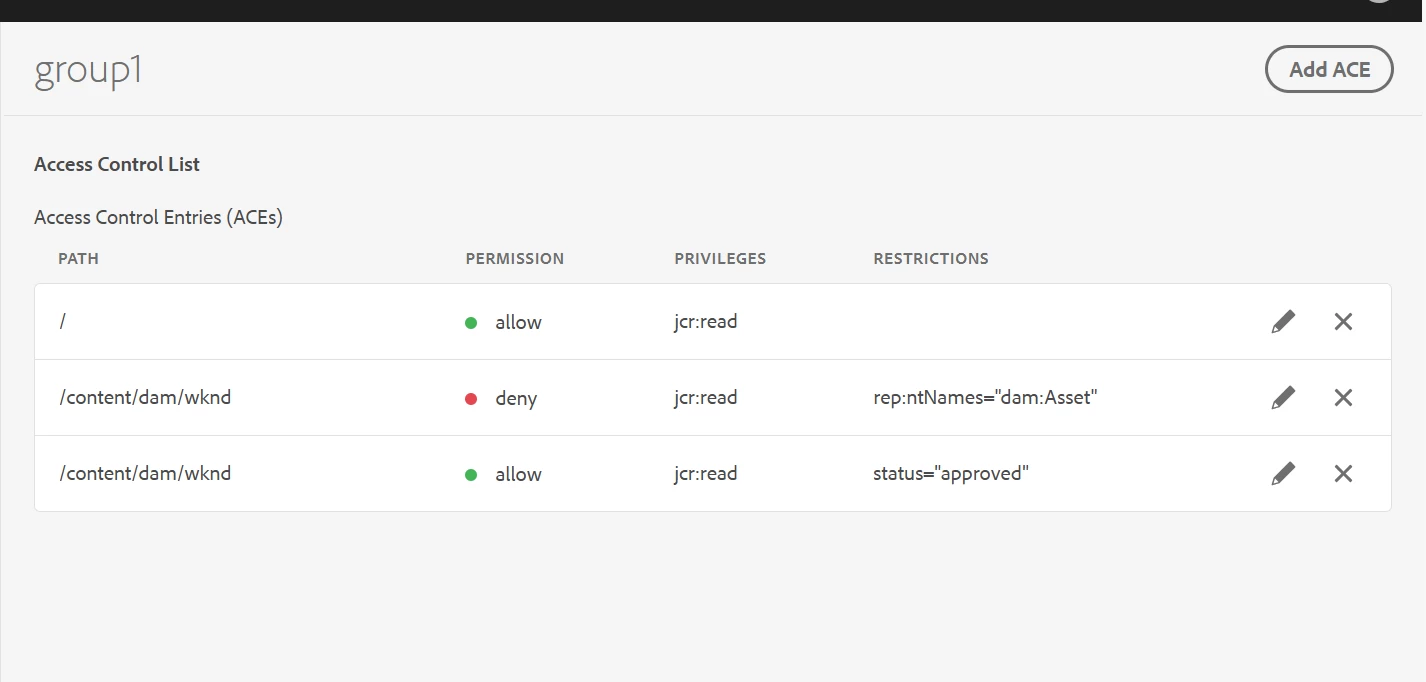


Now I am trying to do similar for a folder,

i.e. I am hiding all folders based on rep:ntNames="sling:Folder"
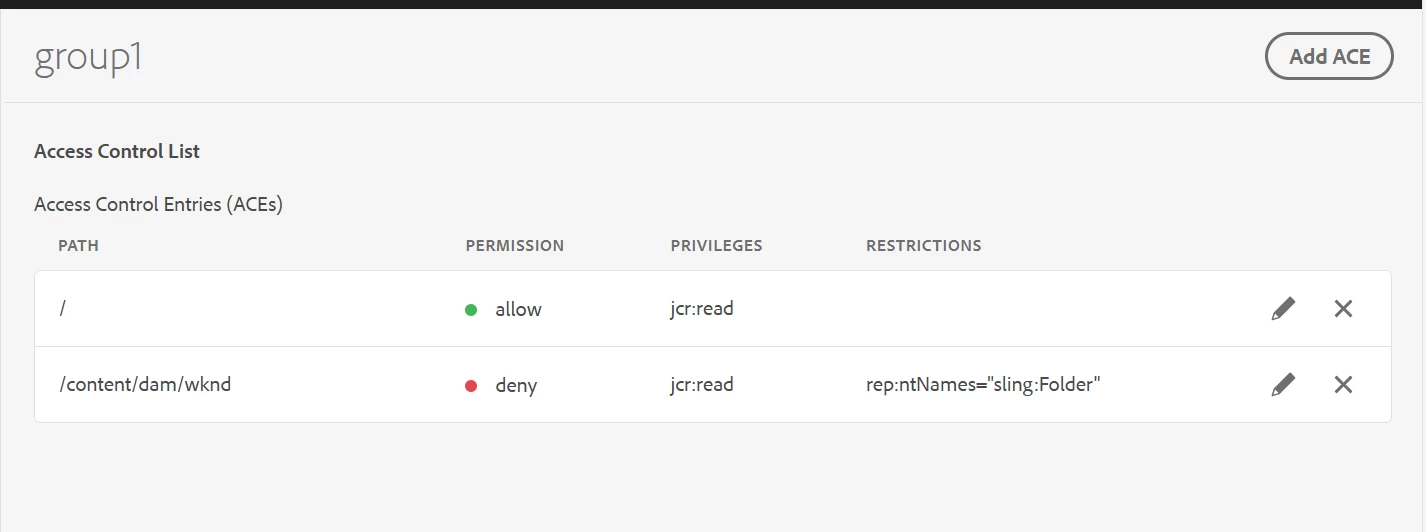


now how to allow specific folders under this folder based on a property value at folder level or at jcr:content level??


Please advice 


Thank you very much 


Best answer by SantoshSai

Hi @vishnure4,

Yeah, Netcentric ACL Tool doesn't support conditional rule evaluation based on node properties like jcr:content/visibility. It's limited to path- and node-type-based rules.

If metadata-based filtering is critical for folders, here are a few approaches that come to mind at the moment:

  • Restructuring the DAM folder hierarchy so that permission is tied to location (e.g., /approved, /unapproved)

  • Or using a custom solution outside Netcentric ACL - such as manual policy injection or UI-based filtering (though not secure for enforcement).

2 replies

SantoshSai
Community Advisor
Community Advisor
April 25, 2025

Hi @vishnure4,

Try this below approach:

  • Set a custom property at folder/jcr:content, e.g., visibility=approved.

  • In your permission setup, add an allow rule that checks this property (jcr:content/visibility=approved).

Important: You must configure your CUG (Closed User Group) or Permission Management Tool to recognize that for folders, the condition check happens at jcr:content.
Eg.

Suppose you have the folder structure:

/content/dam/marketing/folder1 (sling:Folder)
/content/dam/marketing/folder1/jcr:content (nt:unstructured)

You add this property at jcr:content:

visibility = "approved"

Then your permission rules should:

  1. Deny all sling:Folder nodes.

  2. Allow if jcr:content/visibility == "approved".

Hope that helps!

Santosh Sai
VishnuRe4Author
April 30, 2025

@santoshsai 


we are using netcentric tool for permissions.

I couldn't find an attribute / condition that takes in a node property value for checking the status.


Are you aware of any such rule condition in netcentric that I can use to achieve property-based condition?


If netcentric doesn't allow these types of rules, then is there any other way to achieve the filter?

SantoshSai
Community Advisor
SantoshSaiCommunity AdvisorAccepted solution
Community Advisor
April 30, 2025

Hi @vishnure4,

Yeah, Netcentric ACL Tool doesn't support conditional rule evaluation based on node properties like jcr:content/visibility. It's limited to path- and node-type-based rules.

If metadata-based filtering is critical for folders, here are a few approaches that come to mind at the moment:

  • Restructuring the DAM folder hierarchy so that permission is tied to location (e.g., /approved, /unapproved)

  • Or using a custom solution outside Netcentric ACL - such as manual policy injection or UI-based filtering (though not secure for enforcement).

Santosh Sai
kautuk_sahni
Community Manager
Community Manager
June 17, 2025

@vishnure4 Did you find the suggestion helpful? If you need more information, please let us know. If a response resolved your issue, kindly mark it as correct to help others in the future. Alternatively, if you discovered a solution on your own, we'd appreciate it if you could share it with the community. Thank you.

Kautuk Sahni
