How to use data-sly-test to tell the multifield (pathfield) is image or video? | Community
Skip to main content
Level 3
April 23, 2022
Solved

How to use data-sly-test to tell the multifield (pathfield) is image or video?

  • April 23, 2022
  • 2 replies
  • 3175 views

Dear community,


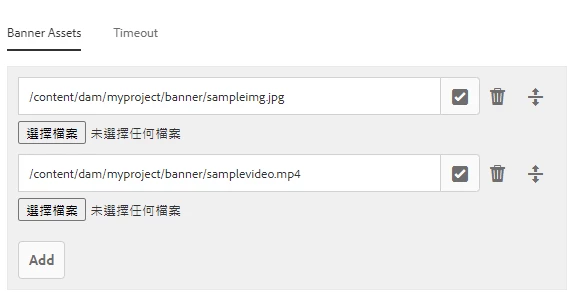
I'm trying to build my own custom carousel which can add multipe assets with multifield (pathfield to indicate the rootPath). 


As the pic shows, I'd like to add both images and videos on my banner, and am now trying data-sly-test to make this happen.


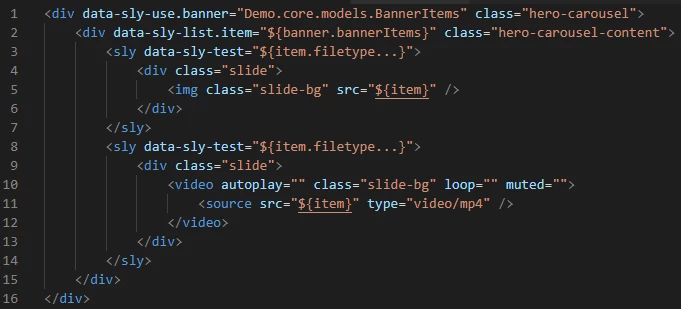
Now I can only pick either image or video to add, and have tried some combinations at the end of data-sly-test (line 3 and line 8). Is this a possible way to work it out?


I suppose I can make this work by using jQuery contains (say, contains ".mp4") function after rendering then append the video elements afterwards, but still would like to know if I can simply use data-sly-test before get into script.


Any ideas would be appreciated!


This post is no longer active and is closed to new replies. Need help? Start a new post to ask your question.
Best answer by DEBAL_DAS

I have tried with below htl code and checking file type  -


<div data-sly-test="${'jpg' in department.image}">IMAGE</div>
<div data-sly-test="${'pdf' in department.image}">PDF</div>

Entire htl code -

<sly data-sly-use.companiesModel="com.aem.demo.core.models.CompaniesModel"/>
<sly data-sly-test.empty="${!companiesModel.companies}" />
<div data-sly-test="${wcmmode.edit && empty}" class="cq-placeholder" data-emptytext="${component.title}"></div>
<sly data-sly-test="${!empty}">
  <div>
      <ul data-sly-list.company="${companiesModel.companies}">
        <li>${company.name}
          <ul data-sly-list.department="${company.departments}">
            <li>
               ${department.image}
                <li data-sly-test.image="${department.image}">

                  <div data-sly-test="${'jpg' in department.image}">IMAGE</div>
                  <div data-sly-test="${'pdf' in department.image}">PDF</div>
                </li>  
            </li>
          </ul>
        </li>
      </ul>
  </div>
</sly>

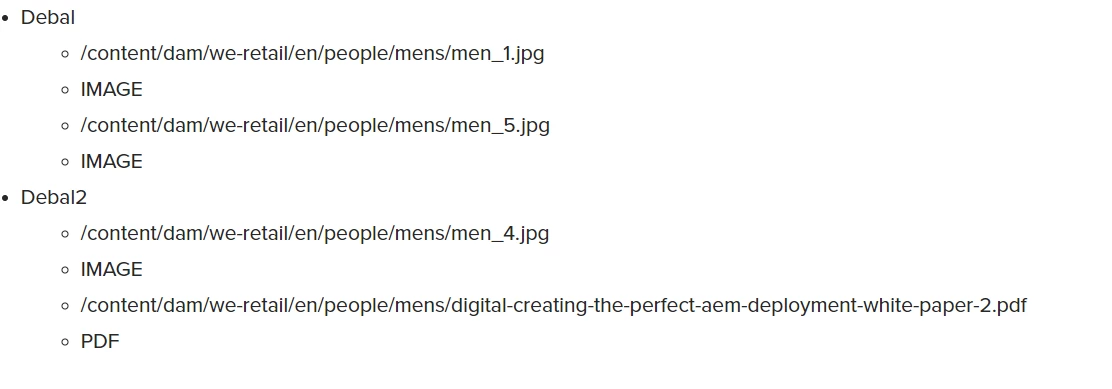
Output is file path and it's type-
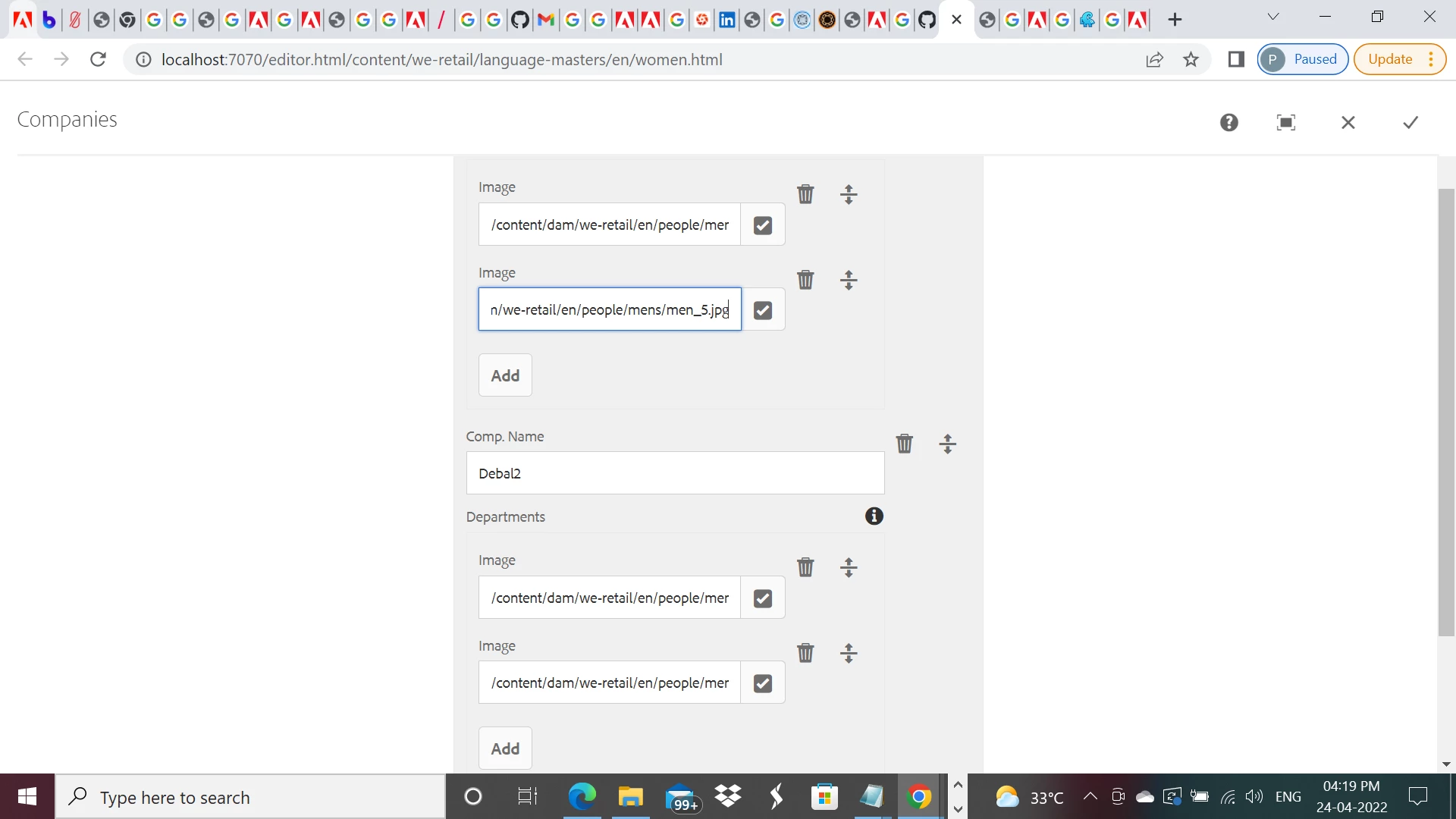
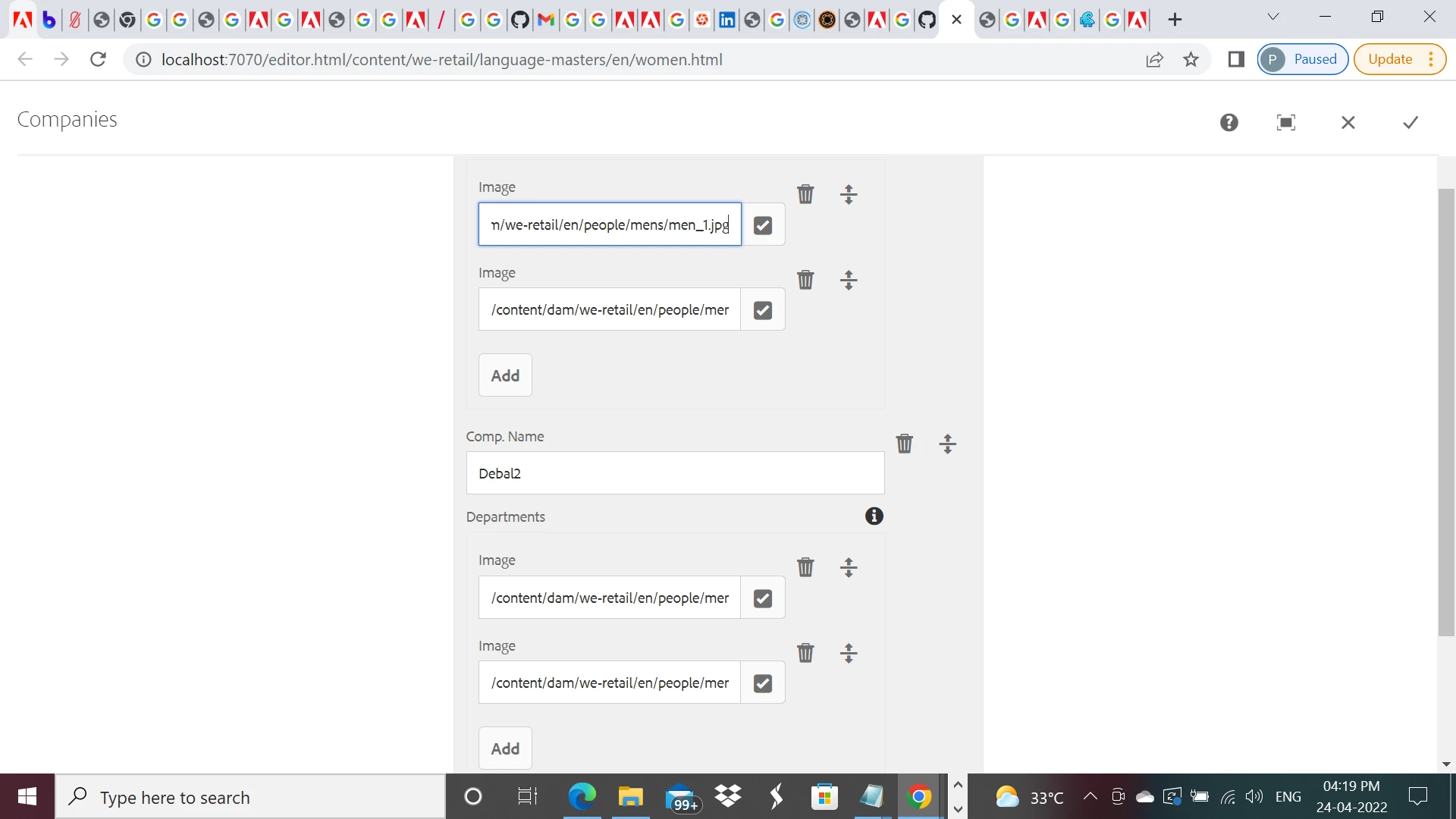
Author's entries -
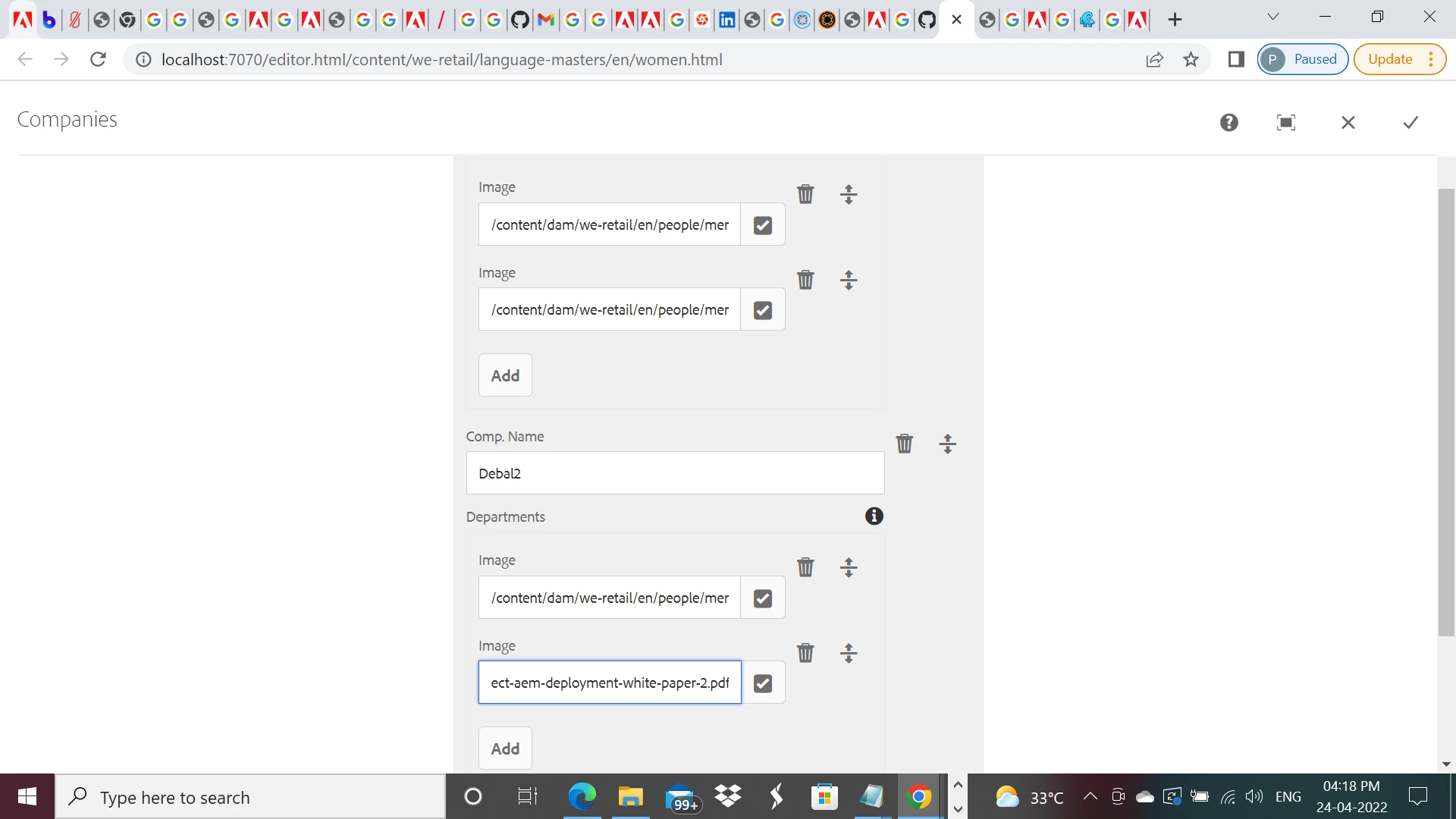
 

I have just used Image as field name in my sample component. But I can upload any type of files.


Sling model -

package com.aem.demo.core.models;

import java.util.List;
import javax.inject.Inject;
import org.apache.sling.api.resource.Resource;
import org.apache.sling.models.annotations.DefaultInjectionStrategy;
import org.apache.sling.models.annotations.Model;

@Model(
adaptables = {Resource.class},
defaultInjectionStrategy = DefaultInjectionStrategy.OPTIONAL)
public interface CompaniesModel {
@586265
List<Company> getCompanies(); // the name `getCompanies` corresponds to the multifield name="./companies"
/**
* Company model
* has a name and a list of departments
*/
@Model(adaptables = Resource.class, defaultInjectionStrategy = DefaultInjectionStrategy.OPTIONAL)
interface Company {
@586265
String getName();
@586265
List<Department> getDepartments(); // the name `getDepartments` corresponds to the multifield name="./departments"
}
/**
* Department model
* has a name and a manager
*/
@Model(adaptables = Resource.class, defaultInjectionStrategy = DefaultInjectionStrategy.OPTIONAL)
interface Department {
@586265
String getImage();

}

}


cq:dialog -

<?xml version="1.0" encoding="UTF-8"?>
<jcr:root xmlns:sling="http://sling.apache.org/jcr/sling/1.0" xmlns:cq="http://www.day.com/jcr/cq/1.0" xmlns:jcr="http://www.jcp.org/jcr/1.0" xmlns:nt="http://www.jcp.org/jcr/nt/1.0"
jcr:primaryType="nt:unstructured"
jcr:title="Companies"
sling:resourceType="cq/gui/components/authoring/dialog">
<content
jcr:primaryType="nt:unstructured"
sling:resourceType="granite/ui/components/coral/foundation/fixedcolumns">
<items jcr:primaryType="nt:unstructured">
<column
jcr:primaryType="nt:unstructured"
sling:resourceType="granite/ui/components/coral/foundation/container">
<items jcr:primaryType="nt:unstructured">
<companies
jcr:primaryType="nt:unstructured"
sling:resourceType="granite/ui/components/coral/foundation/form/multifield"
composite="{Boolean}true"
fieldDescription="Click 'Add Field' to add a new company.">
<field
jcr:primaryType="nt:unstructured"
sling:resourceType="granite/ui/components/coral/foundation/container"
name="./companies">
<items jcr:primaryType="nt:unstructured">
<name
jcr:primaryType="nt:unstructured"
sling:resourceType="granite/ui/components/coral/foundation/form/textfield"
fieldLabel="Comp. Name"
name="name"/>
<departments
jcr:primaryType="nt:unstructured"
sling:resourceType="granite/ui/components/coral/foundation/form/multifield"
composite="{Boolean}true"
fieldDescription="Click 'Add Field' to add a new department."
fieldLabel="Departments">
<field
jcr:primaryType="nt:unstructured"
sling:resourceType="granite/ui/components/coral/foundation/container"
name="./departments">
<items jcr:primaryType="nt:unstructured">
<image
jcr:primaryType="nt:unstructured"
sling:resourceType="granite/ui/components/coral/foundation/form/pathfield"
fieldLabel="Image"
name="image"
rootPath="/content/dam/we-retail/en/people"/>
</items>
</field>
</departments>
</items>
</field>
</companies>
</items>
</column>
</items>
</content>
</jcr:root>


2 replies

Kishore_Kumar_
Level 9
April 24, 2022

Hi @yusheng ,


Identifying asset type can be done through sling model. For example like below.


       @ValueMapValue
	private String assetPath;

	@SlingObject
	ResourceResolver resourceResolver;

	private Resource resource;
	private Asset asset;

	@PostConstruct
	protected void init() {
		resource = resourceResolver.getResource(assetPath);
		if(resource != null) {
			asset = resource.adaptTo(Asset.class);
		}
	}

	public String getAssetType() {	
		if(asset != null) {
			if(DamUtil.isImage(asset)) {
				return "image";
			} else if (DamUtil.isVideo(asset)){
				return "video";
			}
		}
		return StringUtils.EMPTY;
	}


YuShengAuthor
Level 3
April 25, 2022

Hi Kishore_Kumar_


Thank you for the reply.

Although I don't intend to get into sling model in this case, shall take your reply as reference when I need to identify asset type in sling model next time.


Cheers!

DEBAL_DAS
DEBAL_DASAccepted solution
New Member
April 24, 2022

I have tried with below htl code and checking file type  -


<div data-sly-test="${'jpg' in department.image}">IMAGE</div>
<div data-sly-test="${'pdf' in department.image}">PDF</div>

Entire htl code -

<sly data-sly-use.companiesModel="com.aem.demo.core.models.CompaniesModel"/>
<sly data-sly-test.empty="${!companiesModel.companies}" />
<div data-sly-test="${wcmmode.edit && empty}" class="cq-placeholder" data-emptytext="${component.title}"></div>
<sly data-sly-test="${!empty}">
  <div>
      <ul data-sly-list.company="${companiesModel.companies}">
        <li>${company.name}
          <ul data-sly-list.department="${company.departments}">
            <li>
               ${department.image}
                <li data-sly-test.image="${department.image}">

                  <div data-sly-test="${'jpg' in department.image}">IMAGE</div>
                  <div data-sly-test="${'pdf' in department.image}">PDF</div>
                </li>  
            </li>
          </ul>
        </li>
      </ul>
  </div>
</sly>

Output is file path and it's type-

Author's entries -
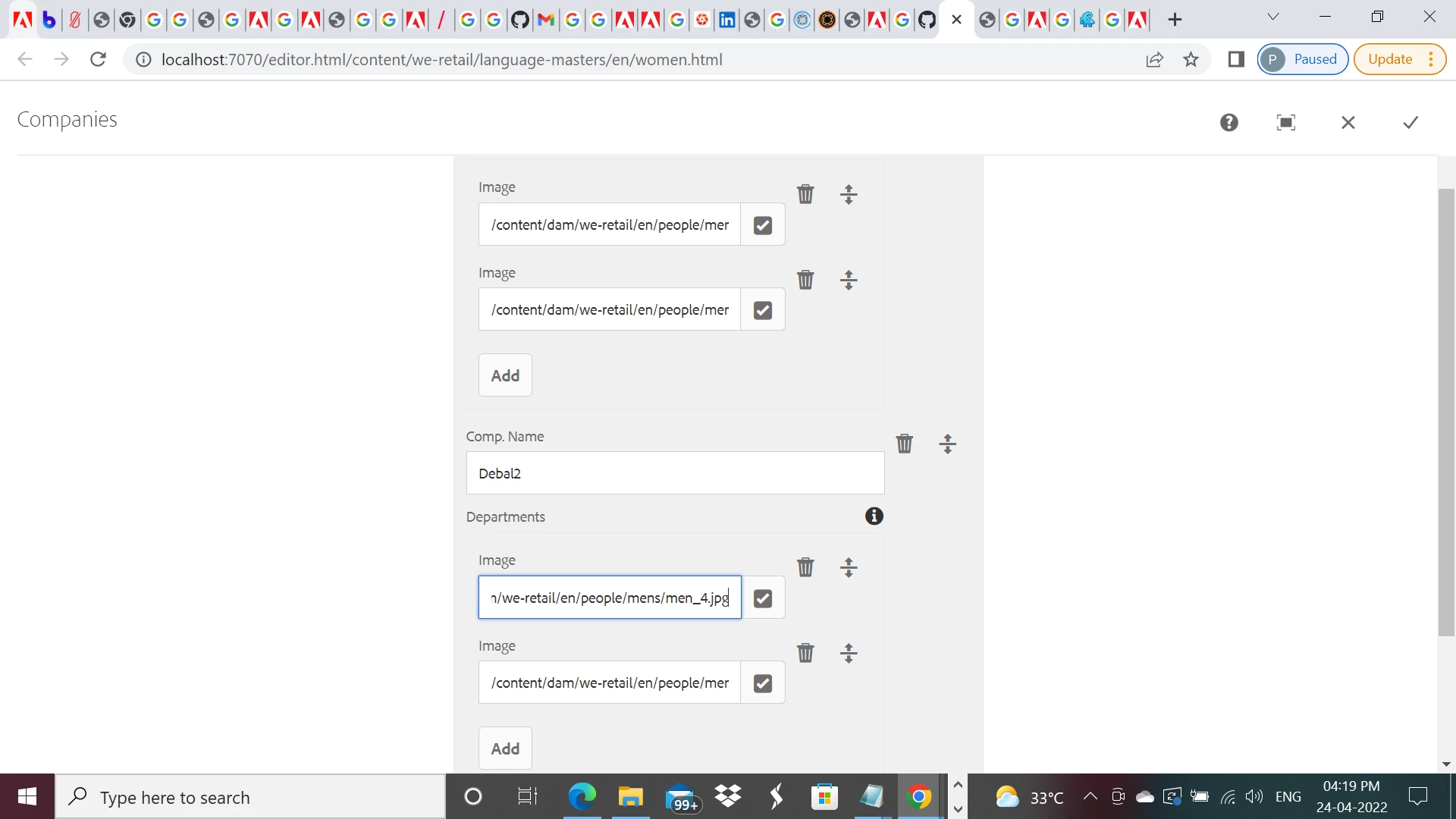
 

I have just used Image as field name in my sample component. But I can upload any type of files.


Sling model -

package com.aem.demo.core.models;

import java.util.List;
import javax.inject.Inject;
import org.apache.sling.api.resource.Resource;
import org.apache.sling.models.annotations.DefaultInjectionStrategy;
import org.apache.sling.models.annotations.Model;

@Model(
adaptables = {Resource.class},
defaultInjectionStrategy = DefaultInjectionStrategy.OPTIONAL)
public interface CompaniesModel {
@586265
List<Company> getCompanies(); // the name `getCompanies` corresponds to the multifield name="./companies"
/**
* Company model
* has a name and a list of departments
*/
@Model(adaptables = Resource.class, defaultInjectionStrategy = DefaultInjectionStrategy.OPTIONAL)
interface Company {
@586265
String getName();
@586265
List<Department> getDepartments(); // the name `getDepartments` corresponds to the multifield name="./departments"
}
/**
* Department model
* has a name and a manager
*/
@Model(adaptables = Resource.class, defaultInjectionStrategy = DefaultInjectionStrategy.OPTIONAL)
interface Department {
@586265
String getImage();

}

}


cq:dialog -

<?xml version="1.0" encoding="UTF-8"?>
<jcr:root xmlns:sling="http://sling.apache.org/jcr/sling/1.0" xmlns:cq="http://www.day.com/jcr/cq/1.0" xmlns:jcr="http://www.jcp.org/jcr/1.0" xmlns:nt="http://www.jcp.org/jcr/nt/1.0"
jcr:primaryType="nt:unstructured"
jcr:title="Companies"
sling:resourceType="cq/gui/components/authoring/dialog">
<content
jcr:primaryType="nt:unstructured"
sling:resourceType="granite/ui/components/coral/foundation/fixedcolumns">
<items jcr:primaryType="nt:unstructured">
<column
jcr:primaryType="nt:unstructured"
sling:resourceType="granite/ui/components/coral/foundation/container">
<items jcr:primaryType="nt:unstructured">
<companies
jcr:primaryType="nt:unstructured"
sling:resourceType="granite/ui/components/coral/foundation/form/multifield"
composite="{Boolean}true"
fieldDescription="Click 'Add Field' to add a new company.">
<field
jcr:primaryType="nt:unstructured"
sling:resourceType="granite/ui/components/coral/foundation/container"
name="./companies">
<items jcr:primaryType="nt:unstructured">
<name
jcr:primaryType="nt:unstructured"
sling:resourceType="granite/ui/components/coral/foundation/form/textfield"
fieldLabel="Comp. Name"
name="name"/>
<departments
jcr:primaryType="nt:unstructured"
sling:resourceType="granite/ui/components/coral/foundation/form/multifield"
composite="{Boolean}true"
fieldDescription="Click 'Add Field' to add a new department."
fieldLabel="Departments">
<field
jcr:primaryType="nt:unstructured"
sling:resourceType="granite/ui/components/coral/foundation/container"
name="./departments">
<items jcr:primaryType="nt:unstructured">
<image
jcr:primaryType="nt:unstructured"
sling:resourceType="granite/ui/components/coral/foundation/form/pathfield"
fieldLabel="Image"
name="image"
rootPath="/content/dam/we-retail/en/people"/>
</items>
</field>
</departments>
</items>
</field>
</companies>
</items>
</column>
</items>
</content>
</jcr:root>


Debal Das, Senior AEM Consultant
YuShengAuthor
Level 3
April 25, 2022

Hi DEBAL_DAS,


It works perfectly now by adopting your approach, thanks a lot!