
How to set default policy for XF template in AEM | Community
Skip to main content
stiegjo22
Level 4
July 17, 2025
Solved

How to set default policy for XF template in AEM

  • July 17, 2025
  • 1 reply
  • 475 views

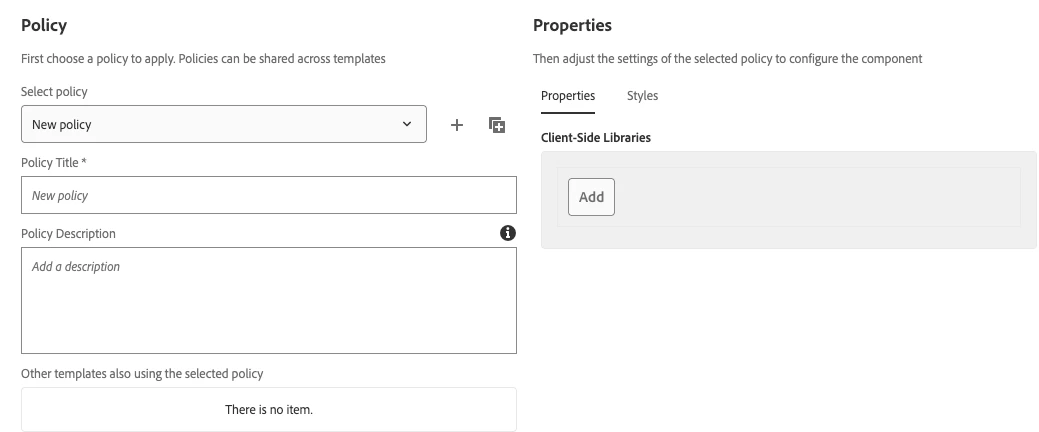
How do I set 2 default policies for an Experience Fragments in AEM? Currently when I have to create a new XF, I need to navigate to General --> Templates every time and define the page policy with the correct policy for the client libs.

<jcr:content cq:lastModified="{Date}2025-07-16T11:13:40.354-04:00" cq:lastModifiedBy="admin" cq:policy="wcm/foundation/components/page/policy" jcr:primaryType="nt:unstructured" sling:resourceType="wcm/core/components/policies/mappings"> <root cq:policy="jhi-experience-fragments/foundation/components/responsivegrid/policy_84186787001333" jcr:primaryType="nt:unstructured" sling:resourceType="wcm/core/components/policies/mapping"/> <anotherRoot cq:policy="jhi-experience-fragments/foundation/components/xfpage/policy_1752691690759" jcr:primaryType="nt:unstructured" sling:resourceType="wcm/core/components/policies/mapping"/> </jcr:content>


This post is no longer active and is closed to new replies. Need help? Start a new post to ask your question.
Best answer by SantoshSai

Hi @stiegjo22,

Setting default policies for Experience Fragments (XF) is usually done via a template-level configuration, not directly in the XF itself. You're on the right track by looking into the wcm/core/components/policies/mappings, but to avoid manually assigning policies every time you create a new XF, follow the method below.

Automate default policy assignment for new Experience Fragments, configure the template structure (/conf/your-site/settings/wcm/template-types/xf-page/structure) to include the policies.

1. Locate your XF Template Type

Path:

/conf/your-site/settings/wcm/template-types/xf-page

Inside this template type, go to:

/conf/your-site/settings/wcm/template-types/xf-page/structure/jcr:content

2. Set the cq:policy on the correct nodes

Example structure with two nodes:

/conf/your-site/settings/wcm/template-types/xf-page/structure
└── jcr:content
    ├── root (sling:resourceType: wcm/foundation/components/responsivegrid)
    │   └── cq:policy = jhi-experience-fragments/foundation/components/responsivegrid/policy_84186787001333
    └── cq:policy = jhi-experience-fragments/foundation/components/xfpage/policy_1752691690759
  • jcr:content/@cq:policy: sets the policy for the xfpage root

  • jcr:content/root/@cq:policy: sets the policy for the responsivegrid

1 reply

SantoshSai
Community Advisor
SantoshSaiCommunity AdvisorAccepted solution
Community Advisor
July 18, 2025

Hi @stiegjo22,

Setting default policies for Experience Fragments (XF) is usually done via a template-level configuration, not directly in the XF itself. You're on the right track by looking into the wcm/core/components/policies/mappings, but to avoid manually assigning policies every time you create a new XF, follow the method below.

Automate default policy assignment for new Experience Fragments, configure the template structure (/conf/your-site/settings/wcm/template-types/xf-page/structure) to include the policies.

1. Locate your XF Template Type

Path:

/conf/your-site/settings/wcm/template-types/xf-page

Inside this template type, go to:

/conf/your-site/settings/wcm/template-types/xf-page/structure/jcr:content

2. Set the cq:policy on the correct nodes

Example structure with two nodes:

/conf/your-site/settings/wcm/template-types/xf-page/structure
└── jcr:content
    ├── root (sling:resourceType: wcm/foundation/components/responsivegrid)
    │   └── cq:policy = jhi-experience-fragments/foundation/components/responsivegrid/policy_84186787001333
    └── cq:policy = jhi-experience-fragments/foundation/components/xfpage/policy_1752691690759
  • jcr:content/@cq:policy: sets the policy for the xfpage root

  • jcr:content/root/@cq:policy: sets the policy for the responsivegrid

Santosh Sai
stiegjo22
stiegjo22Author
Level 4
July 18, 2025

Thanks so much.