how to handle docstate metadata property | Community
Skip to main content
djohn98390536
Level 4
June 27, 2024
Solved

how to handle docstate metadata property

  • June 27, 2024
  • 3 replies
  • 683 views

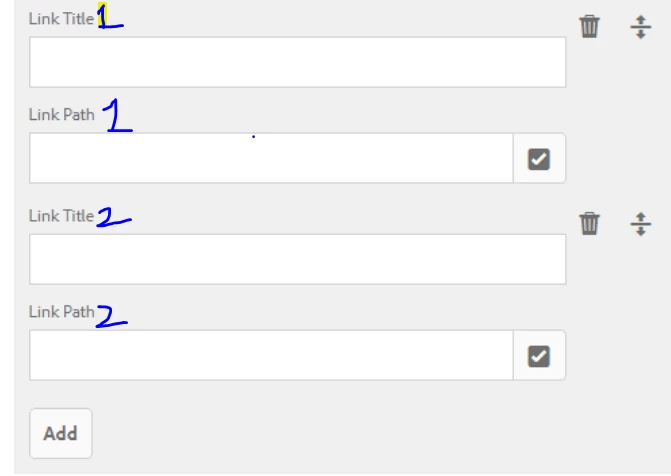
I have created a metadata schema and applied this schema  but when i try to see properties of an asset 

by default docstate metadata property is added to the properties page  which i hv not added in schema.
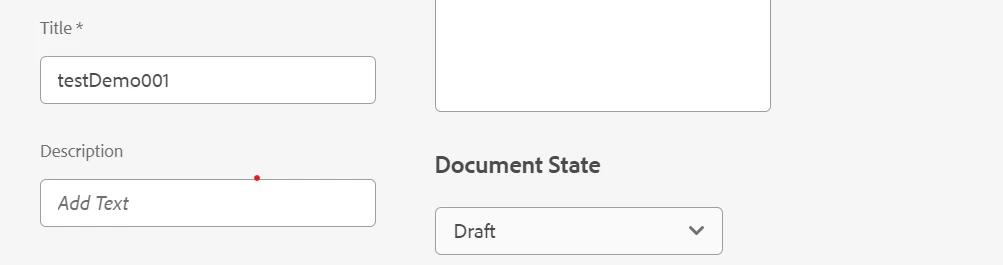
 

Can any body share how to handle this property.

This post is no longer active and is closed to new replies. Need help? Start a new post to ask your question.
Best answer by gkalyan
The docstate property is part of the default metadata configuration in AEM Guides. It is available out-of-the-box, even if you haven't explicitly added it to your custom schema.


Check this documentation about doc states

https://experienceleague.adobe.com/en/docs/experience-manager-guides/using/user-guide/author-content/create-preview-topics/author-content-aem-guides/work-with-web-editor/web-editor-document-states


And configuring them

https://experienceleague.adobe.com/en/docs/experience-manager-guides/using/install-guide/on-prem-ig/doc-state/customize-doc-state


Finally as this is related to guides, it is better you ask in Guides community - https://experienceleaguecommunities.adobe.com/t5/experience-manager-guides/bd-p/xml-documentation-qanda

3 replies

arunpatidar
Community Advisor
Community Advisor
June 27, 2024

Hi @djohn98390536 
Could you please check assets from JCR and check metadata. I believe the schema property is mapped with existing jcr property, thats why you have prefilled values.

Arun Patidar
aanchal-sikka
Community Advisor
Community Advisor
June 27, 2024

@djohn98390536 


Document State is often used in context of AEM Guides (XML Dita Add-On).

Can you please check, if there are any visibility rules set OOTB, which have not propagated to custom schema?


Aanchal Sikka
gkalyan
Community Advisor and Adobe Champion
gkalyanCommunity Advisor and Adobe ChampionAccepted solution
Community Advisor and Adobe Champion
June 27, 2024
The docstate property is part of the default metadata configuration in AEM Guides. It is available out-of-the-box, even if you haven't explicitly added it to your custom schema.


Check this documentation about doc states

https://experienceleague.adobe.com/en/docs/experience-manager-guides/using/user-guide/author-content/create-preview-topics/author-content-aem-guides/work-with-web-editor/web-editor-document-states


And configuring them

https://experienceleague.adobe.com/en/docs/experience-manager-guides/using/install-guide/on-prem-ig/doc-state/customize-doc-state


Finally as this is related to guides, it is better you ask in Guides community - https://experienceleaguecommunities.adobe.com/t5/experience-manager-guides/bd-p/xml-documentation-qanda

djohn98390536
Level 4
June 28, 2024

Hi @gkalyan thanks for your time to answer and thanks for the information