How to get the sign in button while login | Community
Skip to main content
Level 3
June 12, 2024

How to get the sign in button while login

  • June 12, 2024
  • 5 replies
  • 1796 views

Hello,


While logging in to adobe cloud we are getting the button "Sign in with Adobe"
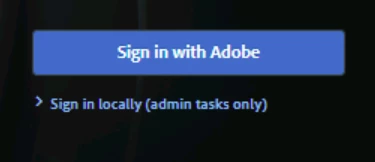
 

But the same does not appear on  vanilla AEM instance .



Can you please provide the code that is doing this change. How can i add this "Sign in with Adobe" to my local


Regards,

Srinivas


This post is no longer active and is closed to new replies. Need help? Start a new post to ask your question.

5 replies

h_kataria
Community Advisor
Community Advisor
June 12, 2024

Not sure what your use case is or why you need to use SSO on local but "Sign in with Adobe" is visible on the cloud instances due to the IMS integration which is not present for your local instance, hence you cannot see that button.
The responsible config for the same is com.adobe.granite.auth.ims.impl.ImsConfigProviderImpl 


You can check the implementation for login screen at /libs/granite/core/components/login/login.jsp 

Harwinder-singh
Community Advisor
Community Advisor
June 12, 2024

@srinivas_opti  Sign in  with Adobe uses your Adobe account Org's IMS credentials that you dont have access to in your local instance. You can log into your local instance using a valid AEM user stored locally in your AEM environment's JCR.

HrishikeshKagne
Community Advisor
Community Advisor
June 13, 2024

Hi @srinivas_opti ,

To integrate the "Sign in with Adobe" button for Adobe IMS (Identity Management System) into a local AEM instance, you need to configure your AEM instance to use Adobe IMS for authentication. This involves several steps, including configuring OAuth with Adobe IMS and updating the AEM login page to display the "Sign in with Adobe" button.

Steps to Add "Sign in with Adobe" Button in AEM

  1. Set Up Adobe IMS Configuration in AEM:

    • Create OAuth Integration in Adobe Developer Console:

    • Get IMS Configuration Details:

      • Client ID
      • Client Secret
      • Redirect URI
      • Authorization Endpoint
      • Token Endpoint
    • Configure OAuth in AEM:

  2. Update AEM Login Page to Include "Sign in with Adobe" Button:

    • Create or Update Custom Login Page:

      • Navigate to your AEM login page, typically found under /libs/granite/core/content/login.
      • Overlay this login page to your project's apps folder (e.g., /apps/myproject/core/content/login).
    • Add "Sign in with Adobe" Button to Login Page:

      • Edit the HTML of the login page to include the "Sign in with Adobe" button.
      • Add the necessary JavaScript to handle the OAuth flow.

Example Code to Add "Sign in with Adobe" Button:

HTML Update for Login Page:


<sly data-sly-use.clientLibs="core.wcm.components.clientlibs" data-sly-call="${clientLibs.css @ categories='granite.ui.login'}" /> <sly data-sly-call="${clientLibs.js @ categories='granite.ui.login'}" /> <form action="${redirectUrl}" method="post" id="login" class="coral-Form--vertical"> <coral-panelstack> <coral-panel> <coral-panel-content> <!-- Existing AEM login fields --> <coral-form-fieldset> <coral-form-fieldwrapper> <label class="coral-Form-fieldlabel" for="username">Username</label> <coral-textfield id="username" name="j_username" class="coral-Form-field" required></coral-textfield> </coral-form-fieldwrapper> <coral-form-fieldwrapper> <label class="coral-Form-fieldlabel" for="password">Password</label> <coral-password id="password" name="j_password" class="coral-Form-field" required></coral-password> </coral-form-fieldwrapper> </coral-form-fieldset> <!-- Add the "Sign in with Adobe" button --> <coral-button variant="primary" type="button" id="adobe-signin" class="coral-Button">Sign in with Adobe</coral-button> </coral-panel-content> </coral-panel> </coral-panelstack> </form> <script> document.getElementById('adobe-signin').addEventListener('click', function() { var clientId = 'YOUR_CLIENT_ID'; var redirectUri = 'YOUR_REDIRECT_URI'; var authEndpoint = 'YOUR_AUTHORIZATION_ENDPOINT'; var url = authEndpoint + '?client_id=' + clientId + '&redirect_uri=' + redirectUri + '&response_type=code&scope=AdobeID,openid'; window.location.href = url; }); </script>


Detailed Steps for Implementation:

  1. Overlay the Login Page:

    • Create a new login page at /apps/myproject/core/content/login.
    • Copy the existing login page from /libs/granite/core/content/login to your new location.
  2. Modify the Overlayed Login Page:

    • Update the HTML to include the "Sign in with Adobe" button.
    • Ensure the button triggers the OAuth flow when clicked.
  3. Test the Integration:

    • Deploy your changes to your AEM instance.
    • Access the login page and click the "Sign in with Adobe" button.
    • Ensure the OAuth flow redirects back to your AEM instance and logs you in.

By following these steps, you can integrate the "Sign in with Adobe" button into your local AEM instance, allowing users to authenticate using Adobe IMS.


Hrishikesh Kagane
Level 3
June 13, 2024

Hello @hrishikeshkagne 


Thanks for the detailed input. 

In my local under /libs/granite/core/content/login


I hardcoed  the  imsLoginUrl="/j_security_check", then can see the "Sign in with Adobe" button coming up.


My query:-

I modified the below  


  • Configured Adobe Granite OAuth IMS Provider with the details from the Adobe Developer Console.
  • Adobe Granite OAuth IMs Configuration Provider


Now with the existing code I noticed that " imsLoginUrl = imsConfigProvider.getImsLoginUrl(slingRequest);"


is coming up as null,


QUESTION:-

Any idea do you have as why imsLoginUrl is coming up as null the login.jsp??


Regards,

Srinivas


HrishikeshKagne
Community Advisor
Community Advisor
June 13, 2024

Hi @srinivas_opti ,

If the `imsLoginUrl` is coming up as null in the `login.jsp` file, there could be a few possible reasons for this:

1. Configuration Issue: Double-check the configuration of the Adobe Granite OAuth IMS Provider in AEM. Ensure that you have correctly entered the details from the Adobe Developer Console, such as the Client ID, Client Secret, and Redirect URI. Any misconfiguration in these settings can cause the `imsLoginUrl` to be null.

2. Missing Dependencies: Verify that all the required dependencies for the Adobe Granite OAuth IMS Provider are correctly installed and available in your AEM instance. Make sure that the necessary OSGi bundles and packages are present and active.

3. Request Context: Check if the `slingRequest` object is properly initialized and passed to the `imsConfigProvider.getImsLoginUrl()` method. If the request context is not set correctly, it can result in a null value for `imsLoginUrl`.

4. Customization or Overrides: If you have made any customizations or overrides to the default behavior of the Adobe Granite OAuth IMS Provider or the `login.jsp` file, ensure that they are implemented correctly and not causing any conflicts or issues.

It is recommended to review the configuration, dependencies, and code implementation related to the Adobe Granite OAuth IMS Provider and the `login.jsp` file. Additionally, check the AEM logs for any error messages or warnings that might provide more insights into the issue.

Hrishikesh Kagane
BrianKasingli
Community Advisor and Adobe Champion
June 14, 2024

Q: Can you please provide the code that is doing this change. How can i add this "Sign in with Adobe" to my local.

As an AEM developer on your local machine, you should ALWAYS sign in as
username: admin
password: admin

This gives you the full capabilities of an admin to implement AEM solutions for what you need. And if you have a requirement to test a specific user group or type of user, you can use the AEM tools to create a new user, and sign in as another user. Basic Auth is the way to go with Local AEM Development. 

Please don't waste your time trying to setup Single Sign On for your local machine, it's not worth it. To find the sign in page, just click on this link here http://localhost:4503/libs/granite/core/content/login.html.

Level 3
June 14, 2024

Hello @briankasingli ,


Thanks for your input.

I actually need it for one of our authoring AEM servers. It was not showing up "Sign in with Adobe" ,so was checking what probably I need to change to make it available.
 
 
Thanks,
Srinivas
BrianKasingli
Community Advisor and Adobe Champion
June 14, 2024

Weird, is this AEMaaCS? if it his, shoot Adobe a support ticket.

kautuk_sahni
Community Manager
Community Manager
June 19, 2024

@srinivas_opti Did you find the suggestion helpful? Please let us know if you require more information. Otherwise, please mark the answer as correct for posterity. If you've discovered a solution yourself, we would appreciate it if you could share it with the community. Thank you!

Kautuk Sahni