How to extract & show the path of aem sites page properties thumbnail image dam asset
Hello All,
I am trying to extract the dam asset path & show it to a custom created read only text field dialog as soon as the user clicks on the "Select Image" button of the thumbnail tab & selects the thumbnail image from dam. To achieve this goal I have created a custom textfield dialog inside thumbnail tab pasting the xml as below:
dialog structure:
<thumbnail
cq:showOnCreate="{Boolean}false"
jcr:primaryType="nt:unstructured"
jcr:title="Thumbnail"
sling:orderBefore="analytics"
sling:resourceType="granite/ui/components/coral/foundation/fixedcolumns">
<items jcr:primaryType="nt:unstructured">
<column
jcr:primaryType="nt:unstructured"
sling:resourceType="granite/ui/components/coral/foundation/container">
<items
jcr:primaryType="nt:unstructured"
sling:resourceSuperType="/libs/wcm/foundation/components/basicpage/v1/basicpage/tabs/thumbnail/items/column/items">
<thumbnail
jcr:primaryType="nt:unstructured"
sling:hideChildren="upload"
sling:resourceType="cq/gui/components/common/wcm/pagethumbnail"
page="${empty param.item ? requestPathInfo.suffix : param.item}"
quiet="{Boolean}true"/>
<dampath
jcr:primaryType="nt:unstructured"
sling:resourceType="granite/ui/components/coral/foundation/form/textfield"
fieldLabel=" DAM Path"
name="./dampath"
readOnly="{Boolean}true"
renderReadOnly="{Boolean}true"/>
</items>
</column>
</items>
</thumbnail>
i have also created a clintlibs folder & has written the below js
js written in clientlibs for page component:
document.addEventListener('DOMContentLoaded', function () {
const selectImageButton = document.querySelector('.js-browse-activator');
const damPathInput = document.querySelector('input[name="./dampath"]');
// Exit early if fields not found
if (!selectImageButton || !damPathInput) return;
selectImageButton.addEventListener('click', function () {
const thumbnailImage = document.querySelector('.cq-wcm-pagethumbnail-image');
const hiddenFileReference = document.querySelector('input[name="./image/fileReference"]');
console.log("thumbnail Image value:", thumbnailImage);
console.log("hidden file reference:", hiddenFileReference);
if (!hiddenFileReference) return;
// Immediately set if value exists
if (hiddenFileReference.value) {
damPathInput.value = hiddenFileReference.value;
}
// Set up observer to watch for changes in fileReference
const observer = new MutationObserver(() => {
const damValue = hiddenFileReference.value;
if (damValue) {
damPathInput.value = damValue;
}
});
observer.observe(hiddenFileReference, { attributes: true, attributeFilter: ['value'] });
});
});
The js is giving the asset path as below :
Expected Result:
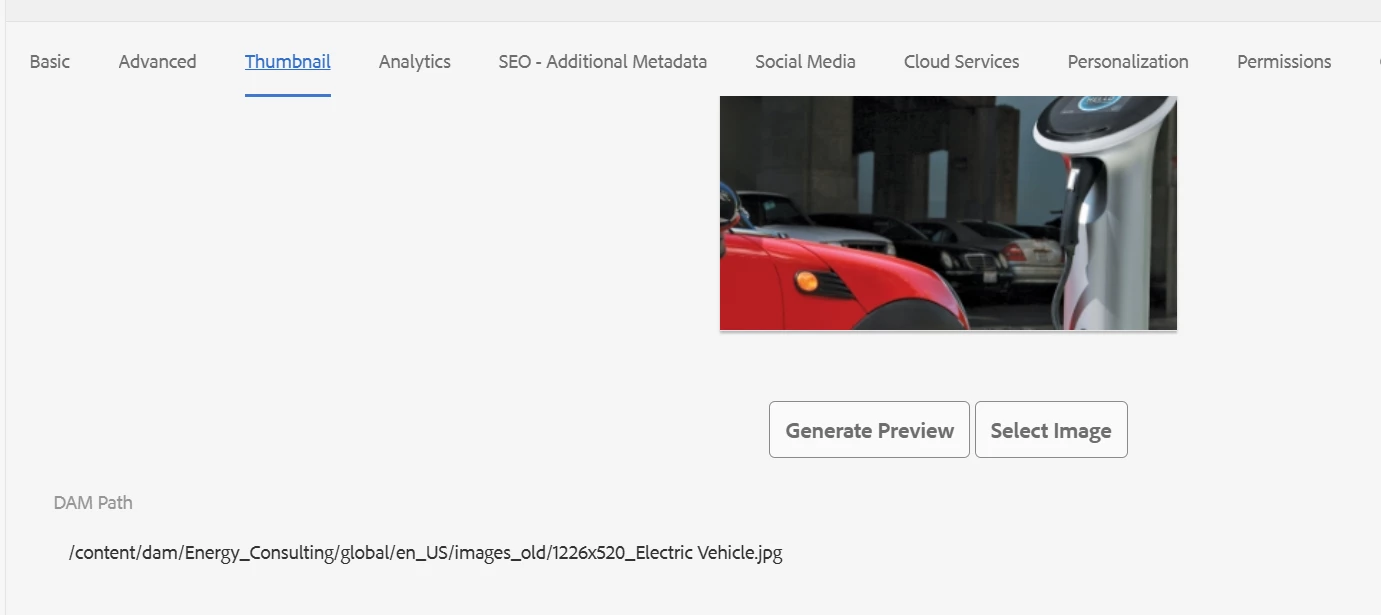
Issue with the code:
The issue with my implementation is this js is only working after I am opening the page properties & then after I am selecting the thumbnail image the Dam Path is still showing the older path until I click on the Select Image button again, then only dam path is showing the correct path and after that working as expected, but the expectation is once I select the thumbnail image after opening page properties going to the tab selecting from the dam the path should could get update correctly in real time. I do not have to click on the "Select Image" button again.
Can you kindly suggest what I am doing wrong in my implementation.