How to disable dropdown field in touch ui dialog AEM 6.2 | Community
Skip to main content
karansheel
Level 3
November 24, 2017
Solved

How to disable dropdown field in touch ui dialog AEM 6.2

  • November 24, 2017
  • 5 replies
  • 5124 views

Hi,

I have a requirement in which i have to disable the dropdown field in dialog . To do this, i have added two properties ""disabled": true,"  & "renderReadOnly": true, but still it's not working .I'm able to manipulate dropdown value. where as it's working fine for text field.

here is json of this node

{

"jcr:primaryType": "nt:unstructured",

"cq:showOnCreate": true,

"jcr:title": "Page type",

"sling:resourceType": "granite/ui/components/foundation/form/fieldset",

"items": {

"jcr:primaryType": "nt:unstructured",

"pagetitle": {

"jcr:primaryType": "nt:unstructured",

"cq:showOnCreate": true,

"name": "./pageType",

"class": "cq-dialog-dropdown-showhide",

"cq-msm-lockable": "pageType",

"disabled": true,

"cq-dialog-dropdown-showhide-target": ".carousel-option-listfrom-showhide-target",

"fieldLabel": "Page Type",

"sling:resourceType": "granite/ui/components/foundation/form/select",

"renderReadOnly": true,

"items": {

"jcr:primaryType": "nt:unstructured",

"news": {

"jcr:primaryType": "nt:unstructured",

"text": "News",

"value": "News"

},

"products": {

"jcr:primaryType": "nt:unstructured",

"text": "Products",

"value": "Products"

},

"events": {

"jcr:primaryType": "nt:unstructured",

"text": "Events",

"value": "Events"

}

}

}

}

}

thanks,
This post is no longer active and is closed to new replies. Need help? Start a new post to ask your question.
Best answer by smacdonald2008

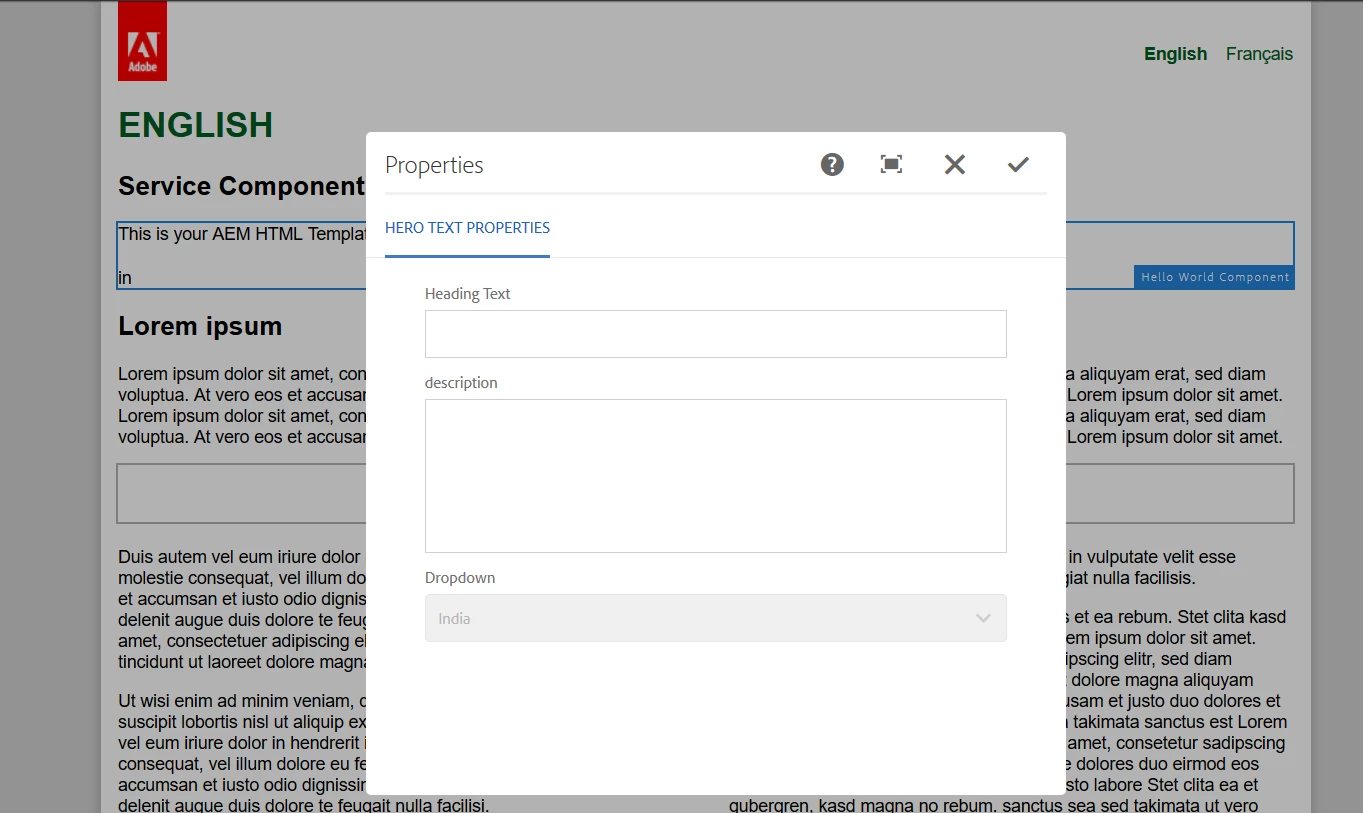
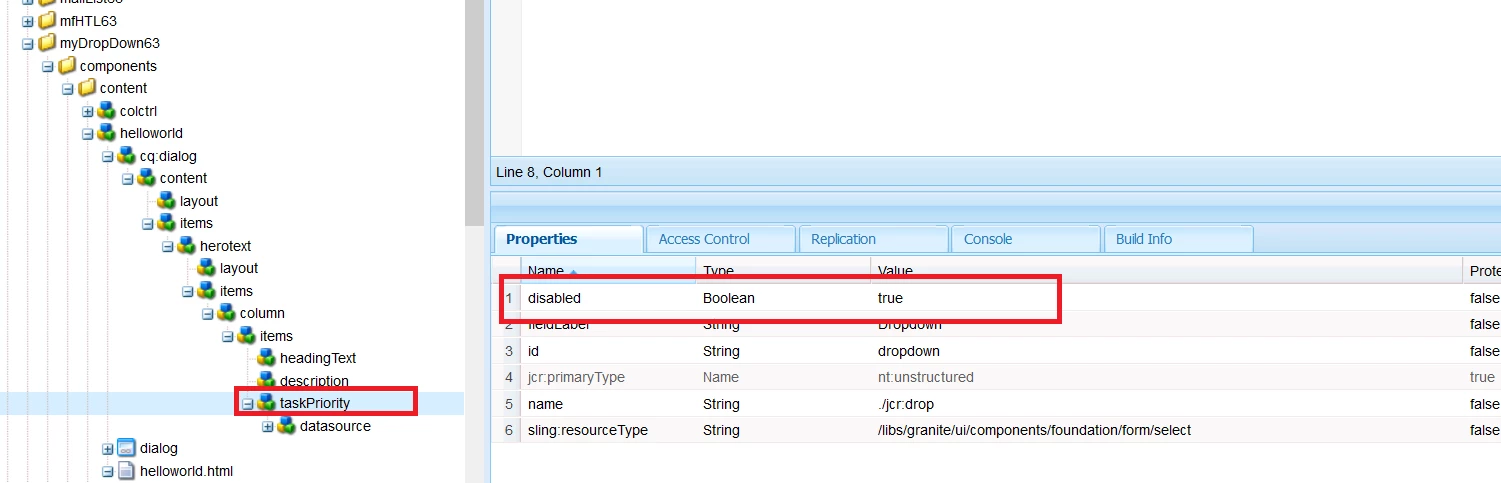
You can make a drop-down field read only by using this property:

See:

5 replies

smacdonald2008
smacdonald2008Accepted solution
Level 10
November 24, 2017

You can make a drop-down field read only by using this property:

See:

smacdonald2008
Level 10
November 24, 2017

Try this for yourself by installing this package on 6.3 and setting the prop shown in pic: Adobe Experience Manager Help | Using an WCMUsePojo class to populate an Experience Manager Touch UI Select Field

January 22, 2021
Link goes to 404! Can you share the URL again please
karansheel
Level 3
November 26, 2017

Hi smacdonald2008​,

Thanks for your response. If you check my question i have added this property in my dialog and it's showing disabled to me but when i cancel the inheritance i'm able to update the dropdown down value. Is it expected behaviour ?

January 22, 2021

Hi, 


I'm facing the same issue. I have dropdown in page properties, if i use disabled="true" then the field is becoming read only in pages. But this field and its value are not saved in crx/de in jcr:content of the page. Does anyone know solution.

January 22, 2021
Did you get any solution for this?