How to create a process step for email notification to the workflow initiator? | Community
Skip to main content
Adobe Employee
March 22, 2022
Solved

How to create a process step for email notification to the workflow initiator?

  • March 22, 2022
  • 1 reply
  • 1402 views

Hi,


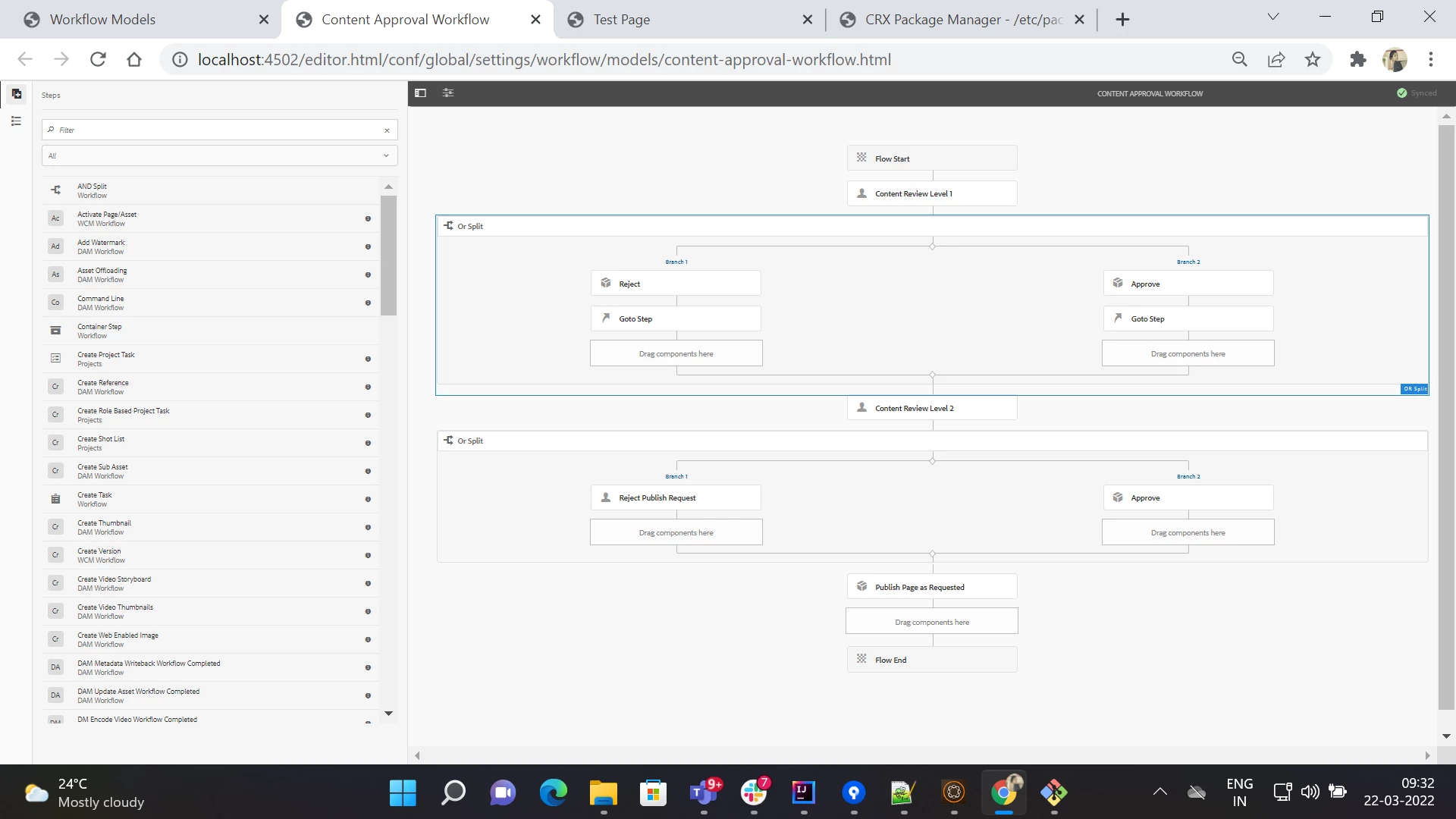
There's a requirement to create content approval workflow. When the author triggeres workflow it will be notified to approver 1. When he rejects or approves the email notification has to be sent to the workflow initiator. 


I have attached the workflow model. 


Thank you

This post is no longer active and is closed to new replies. Need help? Start a new post to ask your question.
Best answer by JeevanRaj

Hi @keerthana_h_n 


You will have to first configure SMTP details in the Day CQ Mail Service osgi configuration. Here is an article that might help you to configure this.

Then you can use com.day.cq.mailer.MessageGateway interface in your custom process step to trigger an email. Alternatively you can use Email api from ACS commons to achieve this. Here is a link to acs commons email api.


Edit:
You can read workflow initiator from workflow instance. Below is the piece of code to read workflow initiator and send her the email.

            String initiator = workItem.getWorkflow().getInitiator();
            Authorizable authorizable = userManager.getAuthorizable(initiator);
            String userEmail = PropertiesUtil.toString(authorizable.getProperty("profile/email"), "");
            if(StringUtils.isBlank(userEmail)) {
                return;
            }
            HtmlEmail email = new HtmlEmail();
            email.setCharset(CharEncoding.UTF_8);
            email.addTo(userEmail);
            email.setSubject("test email subject");
            email.setMsg("text email body");
            email.setHtmlMsg("<html><head></head><body><p>html email body</p></body></html>");
            messageGateway.send(email);


Thanks

1 reply

JeevanRaj
Community Advisor
JeevanRajCommunity AdvisorAccepted solution
Community Advisor
March 22, 2022

Hi @keerthana_h_n 


You will have to first configure SMTP details in the Day CQ Mail Service osgi configuration. Here is an article that might help you to configure this.

Then you can use com.day.cq.mailer.MessageGateway interface in your custom process step to trigger an email. Alternatively you can use Email api from ACS commons to achieve this. Here is a link to acs commons email api.


Edit:
You can read workflow initiator from workflow instance. Below is the piece of code to read workflow initiator and send her the email.

            String initiator = workItem.getWorkflow().getInitiator();
            Authorizable authorizable = userManager.getAuthorizable(initiator);
            String userEmail = PropertiesUtil.toString(authorizable.getProperty("profile/email"), "");
            if(StringUtils.isBlank(userEmail)) {
                return;
            }
            HtmlEmail email = new HtmlEmail();
            email.setCharset(CharEncoding.UTF_8);
            email.addTo(userEmail);
            email.setSubject("test email subject");
            email.setMsg("text email body");
            email.setHtmlMsg("<html><head></head><body><p>html email body</p></body></html>");
            messageGateway.send(email);


Thanks

Adobe Employee
March 23, 2022

Hi @jeevanraj I understood the process. but, how to initiate usermanager in workflow? using sling request? 

JeevanRaj
Community Advisor
Community Advisor
March 23, 2022

Below is one of the ways to get userManager.


UserManager userManager = AccessControlUtil.getUserManager(resourceResolver.adaptTo(Session.class));


Thanks