
How to check permission of current user for a tree folder or tree node? | Community
Skip to main content
bhoang
Level 4
July 2, 2018

How to check permission of current user for a tree folder or tree node?

  • July 2, 2018
  • 2 replies
  • 4441 views

Hi friends,

I was design a page as below.
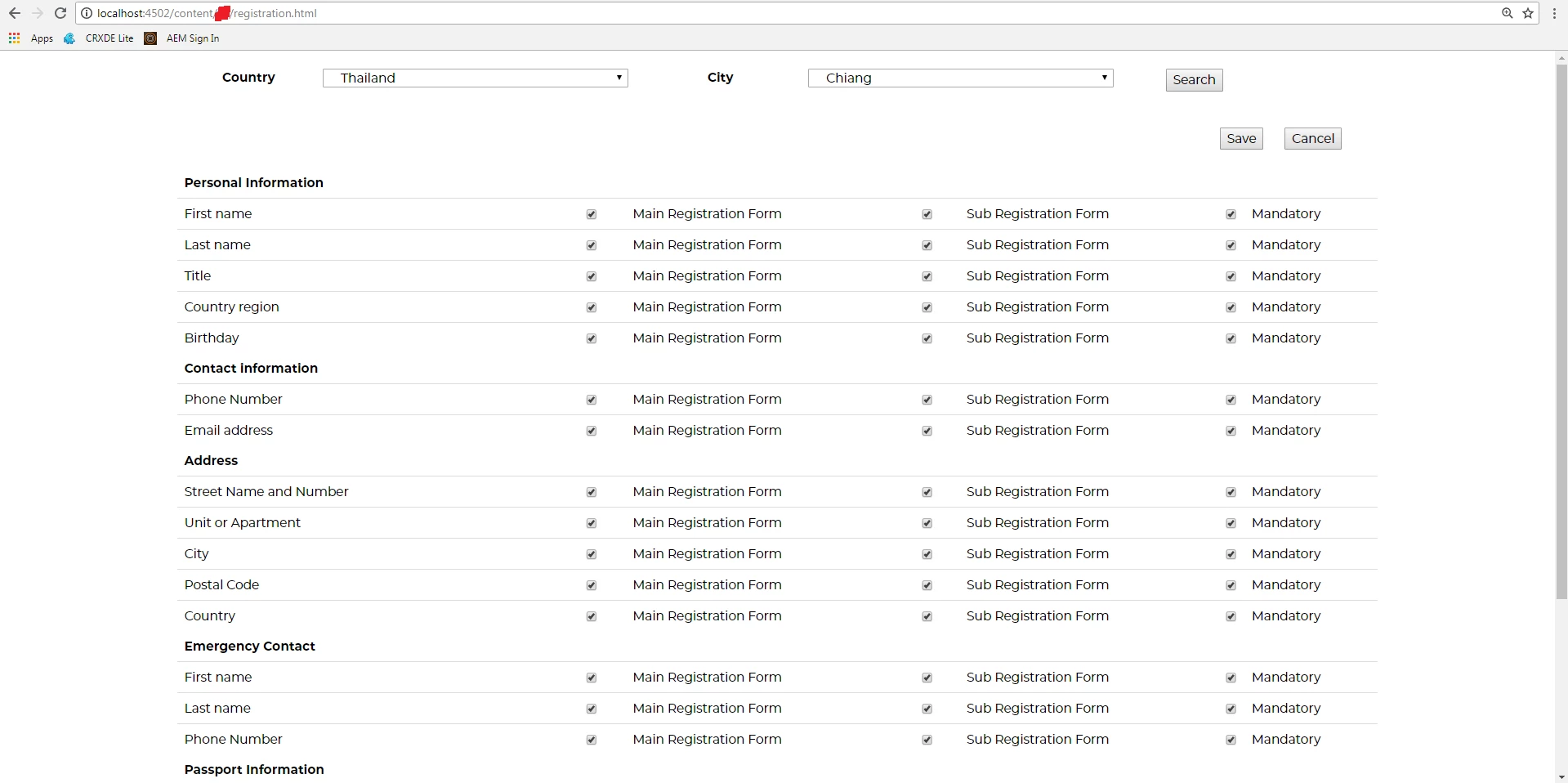
In this design have a Country field. I want the country list will be display only countries that the current AEM user have permission to access. I will create a tree folder or tree node for country and city. So, I will configuration for the user or user group can access to special country or city. The all country list and all city list call from the service API.

How to check the permission of the current AEM user from Signthly or JavaScript? Because, I want to check the permission of the current user with the country folder or note in AEM. After that, I will compare the country code in AEM with the country code from the service API to filter it to display in the country select list.

Please help me,

How to check the permission of the current AEM user from Signthly or JavaScript?

Thank you so much,

BienHV

This post is no longer active and is closed to new replies. Need help? Start a new post to ask your question.

2 replies

arunpatidar
Community Advisor
Community Advisor
July 2, 2018

Hi,

You can't don't it with Sightly alone.

You need to go for Java or Javascript.

Where you can read users permission against tree and push node that have read permission in list using JAVA and read those list in Sightly.

You can check

Privilege (Content Repository for Java Technology API Version 2.0)

https://jackrabbit.apache.org/oak/docs/security/permission.html

Thanks

Arun

Arun Patidar
bhoang
bhoangAuthor
Level 4
July 4, 2018

Thank you for your help,

Could you help me how to get permission with JavaScript with Sightly? I know JavaScript and Sightly, I can use it.

Thanks & Best regards,

BienHV

joerghoh
Adobe Employee
Adobe Employee
July 4, 2018

You need data from the repository and I don't think that you can do that with HTL alone; you need to have a server-side model.

Jörg

joerghoh
Adobe Employee
Adobe Employee
July 2, 2018

I guess the best way is to create a small Sling model class to format the data in the way you want it. And regarding the permissions: You don't have to do anything. If you are working in a request, all Sling and JCR methods will only return resources and nodes for which the current user has read access to. The filtering and permission checks are done implicitly.

regards,

Jörg