How to call Brand Portal Unpublish Workflow Programatically | Community
Skip to main content
Level 3
December 13, 2022
Solved

How to call Brand Portal Unpublish Workflow Programatically

  • December 13, 2022
  • 1 reply
  • 785 views


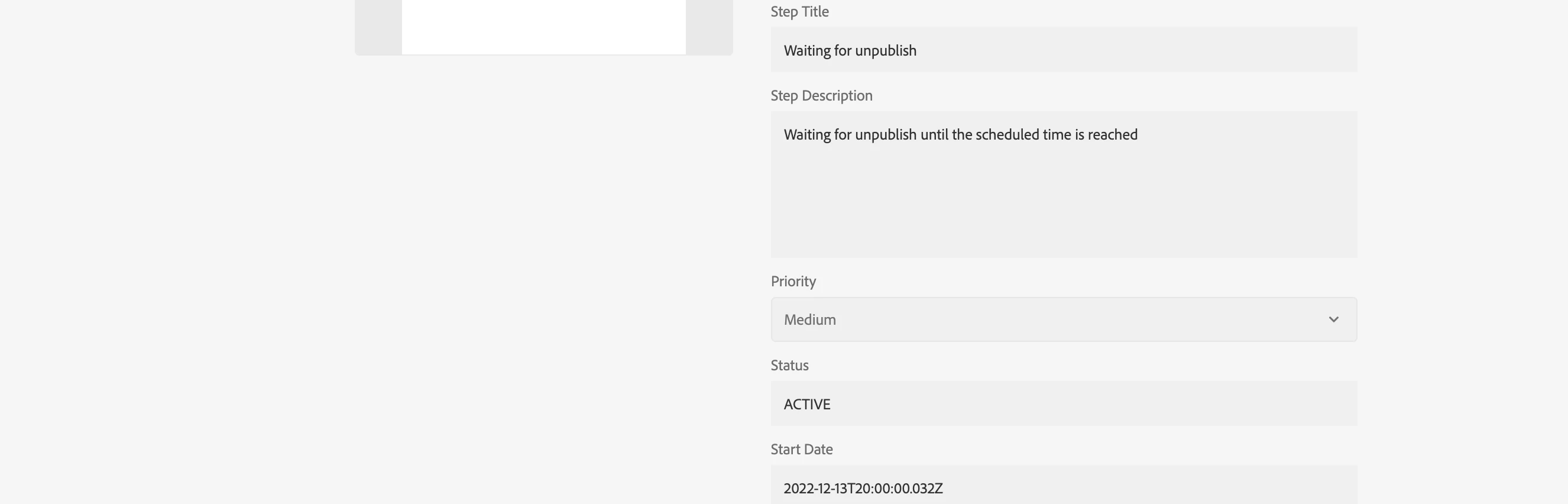
I am trying to write a scheduler which runs everyday and  looks for assets uploaded from Brand Portal to AEM and unpublish those assets from Brand Portal . I am calling "/var/workflow/models/dam/scheduled_unpublish_bp" workflow in my scheduler to unpublish the assets from Brand Portal but it is getting stuck at the step "waiting to unpulish" and doesn't unpublish it.  How can I unpublish the assets from Brand Portal when my scheduler runs.


Below is the code I have written for workflow to run.


// Get the workflow session from the resource resolver
final WorkflowSession workflowSession = resolver.adaptTo(WorkflowSession.class);
final String model = "/var/workflow/models/dam/scheduled_unpublish_bp";
final WorkflowModel workflowModel = workflowSession.getModel(model);
final WorkflowData workflowData = workflowSession.newWorkflowData("JCR_PATH", payloadPath);
workflowSession.startWorkflow(workflowModel, workflowData);



This post is no longer active and is closed to new replies. Need help? Start a new post to ask your question.
Best answer by lukasz-m

Hi @reddyishanvi,

scheduled_unpublish_bp workflow requires absoluteTime property to be set. Value of this property defines date and time when specific instance of this workflow will be run. If you will not set this value it will hang forever on first step which is Waiting for publish.

If you want to run this workflow immediately from your code, you have to set absoluteTime property for current date and time. Like this:

import java.util.Date;

final WorkflowSession workflowSession = resolver.adaptTo(WorkflowSession.class);
final String model = "/var/workflow/models/dam/scheduled_unpublish_bp";
final WorkflowModel workflowModel = workflowSession.getModel(model);
WorkflowData workflowData = workflowSession.newWorkflowData("JCR_PATH", payloadPath);
workflowData.getMetaDataMap().put("absoluteTime", new Date().getTime());
workflowSession.startWorkflow(workflowModel, workflowData);

You can schedule workflow to be run later by setting appropriate date and time. However assuming you are running the workflow from scheduler, I guess this will not be the case, and you rather expect to execute newly created workflow immediately - so above change in the code should do the work.

1 reply

lukasz-m
Community Advisor
lukasz-mCommunity AdvisorAccepted solution
Community Advisor
December 13, 2022

Hi @reddyishanvi,

scheduled_unpublish_bp workflow requires absoluteTime property to be set. Value of this property defines date and time when specific instance of this workflow will be run. If you will not set this value it will hang forever on first step which is Waiting for publish.

If you want to run this workflow immediately from your code, you have to set absoluteTime property for current date and time. Like this:

import java.util.Date;

final WorkflowSession workflowSession = resolver.adaptTo(WorkflowSession.class);
final String model = "/var/workflow/models/dam/scheduled_unpublish_bp";
final WorkflowModel workflowModel = workflowSession.getModel(model);
WorkflowData workflowData = workflowSession.newWorkflowData("JCR_PATH", payloadPath);
workflowData.getMetaDataMap().put("absoluteTime", new Date().getTime());
workflowSession.startWorkflow(workflowModel, workflowData);

You can schedule workflow to be run later by setting appropriate date and time. However assuming you are running the workflow from scheduler, I guess this will not be the case, and you rather expect to execute newly created workflow immediately - so above change in the code should do the work.