How to authenticate aem user in custom login form? | Adobe Higher Education
Skip to main content
Mario248
Level 7
March 19, 2025
Répondu

How to authenticate aem user in custom login form?

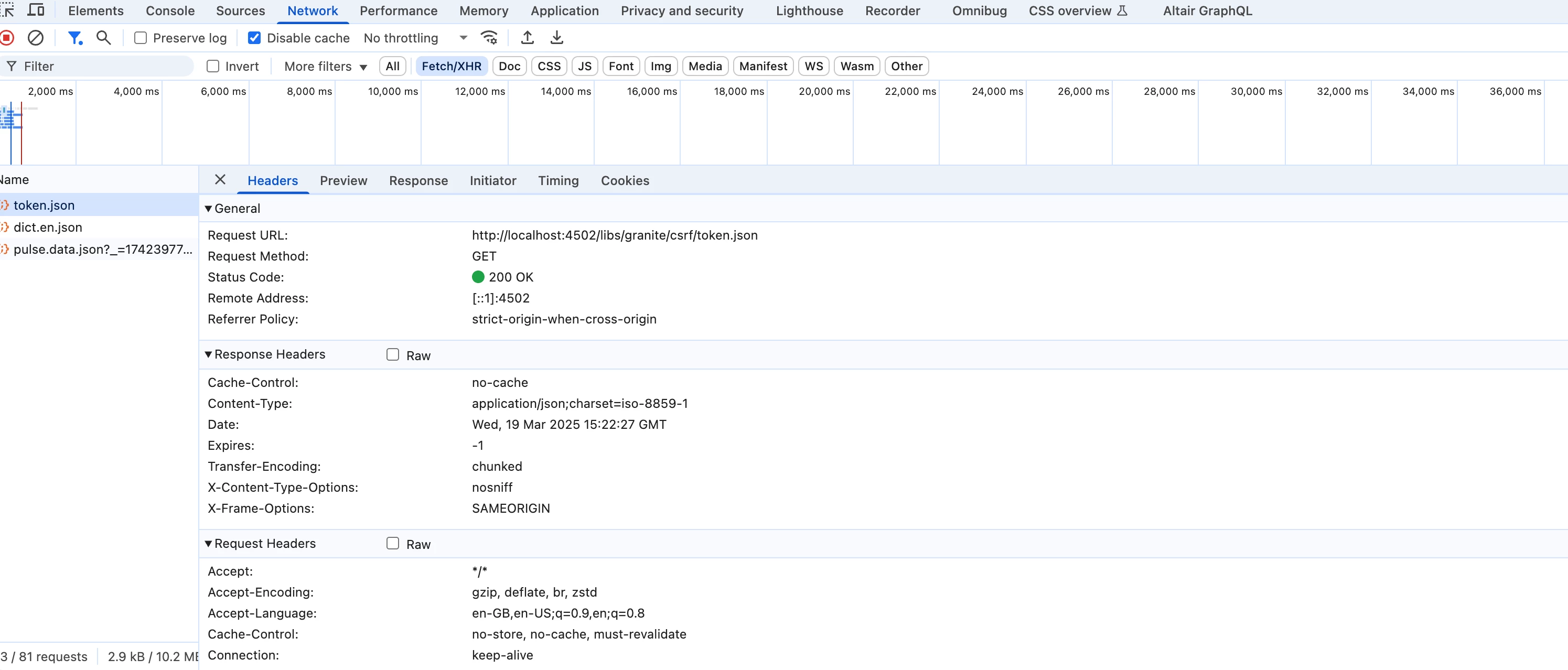
I have created a custom login page for the AEM Publish instance which prompts users to enter a username and password similar to AEM's default login. I want to invoke the AEM authentication handler to verify whether the entered credentials are correct and authenticate the user. I noticed the following network calls in the default AEM login process.


Is there any AEM API available to invoke aem default auth handler ?

Meilleure réponse par AmitVishwakarma

Hi @mario248 ,

1.Create a Custom Login Page (HTML/HTL)

Place it anywhere in your AEM publish instance, e.g., /content/mysite/login.html
Use this exact form markup:

<form action="/j_security_check" method="POST"> <input type="text" name="j_username" placeholder="Username" required /> <input type="password" name="j_password" placeholder="Password" required /> <input type="hidden" name="j_validate" value="true" /> <!-- Optional: Redirect after login --> <input type="hidden" name="resource" value="/content/mysite/en/home.html" /> <button type="submit">Login</button> </form>

The action /j_security_check is key — it tells AEM to use the default authentication logic.

2. How It Works Behind the Scenes

     - User submits the form
     - AEM calls the default auth handler
     - It checks username/password in CRX repository (UserManager)
     - If correct ➜ AEM creates session + login-token cookie
     - Redirects user to the resource URL or the originally requested page


3. What Happens After Login

     - AEM sets a login-token in cookie
     - User is authenticated
     - Session maintained via cookie

4. Handle Login Failure (Optional)

     - If credentials are wrong ➜ AEM redirects back to /libs/granite/core/content/login.html
     - To show a custom error ➜ You can override AEM's login selector (optional)

          - OR use a Sling Filter to intercept failure and redirect back to your custom page

5. CSRF Token Needed?

     - NO — CSRF token is not needed for login (/j_security_check handles it internally)


Regards,
Amit

2 commentaires

Mario248
Mario248Auteur
Level 7
March 20, 2025

Thanks for sharing the links. All above links talk about how you can write custom authentication handler. But I dont want to implement custom authentication. I just want to use OOTB authentication handler. The only different is I want to build my own login page and leverage OOTB authentication handler code.

giuseppebaglio
Level 10
March 20, 2025

Have a look at here: https://sling.apache.org/documentation/the-sling-engine/authentication/authentication-authenticationhandler/form-based-authenticationhandler.html 

You can mimic the default login form submission and ensure your custom login page’s HTML form matches the structure/parameters used by AEM’s OOTB login:

<form action="/j_security_check" method="post"> <input type="text" name="j_username" placeholder="Username"> <input type="password" name="j_password" placeholder="Password"> <input type="hidden" name="j_validate" value="true"> <input type="hidden" name="resource" value="/content/site/home.html"> <!-- Optional redirect --> <input type="submit" value="Login"> </form>


In theory (I never tried it myself) there is no need to write a custom AuthenticationHandler because the OOTB handler will:

  • Validate credentials against the repository (CRX/User Management)
  • Generate the authentication token (login-token cookie)
  • Redirect based on resource or requested page.
 
AmitVishwakarma
Community Advisor
Community Advisor
March 20, 2025

Hi @mario248 ,

1.Create a Custom Login Page (HTML/HTL)

Place it anywhere in your AEM publish instance, e.g., /content/mysite/login.html
Use this exact form markup:

<form action="/j_security_check" method="POST"> <input type="text" name="j_username" placeholder="Username" required /> <input type="password" name="j_password" placeholder="Password" required /> <input type="hidden" name="j_validate" value="true" /> <!-- Optional: Redirect after login --> <input type="hidden" name="resource" value="/content/mysite/en/home.html" /> <button type="submit">Login</button> </form>

The action /j_security_check is key — it tells AEM to use the default authentication logic.

2. How It Works Behind the Scenes

     - User submits the form
     - AEM calls the default auth handler
     - It checks username/password in CRX repository (UserManager)
     - If correct ➜ AEM creates session + login-token cookie
     - Redirects user to the resource URL or the originally requested page


3. What Happens After Login

     - AEM sets a login-token in cookie
     - User is authenticated
     - Session maintained via cookie

4. Handle Login Failure (Optional)

     - If credentials are wrong ➜ AEM redirects back to /libs/granite/core/content/login.html
     - To show a custom error ➜ You can override AEM's login selector (optional)

          - OR use a Sling Filter to intercept failure and redirect back to your custom page

5. CSRF Token Needed?

     - NO — CSRF token is not needed for login (/j_security_check handles it internally)


Regards,
Amit