How to add custom fields in Content Fragment properties? | Community
Skip to main content
Level 2
July 16, 2025
Solved

How to add custom fields in Content Fragment properties?

  • July 16, 2025
  • 3 replies
  • 656 views

Hi
I need some assistance adding a custom property in content fragment page properties, I tried to copy the nodes from 
/libs/dam/content/schemaeditors/forms/contentfragment/items/tabs/items/tab1/items/col1/items to  /apps/dam/content/schemaeditors/forms/contentfragment/items/tabs/items/tab1/items/col1/items

but it's not reflecting. I tried to add the new property directly to /libs/dam/content/schemaeditors/forms/contentfragment/items/tabs/items/tab1/items/col1/items,
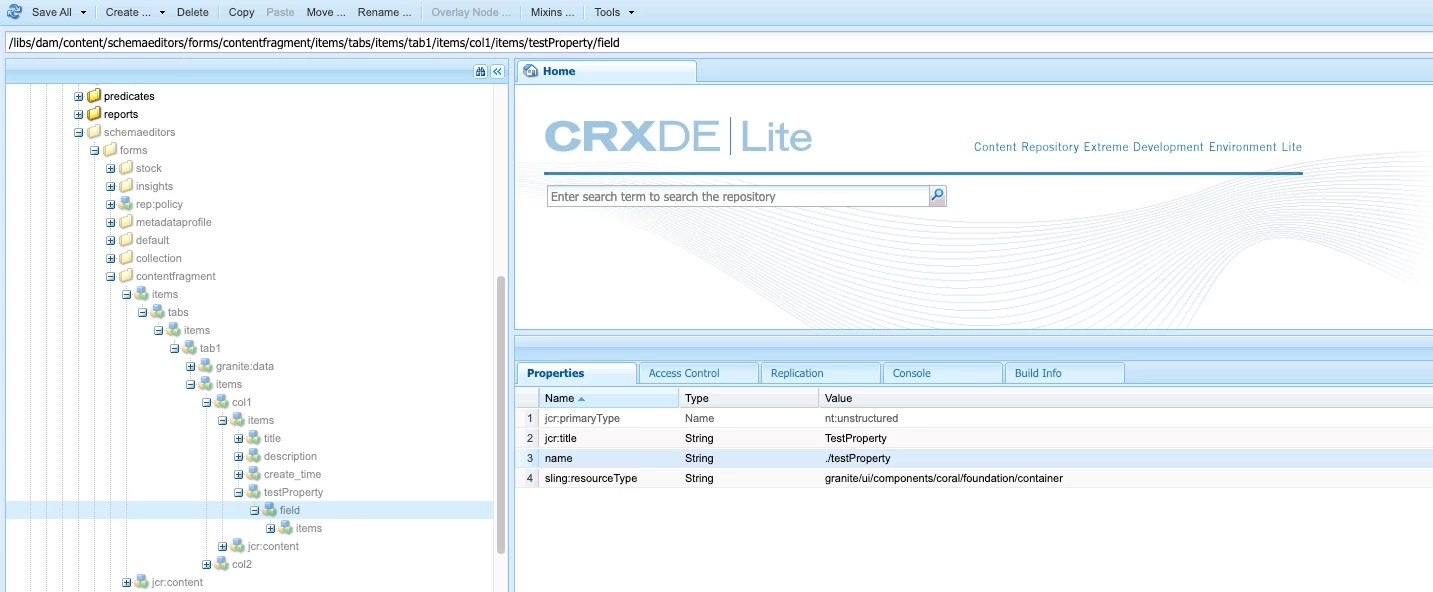
 

I can see the update;
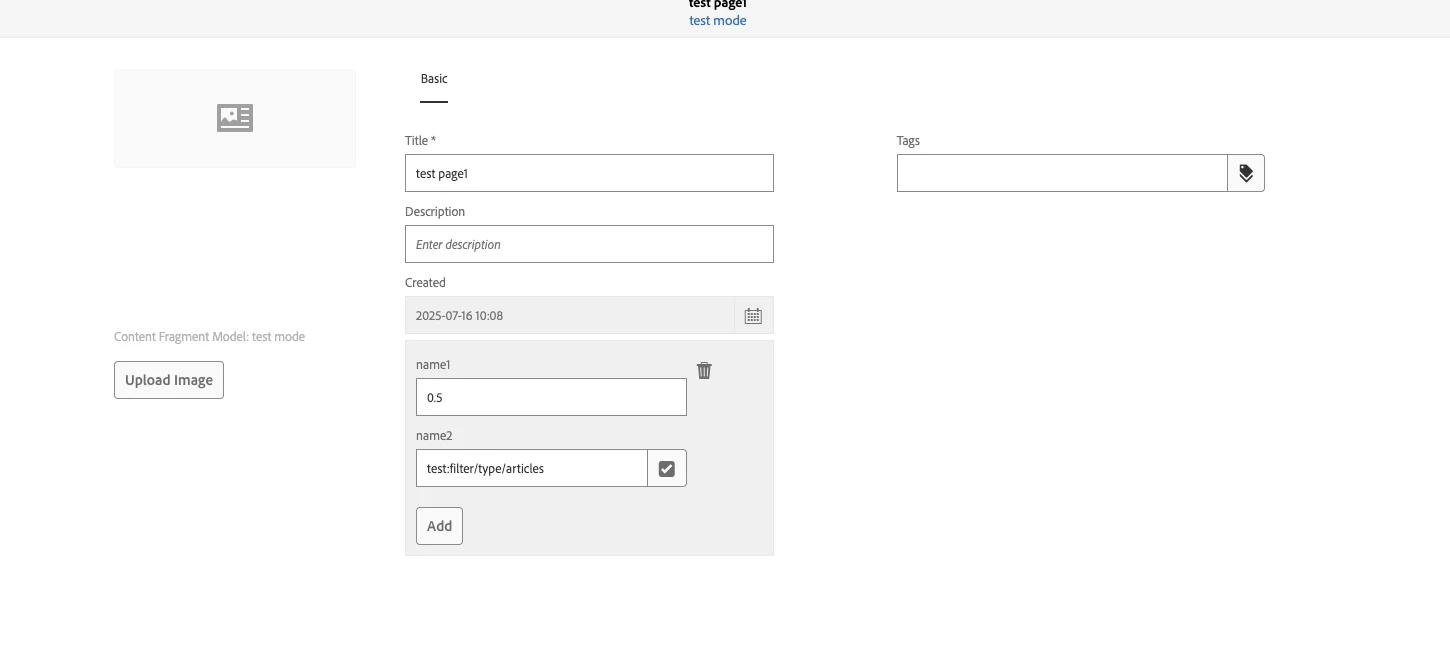
but I can't save it.
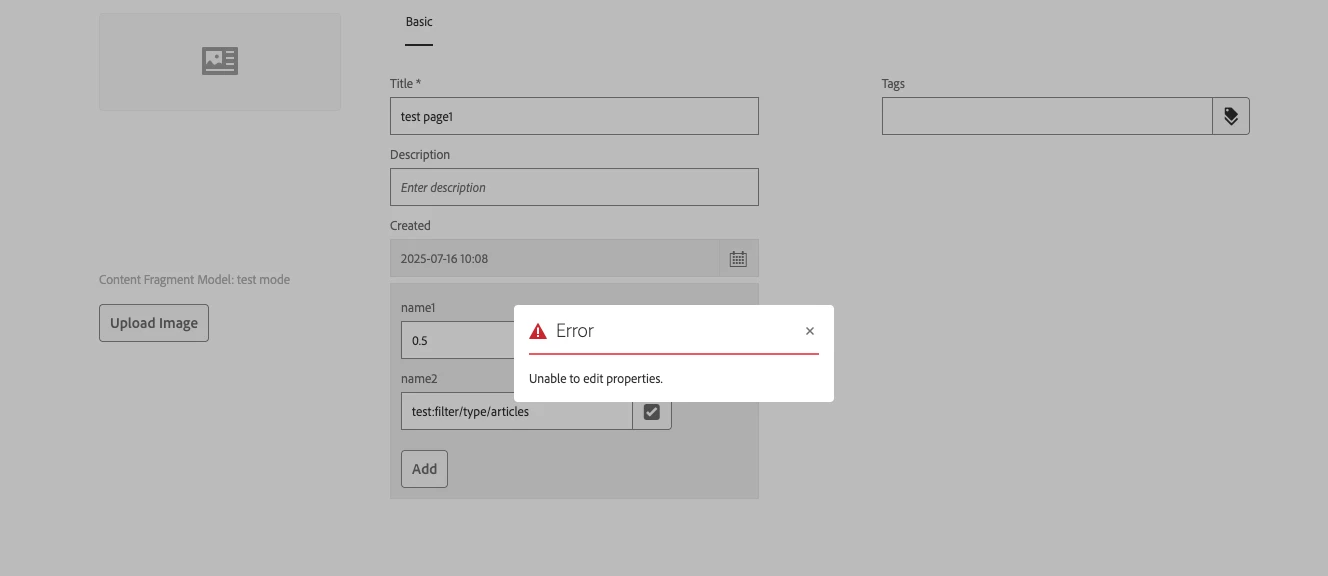
Here's the error log:

16.07.2025 10:12:28.309 *ERROR* [[0:0:0:0:0:0:0:1] [1752675148287] POST /content/dam.html HTTP/1.1] org.apache.sling.servlets.post.impl.operations.ModifyOperation Unable to create resource named item0 in /content/dam/testfolder/en/regulatory-updates/test-page1/testProperty 16.07.2025 10:12:28.311 *ERROR* [[0:0:0:0:0:0:0:1] [1752675148287] POST /content/dam.html HTTP/1.1] org.apache.sling.servlets.post.impl.operations.ModifyOperation Exception during response processing. org.apache.sling.api.resource.PersistenceException: Unable to create node at /content/dam/testfolder/en/regulatory-updates/test-page1/testProperty/item0 at org.apache.sling.jcr.resource.internal.helper.jcr.JcrResourceProvider.create(JcrResourceProvider.java:480) [org.apache.sling.jcr.resource:3.0.18] at org.apache.sling.resourceresolver.impl.providers.stateful.AuthenticatedResourceProvider.create(AuthenticatedResourceProvider.java:194) [org.apache.sling.resourceresolver:1.10.0] at org.apache.sling.resourceresolver.impl.helper.ResourceResolverControl.create(ResourceResolverControl.java:431) [org.apache.sling.resourceresolver:1.10.0] at org.apache.sling.resourceresolver.impl.ResourceResolverImpl.create(ResourceResolverImpl.java:1007) [org.apache.sling.resourceresolver:1.10.0] at org.apache.sling.servlets.post.impl.operations.AbstractCreateOperation.deepGetOrCreateResource(AbstractCreateOperation.java:598) [org.apache.sling.servlets.post:2.3.26] at org.apache.sling.servlets.post.impl.operations.ModifyOperation.writeContent(ModifyOperation.java:358) [org.apache.sling.servlets.post:2.3.26] at org.apache.sling.servlets.post.impl.operations.ModifyOperation.doRun(ModifyOperation.java:93) [org.apache.sling.servlets.post:2.3.26] at org.apache.sling.servlets.post.impl.operations.AbstractPostOperation.run(AbstractPostOperation.java:99) [org.apache.sling.servlets.post:2.3.26] at org.apache.sling.servlets.post.impl.SlingPostServlet.doPost(SlingPostServlet.java:228) [org.apache.sling.servlets.post:2.3.26] at org.apache.sling.api.servlets.SlingAllMethodsServlet.mayService(SlingAllMethodsServlet.java:146) [org.apache.sling.api:2.27.2] at org.apache.sling.api.servlets.SlingSafeMethodsServlet.service(SlingSafeMethodsServlet.java:342) [org.apache.sling.api:2.27.2] at org.apache.sling.api.servlets.SlingSafeMethodsServlet.service(SlingSafeMethodsServlet.java:374) [org.apache.sling.api:2.27.2] at org.apache.sling.engine.impl.request.RequestData.service(RequestData.java:545) [org.apache.sling.engine:2.15.10]

Any suggestions would be great, thanks.

Best answer by Karishma_begumSh

Hi @hanlu1 

Initially, it seemed like the custom multifield was being added to the **Content Fragment Model Editor* (`/libs/dam/content/schemaeditors/...`), but the actual requirement is to add it to the *Page Properties of a Content Fragment. For that, the changes need to be done in the metadata schema under `/conf/global/settings/dam/adminui-extension/metadataschema`, not the model editor path.


Go to AEM Author UI:


Navigate to: Tools → Assets → Metadata Schema


Edit or Create a Schema:


Edit the schema applied to your content fragment folder (e.g., dam/content/dam/testfolder)


Or create a new schema and assign it under folder properties


Add a Custom Multifield:

AEM Metadata Schema UI does not natively support complex multifields, but here's how you can extend it:

 Use Simple Fields (Supported)

Add regular Text, Tags, Dropdown, etc.

Map them to something like ./testProperty/name1 and ./testProperty/name2


Hope this helpful.


Regards,

Karishma.

3 replies

HanLu1Author
Level 2
July 16, 2025

Here's the xml set up for the new property:

<testProperty jcr:primaryType="nt:unstructured" sling:resourceType="granite/ui/components/coral/foundation/form/multifield" composite="{Boolean}true"> <field jcr:primaryType="nt:unstructured" jcr:title="TestProperty" sling:resourceType="granite/ui/components/coral/foundation/container" name="./testProperty"> <items jcr:primaryType="nt:unstructured"> <name1 jcr:primaryType="nt:unstructured" sling:resourceType="granite/ui/components/foundation/form/textfield" fieldLabel="name1" name="./name1"> <granite:data jcr:primaryType="nt:unstructured" metaType="text"/> </name1> <name2 jcr:primaryType="nt:unstructured" sling:resourceType="cq/gui/components/coral/common/form/tagfield" fieldLabel="name2" name="./name2"> <granite:data jcr:primaryType="nt:unstructured" metaType="text"/> </name2> </items> </field> </testProperty>
HrishikeshKagne
Community Advisor
Community Advisor
August 5, 2025

Hi @hanlu1 ,

To add custom fields to Content Fragment properties, don’t modify /libs directly - instead, overlay the editor form under /apps/dam/content/schemaeditors/forms/contentfragment and make sure your custom field is properly defined under items/tabs/items/tab1/items/col1/items with correct sling:resourceType, name, and fieldLabel. The error you're getting (Unable to create node at) usually means you're missing permissions or trying to save a property where the path doesn't allow it (like adding nested nodes to a property). Also, ensure your field is not trying to create child nodes dynamically unless it's a multifield or complex widget. If it’s still not showing up, double-check that the form is properly overlaid, your node structure is valid, and you're editing the Content Fragment Model editor UI, not the asset metadata schema. If asked, the exact solution is: overlay the content fragment editor under /apps, define your custom field under tab1 -> col1, ensure it's not using a node structure that creates child items unless supported, and never modify /libs directly.

Hrishikesh Kagane
Karishma_begumSh
Level 4
July 16, 2025

Hi @hanlu1 

1.Create the Overlay Path

/apps/dam/content/schemaeditors/forms/contentfragment/items/tabs/items/tab1/items/col1/items/testProperty

Don't copy directly into /libs— AEM won't allow saving.

2.Use the below XML

<testProperty jcr:primaryType="nt:unstructured" sling:resourceType="granite/ui/components/coral/foundation/form/multifield" composite="{Boolean}true" fieldLabel="Test Property" name="./testProperty"> <field jcr:primaryType="nt:unstructured" sling:resourceType="granite/ui/components/coral/foundation/container"> <items jcr:primaryType="nt:unstructured"> <name1 jcr:primaryType="nt:unstructured" sling:resourceType="granite/ui/components/coral/foundation/form/textfield" fieldLabel="Name 1" name="./name1" /> <name2 jcr:primaryType="nt:unstructured" sling:resourceType="granite/ui/components/coral/foundation/form/tagfield" fieldLabel="Name 2" name="./name2" /> </items> </field> </testProperty>

Make sure:

  • testProperty: is the parent node (multifield).
  • field: is a child node under testProperty.
  • items: contains name1 (textfield) and name2 (tagfield).

3.Node Structure seems to look like below

/apps └── dam └── content └── schemaeditors └── forms └── contentfragment └── items └── tabs └── items └── tab1 └── items └── col1 └── items └── testProperty (Multifield) └── field (Container) └── items ├── name1 (Textfield) └── name2 (Tagfield)

4.Go to Metadata Editor to Test.

  1. Open AEM → Tools → Assets → Content Fragment Models
  2. Select the model .
  3. Open a Content Fragment using that model
  4. Click on the Properties tab
  5. You should see your new Test Property multifield with name1 and name2 input fields

Hope this helpful.


Regards,

Karishma.


HanLu1Author
Level 2
July 16, 2025

Hi @karishma_begumsh 
I tried to overlay the node path under apps and update the xml structure, but I can't see the new property in content fragment page property.


Thank you

Karishma_begumSh
Karishma_begumShAccepted solution
Level 4
July 16, 2025

Hi @hanlu1 

Initially, it seemed like the custom multifield was being added to the **Content Fragment Model Editor* (`/libs/dam/content/schemaeditors/...`), but the actual requirement is to add it to the *Page Properties of a Content Fragment. For that, the changes need to be done in the metadata schema under `/conf/global/settings/dam/adminui-extension/metadataschema`, not the model editor path.


Go to AEM Author UI:


Navigate to: Tools → Assets → Metadata Schema


Edit or Create a Schema:


Edit the schema applied to your content fragment folder (e.g., dam/content/dam/testfolder)


Or create a new schema and assign it under folder properties


Add a Custom Multifield:

AEM Metadata Schema UI does not natively support complex multifields, but here's how you can extend it:

 Use Simple Fields (Supported)

Add regular Text, Tags, Dropdown, etc.

Map them to something like ./testProperty/name1 and ./testProperty/name2


Hope this helpful.


Regards,

Karishma.

kautuk_sahni
Community Manager
Community Manager
July 31, 2025

@hanlu1 Did you find the suggestions helpful? If you need more information, please let us know. If a response resolved your issue, kindly mark it as correct to help others in the future. Alternatively, if you discovered a solution on your own, we'd appreciate it if you could share it with the community. Thank you!

Kautuk Sahni