This post is no longer active and is closed to new replies. Need help? Start a new post to ask your question.
AEM_U1Accepted solution
Level 2
Feb 22, 2024 3:54 AM UTC

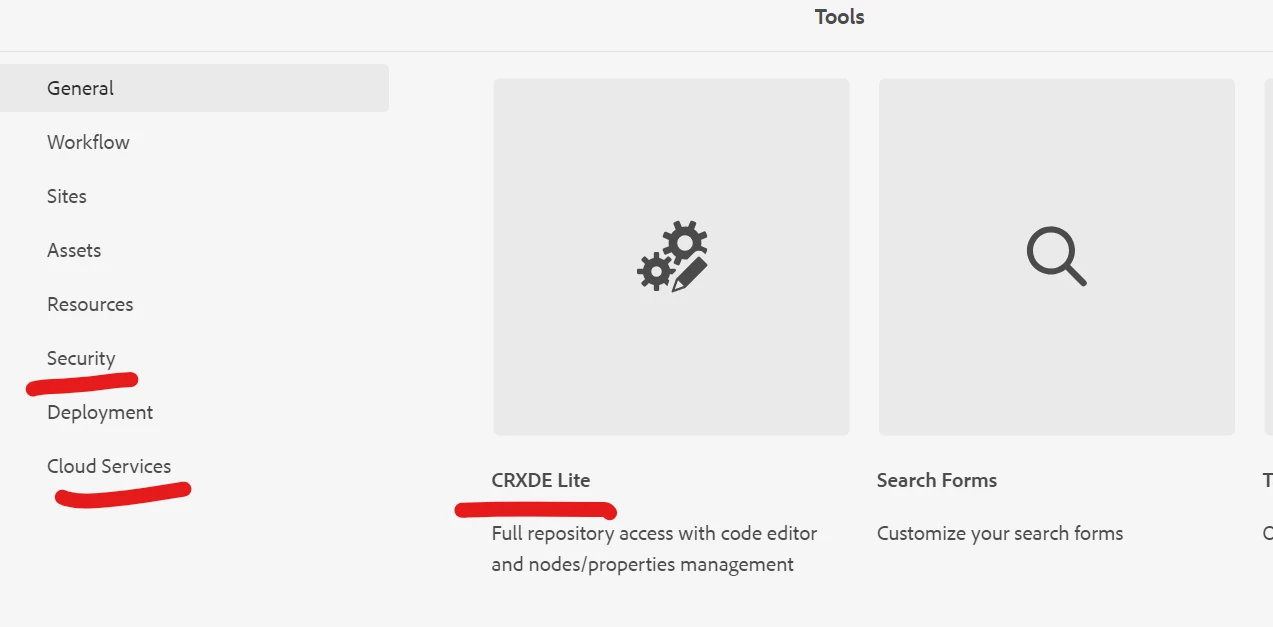
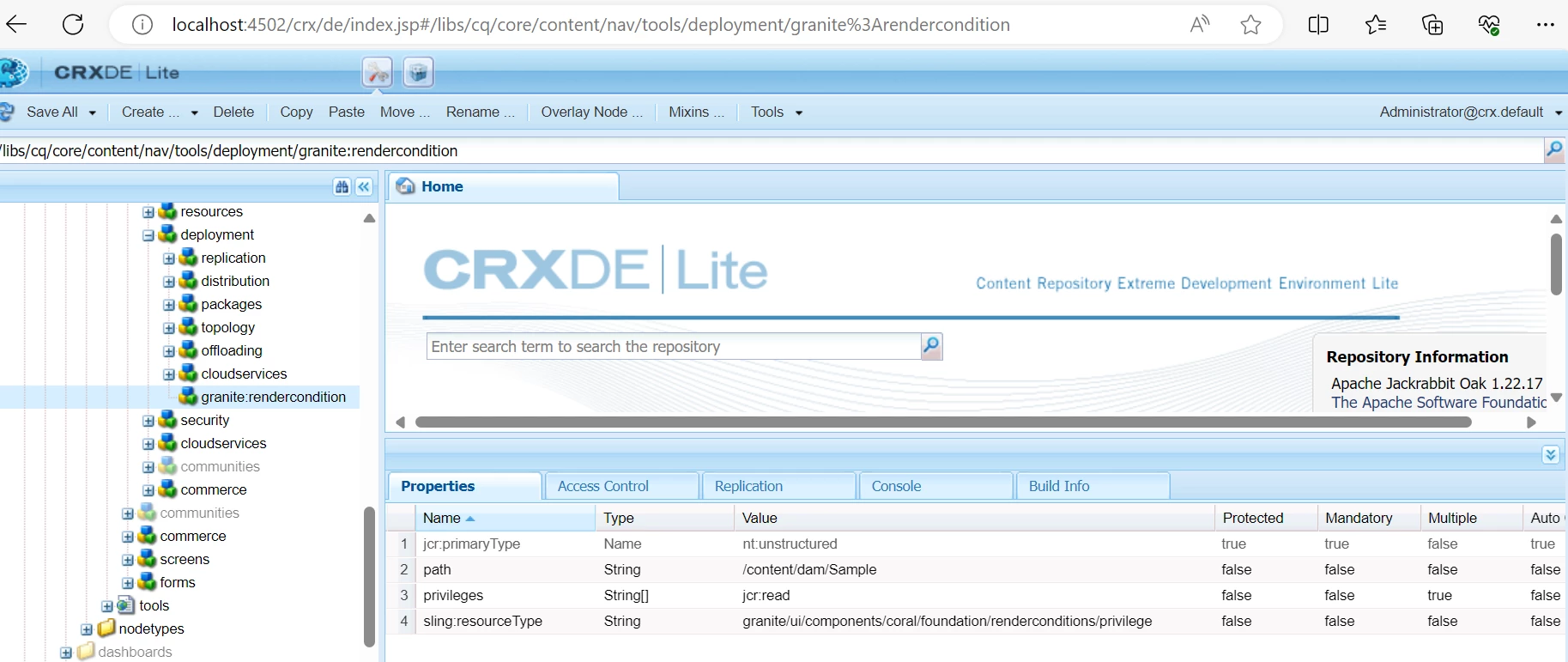
hi @zendark - If you want to disable certain options from Tools then rendercondition (https://developer.adobe.com/experience-manager/reference-materials/6-5/granite-ui/api/jcr_root/libs/granite/ui/docs/server/rendercondition.html) can be used. You need to overlay your node at  /libs/cq/core/content/nav/tools that forms the tools navigation under apps and add the condition accordingly. Here is the screenshot where i made changes under libs directly just to show conceptually.

Please note , i had created a usergroup and added restriction permission to this group to read for /content/dam/Sample based on which i am building the condition to render but you can build condition according to your requirement.


2 replies

Imran Khan
Community Advisor
Community Advisor
Feb 21, 2024 9:48 AM UTC
AEM_U1Accepted solution
Level 2
Feb 22, 2024 3:54 AM UTC

hi @zendark - If you want to disable certain options from Tools then rendercondition (https://developer.adobe.com/experience-manager/reference-materials/6-5/granite-ui/api/jcr_root/libs/granite/ui/docs/server/rendercondition.html) can be used. You need to overlay your node at  /libs/cq/core/content/nav/tools that forms the tools navigation under apps and add the condition accordingly. Here is the screenshot where i made changes under libs directly just to show conceptually.

Please note , i had created a usergroup and added restriction permission to this group to read for /content/dam/Sample based on which i am building the condition to render but you can build condition according to your requirement.


Translate