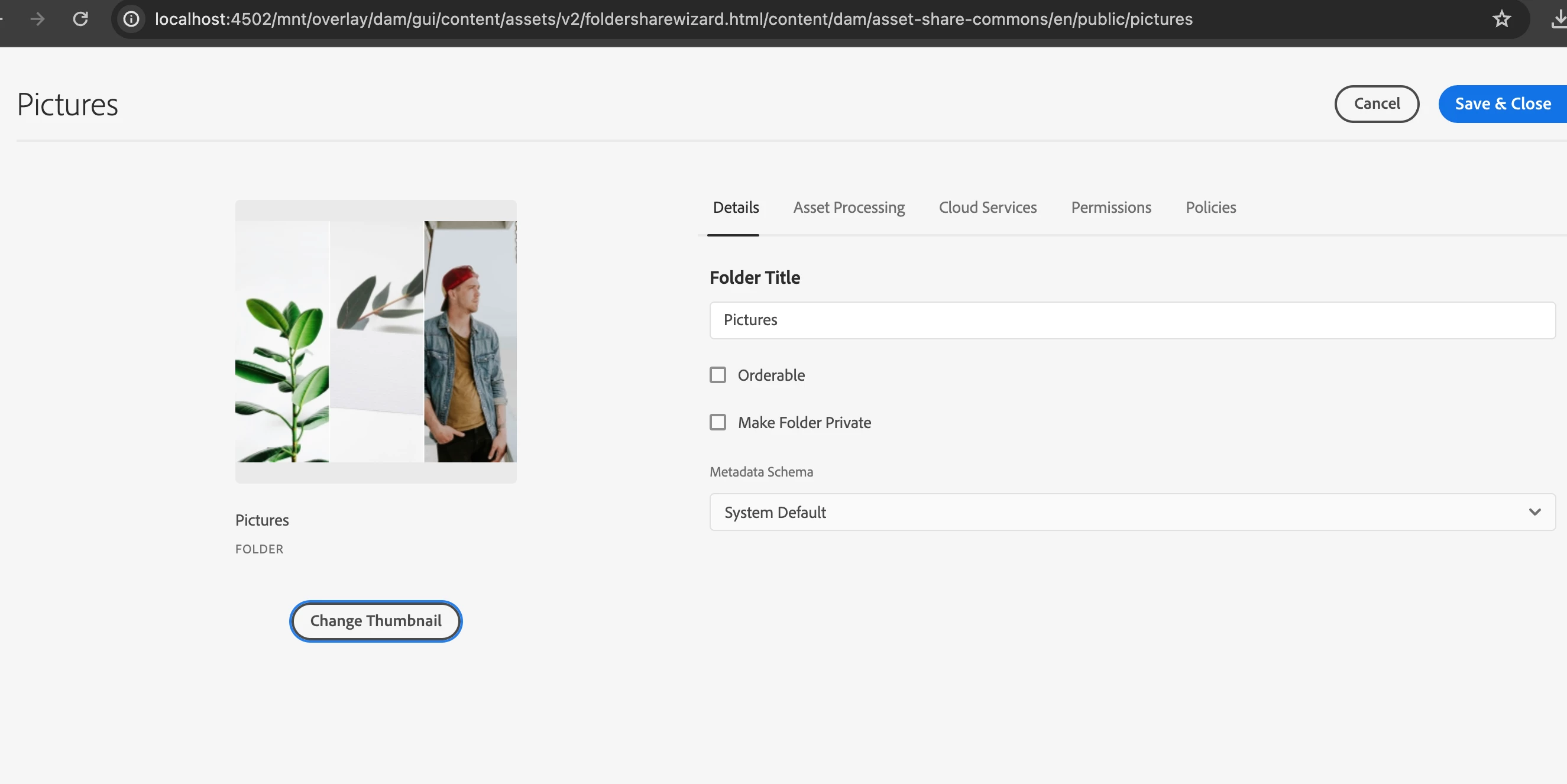
Hi @aagarwal8192 ,
To customize the folder thumbnail functionality in Adobe Experience Manager (AEM) and allow users to select an image from the Digital Asset Management (DAM) instead of uploading a local image, you'll need to follow several steps. These include creating a custom component, modifying the folder thumbnail node structure, and implementing a servlet to handle the thumbnail selection and update process. Here’s a detailed guide on how to accomplish this:
Step 1: Create a Custom Component for Thumbnail Selection
Overlay the Default Component:
- First, overlay the default folder thumbnail component by copying it from /libs to /apps.
- For example, if the original component is located at /libs/dam/gui/content/assets/folder, you can copy it to /apps/dam/gui/content/assets/folder.
Modify the Overlayed Component:
- In your new component, add a button or a field to trigger the DAM asset selection dialog.
- Create a dialog with a pathfield to allow users to select an image from DAM
<!-- /apps/dam/gui/content/assets/folder/dialog/.content.xml -->
<jcr:root
xmlns:sling="http://sling.apache.org/jcr/sling/1.0"
xmlns:cq="http://www.day.com/jcr/cq/1.0"
jcr:primaryType="cq:Dialog"
title="Folder Thumbnail"
xtype="dialog">
<items jcr:primaryType="cq:TabPanel">
<items jcr:primaryType="cq:WidgetCollection">
<imageTab
jcr:primaryType="cq:Widget"
xtype="panel"
title="Thumbnail">
<items jcr:primaryType="cq:WidgetCollection">
<thumbnailPath
jcr:primaryType="cq:Widget"
fieldLabel="Select Thumbnail"
name="./thumbnailPath"
xtype="pathfield"
rootPath="/content/dam"
allowUpload="false"
anchor="100%">
</thumbnailPath>
</items>
</imageTab>
</items>
</items>
</jcr:root>
Step 2: Create a Custom Servlet
- Create the Servlet:
- Develop a Sling Servlet to handle the storage and update of the selected DAM asset as the folder thumbnail.
import org.apache.sling.api.servlets.SlingAllMethodsServlet;
import org.apache.sling.api.servlets.SlingServletPaths;
import org.apache.sling.api.resource.Resource;
import org.apache.sling.api.resource.ResourceResolver;
import org.apache.sling.api.resource.ModifiableValueMap;
import org.osgi.service.component.annotations.Component;
import org.osgi.service.component.propertytypes.ServiceDescription;
import javax.servlet.Servlet;
import javax.servlet.ServletException;
import javax.servlet.http.HttpServletRequest;
import javax.servlet.http.HttpServletResponse;
import java.io.IOException;
@Component(service = { Servlet.class })
@SlingServletPaths("/bin/updateFolderThumbnail")
@ServiceDescription("Servlet to update folder thumbnail from DAM asset")
public class FolderThumbnailServlet extends SlingAllMethodsServlet {
@Override
protected void doPost(HttpServletRequest request, HttpServletResponse response) throws ServletException, IOException {
String folderPath = request.getParameter("folderPath");
String thumbnailPath = request.getParameter("thumbnailPath");
ResourceResolver resourceResolver = request.getResourceResolver();
Resource folderResource = resourceResolver.getResource(folderPath);
if (folderResource != null) {
ModifiableValueMap properties = folderResource.adaptTo(ModifiableValueMap.class);
properties.put("thumbnailPath", thumbnailPath);
resourceResolver.commit();
response.setStatus(HttpServletResponse.SC_OK);
} else {
response.sendError(HttpServletResponse.SC_BAD_REQUEST, "Folder resource not found");
}
}
}
Step 3: Modify the Client-Side Code
- Override the Default Behavior:
- Overlay the client-side JavaScript from /libs/dam/gui/content/assets/clientlibs/folder/js to /apps/dam/gui/content/assets/clientlibs/folder/js.
- Modify the JavaScript to call the custom servlet and update the folder thumbnail.
(function(document, $) {
$(document).on("click", ".cq-damadmin-admin-actions-change-thumbnail", function() {
var folderPath = ...; // Get the folder path
var dialog = new CQ.Dialog({
title: "Select Thumbnail",
items: [{
xtype: "pathfield",
fieldLabel: "Select Thumbnail",
rootPath: "/content/dam",
listeners: {
change: function(field, value) {
$.post("/bin/updateFolderThumbnail", {
folderPath: folderPath,
thumbnailPath: value
}).done(function() {
alert("Thumbnail updated successfully!");
}).fail(function() {
alert("Failed to update thumbnail.");
});
}
}
}]
});
dialog.show();
});
})(document, Granite.$);
Summary
- Create a custom component with a pathfield for selecting the DAM asset.
- Develop a custom Sling Servlet to update the folder thumbnail property.
- Override and modify client-side JavaScript to handle the new functionality.
This process ensures the folder thumbnail can be updated using a DAM asset, providing a seamless experience within AEM. Adjust and refine the code snippets based on your specific AEM setup and requirements.