Dynamic select inside multifield | Community
Skip to main content
imrank18551706
Level 2
April 13, 2018

Dynamic select inside multifield

  • April 13, 2018
  • 2 replies
  • 9484 views

Hi,

On country selection, I am populating states through ajax call in select inside multifield. State option is working fine, when we have only one section (or single state in select) inside multifield.

Please find below screenshot for the same.
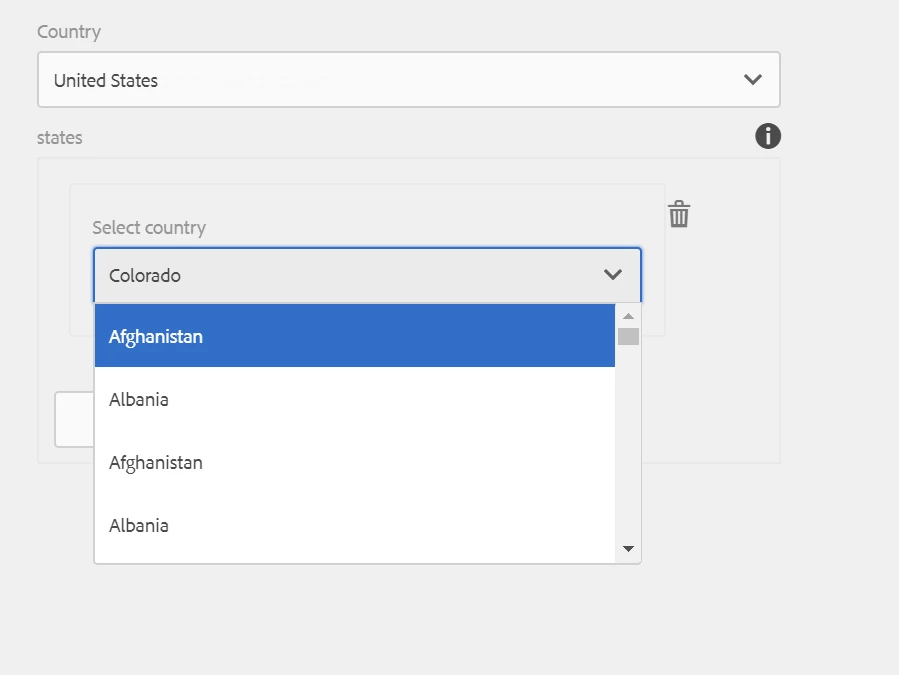
Issue:

1. Clicking on add new to add second or more state.

2. The click event on select will not work and also will not be able to see the options options too. 

Please found below image for the same.
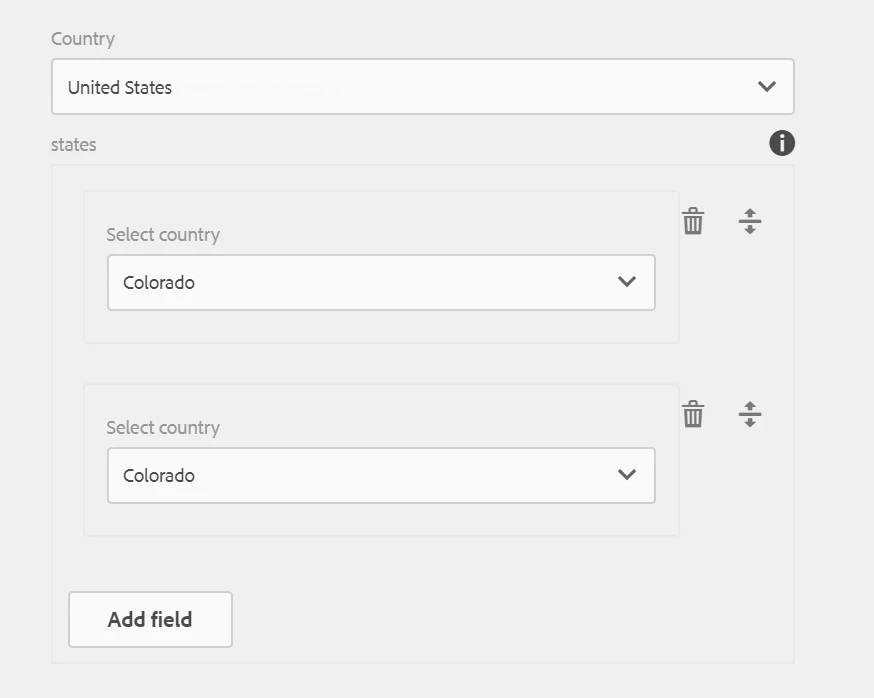
Below is the code snippet to get country from data source, and on selection of country we are getting states through ajax call.

(function($, $document) {

    "use strict";

     var STATE = "./stateSelect";

     var SELECTBOX = './countrySelect';

     $document.on("dialog-ready", function() {

          $("[name='"+SELECTBOX+"']").next().children().click(function() {

               getStates($(this).attr('data-value'));

          });

          var stateList = [];

          function getStates(countrySelect){

                 var url = "/bin/services/optus/getStateServlet."+countrySelect+".json";

                 $.getJSON(url).done(function(data) {

                     stateList = data;             

                     addStateToSelectBox(stateList.countries)

                 });

          }     

         function addStateToSelectBox( dataSet) {

               var state = new CUI.Select({

                   element: $("[name='" + STATE +"']").closest(".coral-Select")

               });

                _.each(dataSet, function(key, value) {

                     $("<option>").appendTo(state._nativeSelect).val(key.state_name).html(key.state_name);

                });

        }     

});

})($, $(document));

Thanks

This post is no longer active and is closed to new replies. Need help? Start a new post to ask your question.

2 replies

smacdonald2008
Level 10
April 13, 2018

What AEM version are you using? Are you using the lastest Multifield - which is granite/coral.

imrank18551706
Level 2
April 13, 2018

I am using AEM 6.1

with multifield...granite/ui/components/foundation/form/multifield

smacdonald2008
Level 10
April 13, 2018

The newer coral/granite types make it easier to work with these data types. For example - the corel/granite Multifield does not need JS or ACS-Commons.

However - you can still use DataSource object to populate a Select field. See this article.

Adobe Experience Manager Help | Using Granite DataSource objects to populate AEM Touch UI objects

Populating a Select field via the DataSource object is the best practice. See if that helps your issue.

Ratna_Kumar
Level 10
April 13, 2018

Hi Imran,

In order to populate the select dropdown, you can use Datasource object than JS

Check this article for your reference.: Adobe Experience Manager Help | Using an WCMUsePojo class to populate an Experience Manager Touch UI Select Field

Hope this helps!!

Thanks,

Ratna.

imrank18551706
Level 2
April 13, 2018

Hi,

I am using datasource only to render countries, but not able to render states in select with multifield.

Thanks