DateTime picker not showing up in the complete work item dialog
I need to allow the author to enter date and time for scheduling the page.
Following the article from forum "Dialog Participant Step in the Touch UI " I have datetime picker in a dialog participant step.
So when i start the workflow in inbox, in the complete step when i click on the button the date time picker is not showing up. Please find below how it appears in inbox
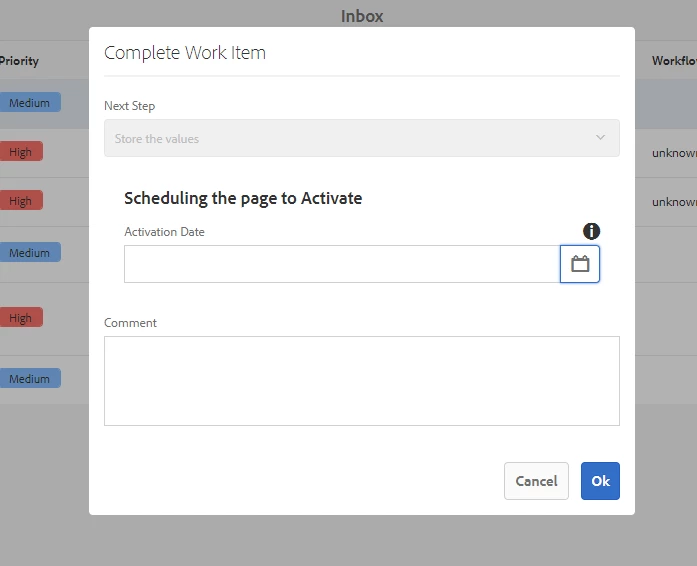
And from the page where we started the workflow the date time picker is behind the complete work item dialog. please find below
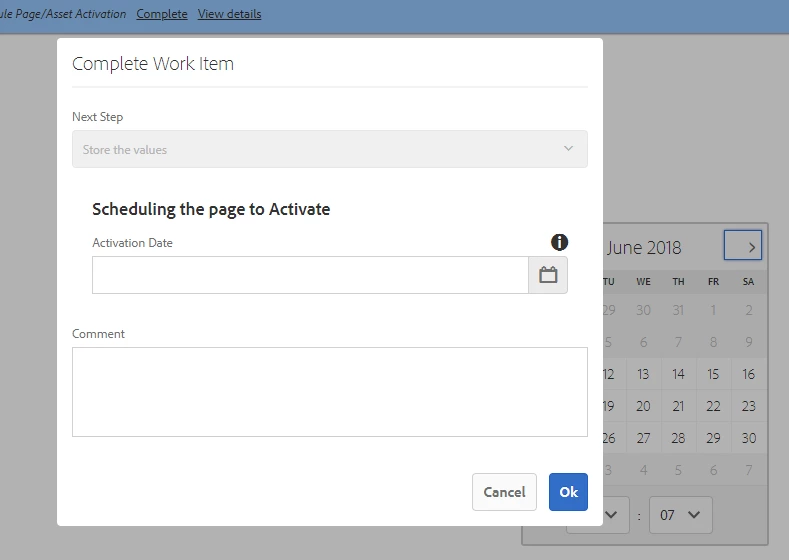
I am using aem 6.3 version and my code for classic UI dialog & touch Ui dialog is as below.
Classic UI:
-------------
<?xml version="1.0" encoding="UTF-8"?>
<jcr:root xmlns:cq="http://www.day.com/jcr/cq/1.0" xmlns:jcr="http://www.jcp.org/jcr/1.0"
jcr:primaryType="cq:Dialog"
title="Publish Later"
touchUiDialogPath="/etc/workflow/cq:dialog"
xtype="dialog">
<items jcr:primaryType="cq:WidgetCollection">
<dateTime
jcr:primaryType="cq:Widget"
allowBlank="{Boolean}false"
fieldLabel="Please schedule the item for publishing"
name="./jcr:content/datetime"
xtype="datetime"/>
</items>
</jcr:root>
Touch UI:
------------
<?xml version="1.0" encoding="UTF-8"?>
<jcr:root xmlns:sling="http://sling.apache.org/jcr/sling/1.0" xmlns:cq="http://www.day.com/jcr/cq/1.0" xmlns:jcr="http://www.jcp.org/jcr/1.0" xmlns:nt="http://www.jcp.org/jcr/nt/1.0"
jcr:primaryType="nt:unstructured"
jcr:title="Choose Reviewer"
sling:resourceType="cq/gui/components/authoring/dialog">
<content
jcr:primaryType="nt:unstructured"
sling:resourceType="granite/ui/components/foundation/container">
<layout
jcr:primaryType="nt:unstructured"
sling:resourceType="granite/ui/components/foundation/layouts/fixedcolumns"
margin="false"/>
<items jcr:primaryType="nt:unstructured">
<column
jcr:primaryType="nt:unstructured"
sling:resourceType="granite/ui/components/foundation/container">
<items jcr:primaryType="nt:unstructured">
<schedule
jcr:primaryType="nt:unstructured"
jcr:title="Scheduling the page"
sling:resourceType="granite/ui/components/coral/foundation/form/fieldset">
<items jcr:primaryType="nt:unstructured">
<absoluteDate
jcr:primaryType="nt:unstructured"
sling:resourceType="granite/ui/components/foundation/form/datepicker"
displayedFormat="D MMMM YYYY hh:mm a"
displayTimezoneMessage="{Boolean}true"
fieldDescription="Provide current Date/Time to Activate."
fieldLabel="Activation Date"
minDate="today"
name="datetime"
type="datetime"/>
</items>
</schedule>
</items>
</column>
</items>
</content>
</jcr:root>
Can you please let me out how datetime picker can be seen in inbox & on the page.