Customized workflow(Upload Dam Asset) showing the "Processing" | Community
Skip to main content
Karthi45
Level 3
February 21, 2019
Solved

Customized workflow(Upload Dam Asset) showing the "Processing"

  • February 21, 2019
  • 5 replies
  • 7325 views

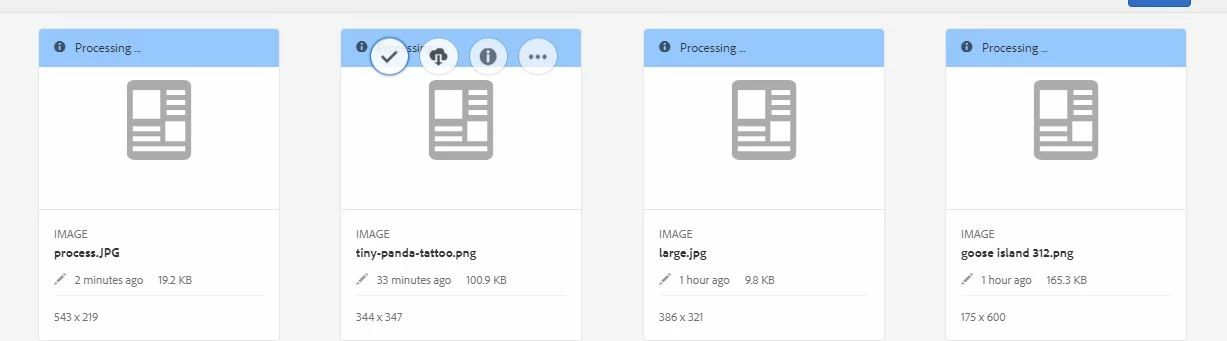
After uploading the dam New asset getting "Processing..." in update dam asset workflow.
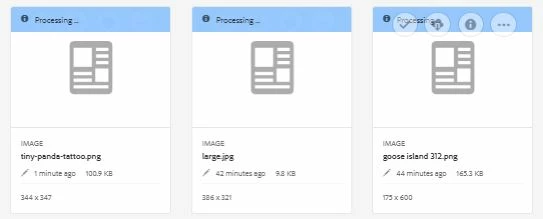
Please help me to overcome the workflow processing while uploading dam asset issue

Thanks

Karthi

This post is no longer active and is closed to new replies. Need help? Start a new post to ask your question.
Best answer by Karthi45

Thanks gauravb10066713

am see /etc/workflow/instances/server0/2019-02-22/update_asset_11 in my repository .

Now its resolved my issue.

Solution :

*Terminated the instance and refreshed the page .

*Open the image ,in left side goto Timeline option and  start the "dam update asset" workflow.

Now The Rendition works with out any error.

Thanks

Karthi

5 replies

smacdonald2008
Level 10
February 21, 2019

Did you add any custom actions to this workflow? If so - your custom action may not have successfully completed.

Gaurav-Behl
Level 10
February 21, 2019

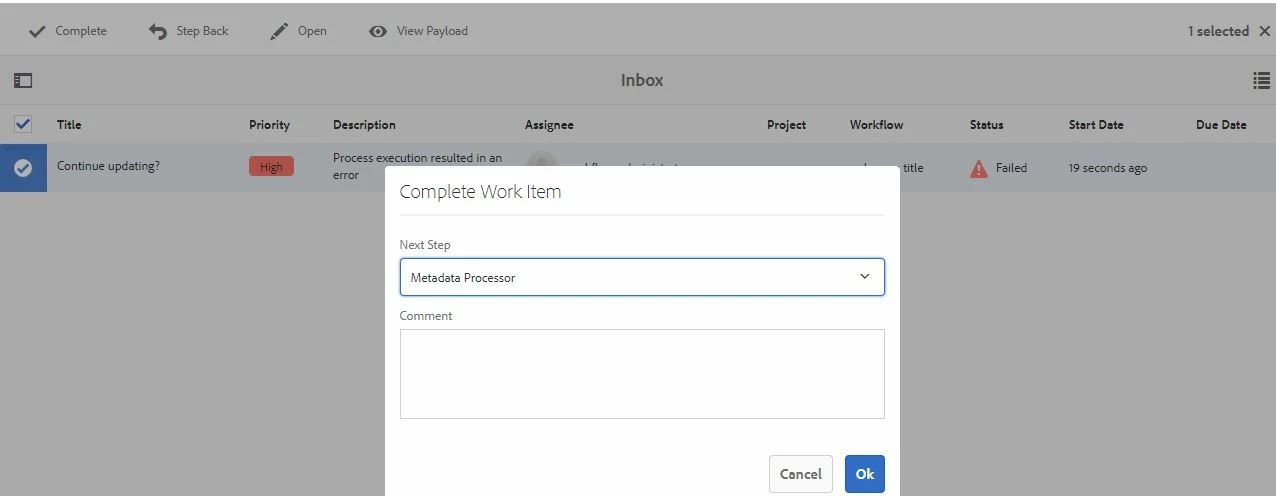
Could you check if your custom step has completed or stuck and has thrown errors in error.log?  Does that second screenshot relate to that error?  You'd have to share more details about your use case, implementation and the logs snippets.

Karthi45
Karthi45Author
Level 3
February 22, 2019

Hi smacdonald2008gauravb10066713​ ,

thanks for the reply to this thread!

yeah its customized and the workflow with default process and its fails in continueupload? step and getting  failure.

Error :

com.adobe.granite.workflow.WorkflowException: Process execution resulted in an error

at com.adobe.granite.workflow.core.job.HandlerBase.executeProcess(HandlerBase.java:199)

at com.adobe.granite.workflow.core.job.JobHandler.process(JobHandler.java:258)

at org.apache.sling.event.impl.jobs.JobConsumerManager$JobConsumerWrapper.process(JobConsumerManager.java:500)

at org.apache.sling.event.impl.jobs.queues.JobQueueImpl.startJob(JobQueueImpl.java:291)

at org.apache.sling.event.impl.jobs.queues.JobQueueImpl.access$100(JobQueueImpl.java:58)

at org.apache.sling.event.impl.jobs.queues.JobQueueImpl$1.run(JobQueueImpl.java:227)

at java.util.concurrent.ThreadPoolExecutor.runWorker(Unknown Source)

at java.util.concurrent.ThreadPoolExecutor$Worker.run(Unknown Source)

at java.lang.Thread.run(Unknown Source)

Caused by: com.adobe.granite.workflow.WorkflowException: Failed to execute process

at com.day.cq.workflow.compatibility.CQWorkflowProcessRunner.execute(CQWorkflowProcessRunner.java:108)

at com.adobe.granite.workflow.core.job.HandlerBase.executeProcess(HandlerBase.java:189)

... 8 more

Caused by: com.day.cq.workflow.WorkflowException: com.day.cq.workflow.WorkflowException: Unable to retrieve workflow instance: /etc/workflow/instances/server0/2019-02-22/update_asset_11

at com.day.cq.dam.core.process.GateKeeperProcess.execute(GateKeeperProcess.java:84)

at com.day.cq.workflow.compatibility.CQWorkflowProcessRunner.execute(CQWorkflowProcessRunner.java:93)

... 9 more

Caused by: com.day.cq.workflow.WorkflowException: Unable to retrieve workflow instance: /etc/workflow/instances/server0/2019-02-22/update_asset_11

at com.day.cq.workflow.impl.CQWorkflowSessionWrapper.complete(CQWorkflowSessionWrapper.java:509)

at com.day.cq.dam.core.process.GateKeeperProcess.execute(GateKeeperProcess.java:72)

... 10 more

Caused by: javax.jcr.PathNotFoundException: /etc/workflow/instances/server0/2019-02-22/update_asset_11

at org.apache.jackrabbit.oak.jcr.session.SessionImpl.getItem(SessionImpl.java:361)

at com.adobe.granite.repository.impl.CRX3SessionImpl.getItem(CRX3SessionImpl.java:168)

at com.adobe.granite.workflow.core.jcr.WorkflowManager.getWorkflowNode(WorkflowManager.java:956)

at com.adobe.granite.workflow.core.jcr.WorkflowManager.getWorkflowInstance(WorkflowManager.java:125)

at com.adobe.granite.workflow.core.jcr.WorkflowManager.getWorkflowInstance(WorkflowManager.java:245)

at com.adobe.granite.workflow.core.WorkflowSessionImpl.completeInternal(WorkflowSessionImpl.java:1040)

at com.adobe.granite.workflow.core.WorkflowSessionImpl.complete(WorkflowSessionImpl.java:1032)

at com.day.cq.workflow.impl.CQWorkflowSessionWrapper.complete(CQWorkflowSessionWrapper.java:507)

... 11 more

Gaurav-Behl
Level 10
February 22, 2019

the root cause is mentioned in logs -- Unable to retrieve workflow instance: /etc/workflow/instances/server0/2019-02-22/update_asset_11  

javax.jcr.PathNotFoundException: /etc/workflow/instances/server0/2019-02-22/update_asset_11

Could you check if the workflow instance exists at this path? If not, then you should figure out how/when/why was it deleted? In addition to that, you haven't enabled 'handler advance' hence the workflow couldn't proceed and got stuck. I assume that is done on-purpose for a specific requirement?

Try to run the workflow again and monitor ongoing execution & logs to get the next steps.

Karthi45
Karthi45AuthorAccepted solution
Level 3
February 26, 2019

Thanks gauravb10066713

am see /etc/workflow/instances/server0/2019-02-22/update_asset_11 in my repository .

Now its resolved my issue.

Solution :

*Terminated the instance and refreshed the page .

*Open the image ,in left side goto Timeline option and  start the "dam update asset" workflow.

Now The Rendition works with out any error.

Thanks

Karthi