Creating logo component for We.Retail Template | Community
Skip to main content
June 1, 2017
Solved

Creating logo component for We.Retail Template

  • June 1, 2017
  • 2 replies
  • 1017 views

Hi, for my Uni class I have been tasked with creating a site using the We.Retail template. I'm still in my first semester and still finding my way around AEM. I want to create a logo component and I have been using this page for my reference.

I am having trouble in CRXDE Lite locating the folders for We.Retail where I create the templates and folders.

Is it possible to do still?

Thank you,

Amy.
This post is no longer active and is closed to new replies. Need help? Start a new post to ask your question.
Best answer by kautuk_sahni

Please have a look at this:

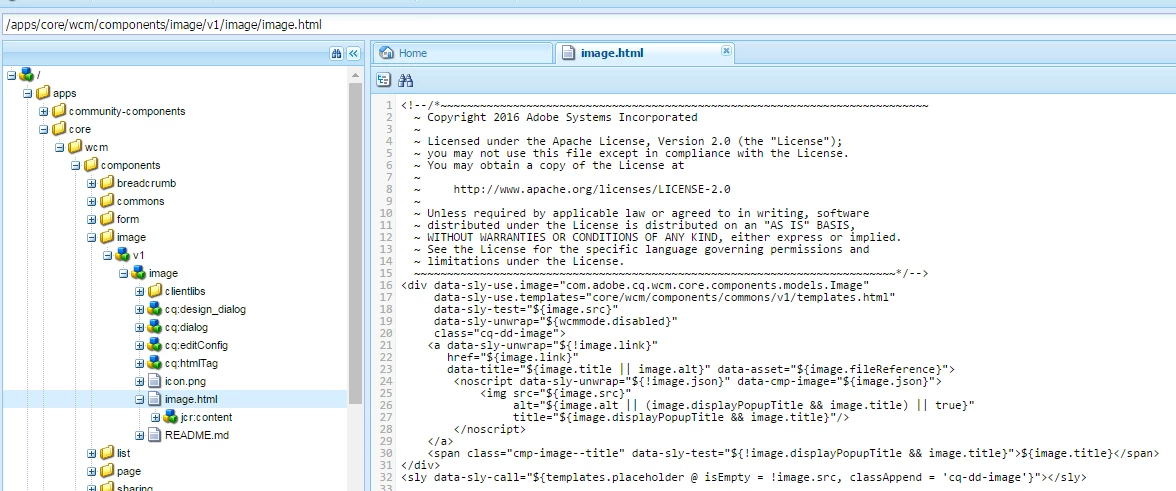
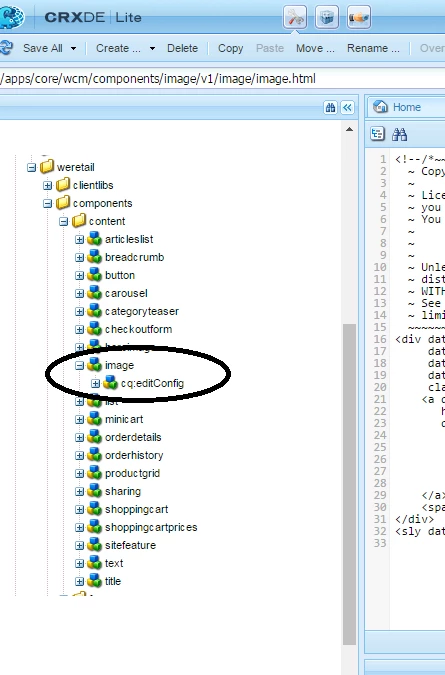
Here you can have a look at Image component. Using this you can create a logo component.

See this:

Here you can have a look at the definition of the image component.

Please have a look at this article: - Adobe Experience Manager Help | Creating your First Adobe Experience Manager 6.3 website

// It talks about creating the website with AEM 6.3. This will help you clear many concepts of AEM.

~kautuk

2 replies

smacdonald2008
Level 10
June 1, 2017

Yes - you can access We Retail from CRXDE lite. See;

That article for creating a Logo component should still be applicable for this site.

kautuk_sahni
Community Manager
kautuk_sahniCommunity ManagerAccepted solution
Community Manager
June 1, 2017

Please have a look at this:

Here you can have a look at Image component. Using this you can create a logo component.

See this:

Here you can have a look at the definition of the image component.

Please have a look at this article: - Adobe Experience Manager Help | Creating your First Adobe Experience Manager 6.3 website

// It talks about creating the website with AEM 6.3. This will help you clear many concepts of AEM.

~kautuk

Kautuk Sahni