Created scheduler but not able to see log output in the project log | Community
Skip to main content
Level 2
April 15, 2021
Solved

Created scheduler but not able to see log output in the project log

  • April 15, 2021
  • 2 replies
  • 2007 views

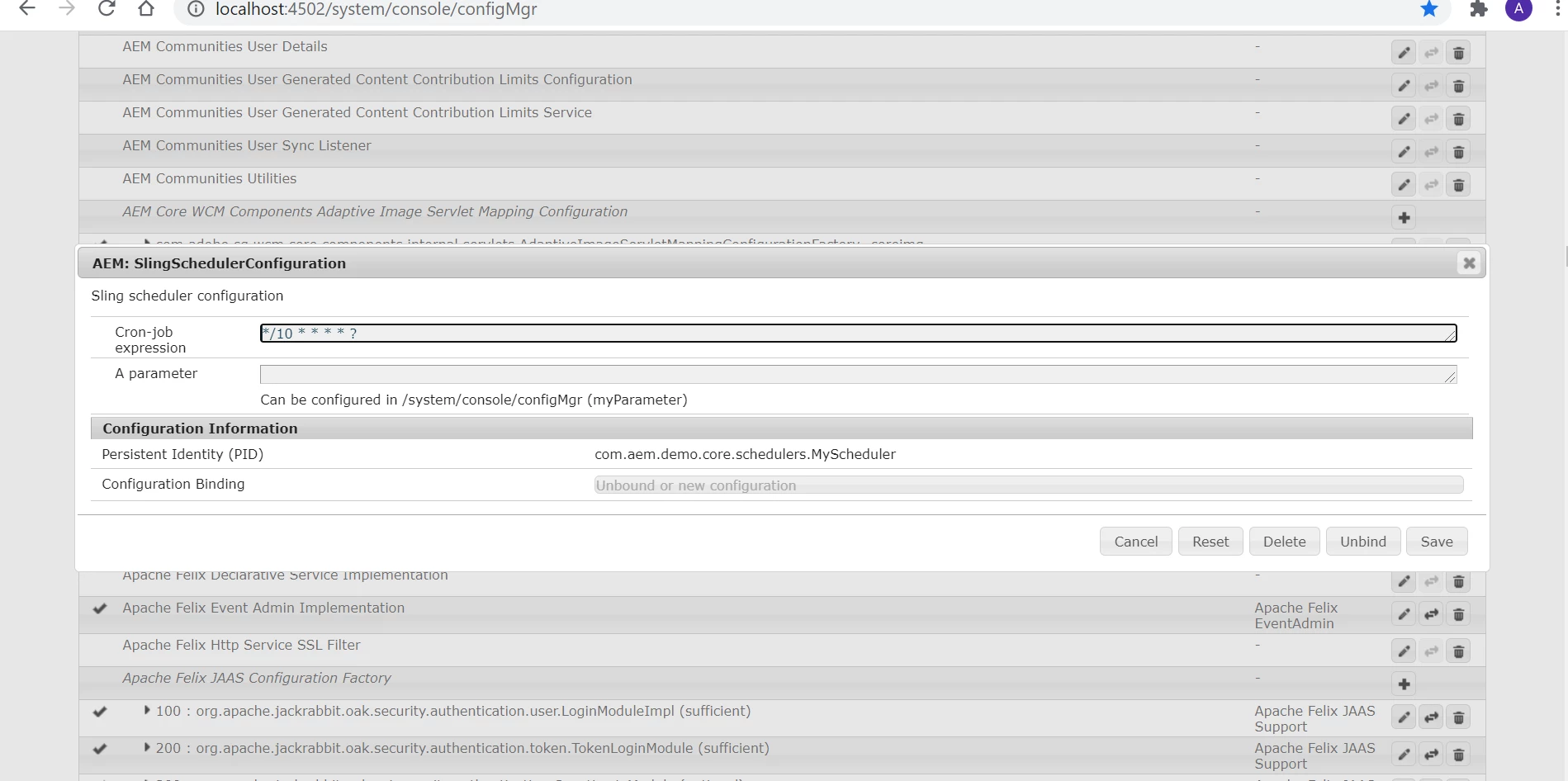
Below is the code for configuring the scheduler. You can refer to the screenshot of the configuration


@ObjectClassDefinition(
name = "AEM: SlingSchedulerConfiguration",
description = "Sling scheduler configuration"
)
public @interface SchedulerConfig
{

@AttributeDefinition(name = "Cron-job expression")
String scheduler_expression() default "*/10 * * * * ?";

@AttributeDefinition(name = "A parameter",
description = "Can be configured in /system/console/configMgr")
String myParameter() default "";
}


@Designate(ocd=SchedulerConfig.class)
@8220494(service=Runnable.class, immediate = true)
public class MyScheduler implements Runnable
{
private final Logger logger = LoggerFactory.getLogger(getClass());

private String myParameter;
@9944223
public void run() {
logger.debug("MyScheduler is now running, myParameter='{}'", myParameter);
}

@580286
protected void activate(final SchedulerConfig config) {
myParameter = config.myParameter();
}
}


This post is no longer active and is closed to new replies. Need help? Start a new post to ask your question.
Best answer by Asutosh_Jena_

Hi @ashwinikhaple 


Please update the below line of code:


@component(service=MyScheduler.class, immediate = true)

@Designate(ocd=SchedulerConfig.class)

public class MyScheduler implements Runnable


Service class should be your component class name.


Thanks!


2 replies

Asutosh_Jena_
Community Advisor
Asutosh_Jena_Community AdvisorAccepted solution
Community Advisor
April 15, 2021

Hi @ashwinikhaple 


Please update the below line of code:


@component(service=MyScheduler.class, immediate = true)

@Designate(ocd=SchedulerConfig.class)

public class MyScheduler implements Runnable


Service class should be your component class name.


Thanks!


Asutosh_Jena_
Community Advisor
Community Advisor
April 15, 2021

@ashwinikhaple I do not see any issue with the code. This error is for some other code.

Can you please put the complete error message to know where this error is coming exactly?


Also for the Scheduler, please use the below CRON expression. This will ensure the scheduler is running every 1 min and it will print the log. 

0 0/1 * 1/1 * ? *


Else you can add a logger statement in the @activate method which will print he log when you deploy the code.


Do let me know if this does not work.


@Activate // This will execute each time the bundle get's deployed into the system i.e. each deployment
protected void activate(final SchedulerConfig schedulerConfig) {
log.info("***** :: Activate :: *****");
myParameter = schedulerConfig.myParameter();
}
@Override
public void run() { // This will execute each time the scheduler runs.
log.info("***** :: run :: Start :: *****");
log.info("***** :: My Scheduler is Running :: {}", myParameter);
log.info("***** :: run :: End :: *****");
}

Thanks!

Vijayalakshmi_S
Level 10
April 15, 2021

Hi @ashwinikhaple,

Code that you have shared in your query should work as is. (Written following the code that comes with Sample Scheduler in AEM Maven archetype project)

Only reason for not seeing the lop output is the log level. 

Note : In general, Service name should always be the interface that the component implements. (service attribute in @Component annotation)