Create Overlay for 'Create Workflow' Dialog | Community
Skip to main content
May 30, 2025
Solved

Create Overlay for 'Create Workflow' Dialog

  • May 30, 2025
  • 4 replies
  • 815 views

Hi,

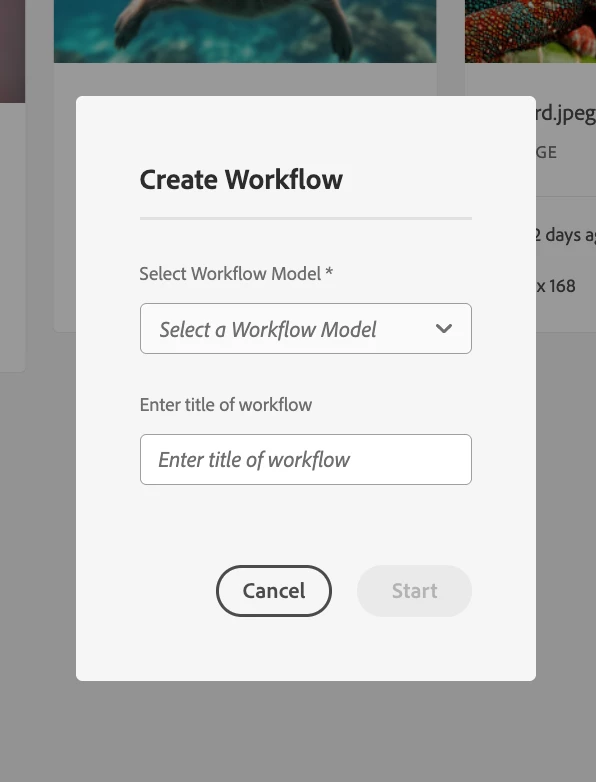
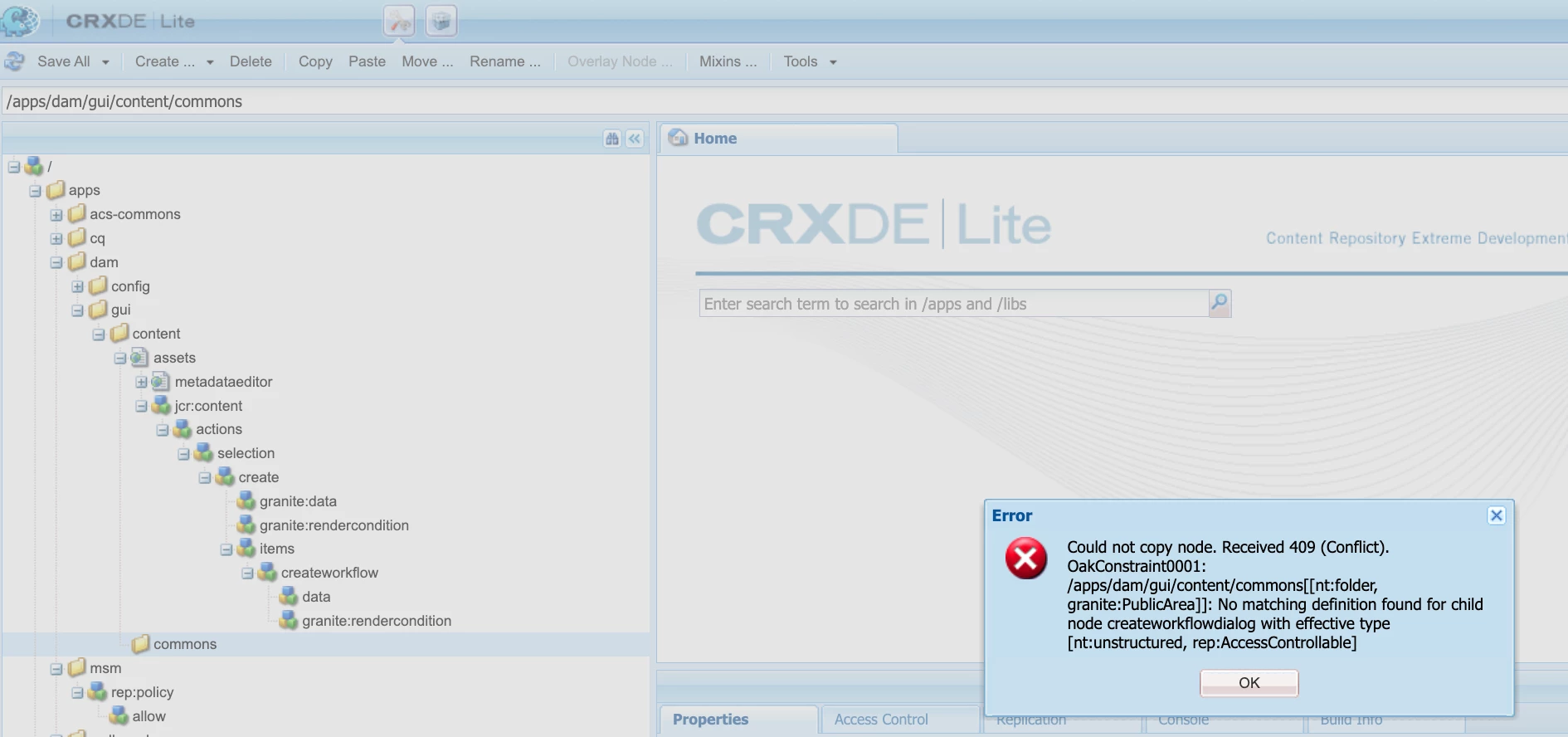
I am trying to add an additional multiselect dropdown field to the 'Create Workflow' dialog but I am running into issues creating an overlay for /libs/dam/gui/content/commons/createworkflowdialog.  I've setup the structure under /apps, but when I try to copy/paste the createworkflowdialog node, I am getting this error:
 I've also tried the "Overlay Node ..." but that fails to overlay as well. I have found that I can slightly get around this if I create the node in my codebase and add a custom .content.xml, a cq_dialog folder, a .content.xml under the cq_dialog folder with all the information from the libs createworkflowdialog, however if I try to do it that way, the dialog fails to render at all. How have folks set this up in the past? What configurations where necessary to get the overlay to work to add an additional field to this dialog?


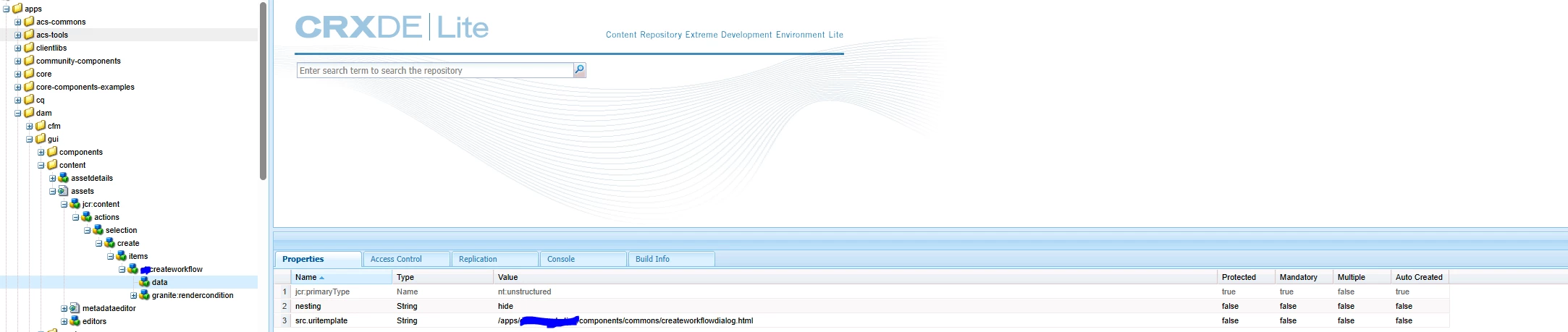
I've additionally attempted to overlay /libs/dam/gui/content/assets/jcr:content/actions/selection/create/items/createworkflow instead and update the src.uritemplate to call a custom dialog of my own but the /mnt/overlay/... I think is tripping me up and that way isn't working for me either.


 @divyat3  @mrudulmo 

I noticed you folks have mentioned doing this before in other posts and I would greatly appreciate any advice you can give in how you accomplished this.

This post is no longer active and is closed to new replies. Need help? Start a new post to ask your question.
Best answer by DivyaT3

Hi,

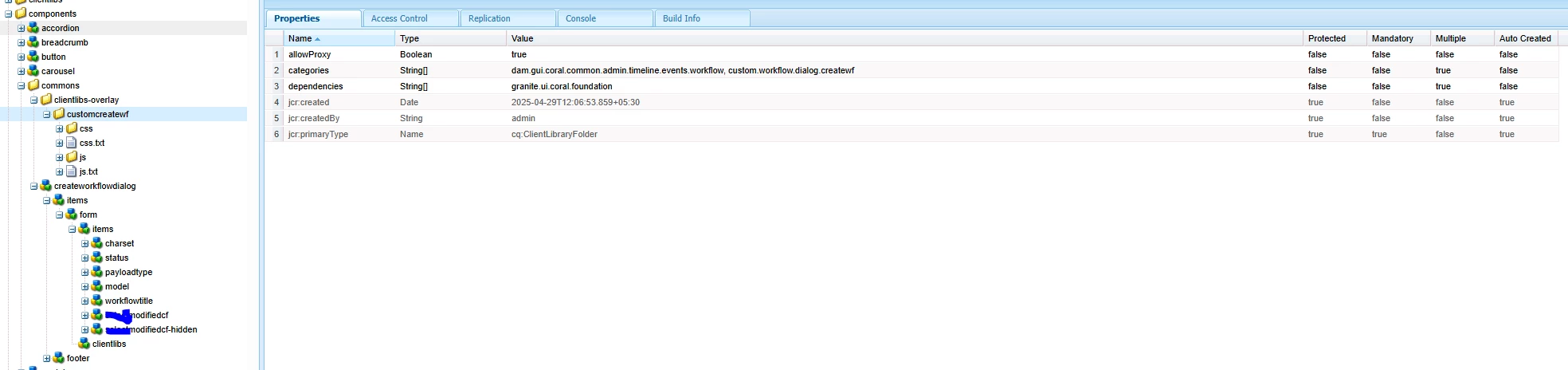
I've overlayed this path: `/libs/dam/gui/content/assets/jcr:content/actions/selection/create/items/createworkflow` to `/apps/dam/gui/content/assets/jcr:content/actions/selection/create/items/customcreateworkflow`, and I am pointing `src.uritemplate` to `/apps/test-project/components/commons/createworkflowdialog.html`.

Now, in my project-specific folder, I have copied the `createworkflowdialog`, under which I have introduced an additional dropdown field in the items node. The clientlibs are pointing to a custom clientlib category. You also need to include the `dam.gui.coral.common.admin.timeline.events.workflow` clientlib category in the categories property along with the custom category. This is important to load all OOTB-related workflow clientlibs.


Thanks,

Divya


4 replies

AmitVishwakarma
Community Advisor
Community Advisor
May 31, 2025

Hi @samfi6 ,


Instead of copying the node from /libs directly (which often leads to OakConstraint0001 errors like the one in your screenshot), extend or customize via delegation and sling:resourceType override.


Option 1: Safest Approach (Overlay /items/createworkflow only)
Overlay only this node:
Path:

/libs/dam/gui/content/assets/jcr:content/actions/selection/create/items/createworkflow

Copy it to:

/apps/dam/gui/content/assets/jcr:content/actions/selection/create/items/createworkflow

Update the sling:resourceType to point to a custom component:

Example:

sling:resourceType = "myproject/dam/gui/components/createworkflow"

Create the dialog structure for myproject/dam/gui/components/createworkflow in /apps:  

/apps/myproject/dam/gui/components/createworkflow └── dialog (cq:Dialog) └── content (nt:unstructured) └── items ├── existing fields └── your new multiselect field

Example XML (in .content.xml):

<multiselectField jcr:primaryType="nt:unstructured" sling:resourceType="granite/ui/components/coral/foundation/form/multifield" fieldLabel="Select Tags" name="./tags" composite="false"> <field jcr:primaryType="nt:unstructured" sling:resourceType="granite/ui/components/coral/foundation/form/select" name="./tag" multiple="true" options="[ {'text':'Tag A','value':'tagA'}, {'text':'Tag B','value':'tagB'}, {'text':'Tag C','value':'tagC'} ]"/> </multiselectField>

Rebuild and deploy the code using Maven or install via CRX package manager.

Note:
Don't try copying full dialogs like /libs/dam/gui/content/commons/createworkflowdialog into /apps. They're typically protected (granite:PublicArea) and have hidden constraints.

Don't override directly under /libs or attempt to overlay everything it will break AEM upgrades and fail due to JCR constraints.

Regards,

Amit

SamFi6Author
June 2, 2025

Hi @amitvishwakarma

Thank you for your response. I have a followup question about replacing the sling:resourceType of node 

/apps/dam/gui/content/assets/jcr:content/actions/selection/create/items/createworkflow

with my custom component. There are  3 nodes I'm looking at here, 2 of which have a resourceType. 

 The createworkflow node itself already has resourceType of granite/ui/components/coral/foundation/collection/actionlink which I believe allows "Create Workflow" to be a button already which I'll need to trigger the workflow at all. The data node does not have a resourceType and granite:rendercondition node feels separate to this. If I change/add this resourceType, I am still just getting the default dialog. Do you have any suggestions?

SantoshSai
Community Advisor
Community Advisor
May 31, 2025

Hi @samfi6,

Option 1: Overlaying via src.uritemplate Reference

You've already tried modifying:

/libs/dam/gui/content/assets/jcr:content/actions/selection/create/items/createworkflow

Try this:

  1. Overlay this path:

/apps/dam/gui/content/assets/jcr:content/actions/selection/create/items/createworkflow
  1. In your overlay, change:

src.uritemplate = /mnt/overlay/dam/gui/content/commons/createworkflowdialog.html{+args}

To point to your custom dialog:

src.uritemplate = /apps/your-project/components/customworkflowdialog.html{+args}
  1. Create your dialog at:

/apps/your-project/components/customworkflowdialog

With a cq:dialog (or dialog) node inside with the multiselect field added.

  1. Make sure your component node has:

sling:resourceType = dam/gui/coral/components/admin/createworkflowdialog

Or copy the required logic if you’re overriding that.

  1. Register this under the dam/gui/coral/components/admin/createworkflowdialog if necessary.

Note: You cannot directly overlay /mnt/overlay/... — it’s a virtual resource merge path, not a physical node. Always point src.uritemplate to a real component under /apps.


Option 2: Using a Custom Action Instead

If overriding is still problematic, consider creating your own custom toolbar action under:

/apps/dam/gui/content/assets/jcr:content/actions/selection

Define a new node like custom-createworkflow:

sling:resourceType = dam/gui/coral/components/admin/contentrenderer/card/selectionaction
text = "Create Custom Workflow"
src.uritemplate = /apps/your-project/components/customworkflowdialog.html{+args}

And define the new component to render the dialog with multiselects.

Hope that helps!

Santosh Sai
SamFi6Author
June 2, 2025

Hi @santoshsai,

Thank you for your reply. 

I've created an overlay at 

/apps/dam/gui/content/assets/jcr:content/actions/selection/create/items/createworkflow

with src.uritemplate set to 

src.uritemplate = /apps/myProject/components/workflow/customworkflowdialog.html{+args}

 Then I created a custom component at /apps/myProject/components/workflow/customworkflowdialog that has sling:resourceType=dam/gui/coral/components/admin/createworkflowdialog

However, when I save all of that and try to create a workflow, I was getting a 404 error. So I added a createworkflowdialog.html file with contents:

<sly data-sly-include="${'createworkflowdialog.html' @ resourceType='dam/gui/coral/components/admin/createworkflowdialog'}" />

and updated my src.uritemplate to point to that html file at /apps/myProject/components/workflow/customworkflowdialog/customworkflowdialog.html which now doesn't return a 404 but it's also not showing the dialog either.

When I go into AEM assets and select  "Create Workflow", there are no errors, but no dialog is appearing. Do you have any ideas on what I may be doing wrong?

SamFi6Author
June 2, 2025

As a followup, I've updated the html file to have something simple like <p>test</p>. If I have that in my html file when I select "Create Workflow" button, then the "test" text appears on the page but there is still no popup. I've tried updating my custom component to use sling:resourceSuperType as well and still the same issue. My assumption would be that I don't have the correct html file content, however the original does not appear to have an html file either.  Any suggestions would be greatly appreciated!

DivyaT3Accepted solution
Level 3
June 6, 2025

Hi,

I've overlayed this path: `/libs/dam/gui/content/assets/jcr:content/actions/selection/create/items/createworkflow` to `/apps/dam/gui/content/assets/jcr:content/actions/selection/create/items/customcreateworkflow`, and I am pointing `src.uritemplate` to `/apps/test-project/components/commons/createworkflowdialog.html`.

Now, in my project-specific folder, I have copied the `createworkflowdialog`, under which I have introduced an additional dropdown field in the items node. The clientlibs are pointing to a custom clientlib category. You also need to include the `dam.gui.coral.common.admin.timeline.events.workflow` clientlib category in the categories property along with the custom category. This is important to load all OOTB-related workflow clientlibs.


Thanks,

Divya


kautuk_sahni
Community Manager
Community Manager
July 2, 2025

@samfi6 Just checking in — were you able to resolve your issue?
We’d love to hear how things worked out. If the suggestions above helped, marking a response as correct can guide others with similar questions. And if you found another solution, feel free to share it — your insights could really benefit the community. Thanks again for being part of the conversation!

Kautuk Sahni