Content fragment is not editable | Community
Skip to main content
Level 2
February 12, 2025
Solved

Content fragment is not editable

  • February 12, 2025
  • 3 replies
  • 1178 views

Hi all,

In our dev AEM cloud environment content fragment is not editable second time. I can create new content fragment and add content.


In UI It shows 405 repository not found error
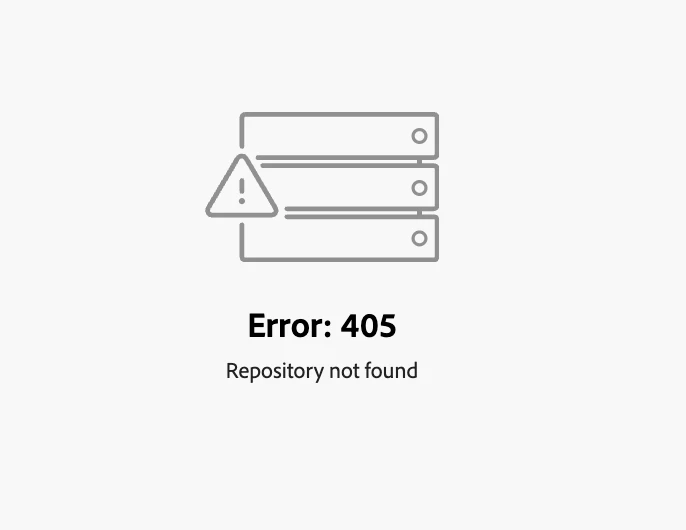
 

The URL  when it opens CF - 

https://experience.adobe.com/?repo=localhost#/@ourCompanyName/aem/cf/editor/editor/content%2Fdam%2Ffolder1%2FcfName?appId=aem-cf-editor
which looks weird as you can see  /editor is two times in URL and repo = localhost. 


In error log it throws error -
com.adobe.aem.sites.eventing.impl.producer.NodeChangeEventGenerator Cannot find model path for node change with path /content/dam/folder1/cfName/jcr:content/data/master
12.02.2025 15:24:42.938 [cm-p114456-e1197453-aem-author-5db87d4c59-9f6zj] *ERROR* [68.36.249.250 [1739373882921] POST /content/dam/folder1/cfName.cfm.edit.json HTTP/1.1] com.adobe.cq.assetcompute.impl.assetprocessor.AssetProcessorImpl Failed to initiate process for asset=/content/dam/folder1/cfName
java.lang.IllegalArgumentException: Asset without original rendition: /content/dam/folder1/cfName
at com.adobe.cq.assetcompute.impl.assetprocessor.AssetProcessorInitService.initAssetState(AssetProces .......


Thank you in advance.

Best answer by vsps

Found this article -
https://experienceleague.adobe.com/en/docs/experience-cloud-kcs/kbarticles/ka-20923

  Added Day CQ externalizer in code under config.author folder -


com.day.cq.commons.impl.ExternalizerImpl.cfg.json with content -
{
"externalizer.domains":[
"local $[env:AEM_EXTERNALIZER_LOCAL;default=https://author-pXXXXXXXXX.adobeaemcloud.com]",
"author $[env:AEM_EXTERNALIZER_AUTHOR;default=https://author-pXXXXXXXXX.adobeaemcloud.com]"
]
}

Rebuilding code in cloud manager worked. Now I am able to open content fragment using 
https://experience.adobe.com/?repo=author-pXXXXXXXXX.adobeaemcloud.com#/@orgName/aem/cf/admin/?appId=aem-cf-admin
as well as through assets.
 

3 replies

Level 3
February 13, 2025

just an observation and not a solution but I notice in our cloud implementation that the new editor for content fragments produces a 405 error for some of our users. These same user can still edit the CFs via assets directly where it uses the old editor. only get 405 when going through the CF dashboard and it forces the use of the new editor. 

Im still trying to investigate why this occurs.

vspsAuthor
Level 2
February 13, 2025

I am using trying to open CF from assets.  Content Fragment editor always throw error for me. However, this  time error is from assets.

February 20, 2025

I'm experiencing the same issue as well, in cloud environments... in my local aem this issue does not incur though... does anyone have a resolve for this? or is this a bug in aem


March 5, 2025

Any one found the fix?

vspsAuthor
Level 2
May 7, 2025

Can someone pls help with this. We are facing this issue in production as well.  Adobe suggested to add externalizer URLs for  externalizerDomainLocal and externalizerDomainAuthor. I updated it in configuration with no result.
Followed - https://experienceleague.adobe.com/en/docs/experience-manager-cloud-service/content/implementing/developer-tools/externalizer for adding environment variables.

vspsAuthorAccepted solution
Level 2
May 7, 2025

Found this article -
https://experienceleague.adobe.com/en/docs/experience-cloud-kcs/kbarticles/ka-20923

  Added Day CQ externalizer in code under config.author folder -


com.day.cq.commons.impl.ExternalizerImpl.cfg.json with content -
{
"externalizer.domains":[
"local $[env:AEM_EXTERNALIZER_LOCAL;default=https://author-pXXXXXXXXX.adobeaemcloud.com]",
"author $[env:AEM_EXTERNALIZER_AUTHOR;default=https://author-pXXXXXXXXX.adobeaemcloud.com]"
]
}

Rebuilding code in cloud manager worked. Now I am able to open content fragment using 
https://experience.adobe.com/?repo=author-pXXXXXXXXX.adobeaemcloud.com#/@orgName/aem/cf/admin/?appId=aem-cf-admin
as well as through assets.