Content fragment editor extension
Hello Team,
For my POC purpose, I am creating a Content Fragment Editor Extension. I referred few projects here.
https://experienceleague.adobe.com/en/docs/experience-manager-learn/cloud-service/developing/extensibility/ui/content-fragments/overview
Executed below project and able to see the custom field displaying product details
Custom Field Extension: https://experienceleague.adobe.com/en/docs/experience-manager-learn/cloud-service/developing/extensibility/ui/content-fragments/examples/editor-custom-field
My actual requirement is: To support multifiled values(Key, value pair) in content fragment.
After the deployment (aio app run), then used the url: https://experience.adobe.com/?repo= so on
Able to see the multifield in content frgment. Note: I have created the dummy text field in CF. Referred the id in ExtensionRegistration.js file
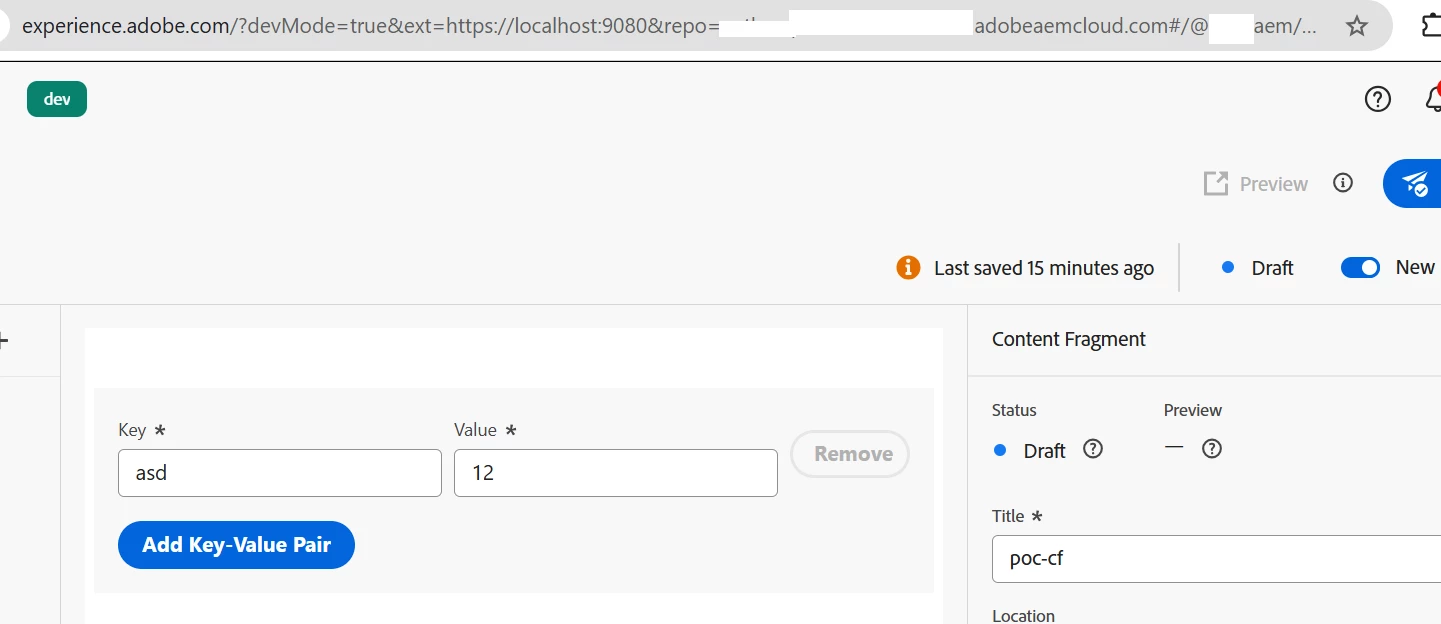
But, when i type the key or value, Its trying to save the value. But getting the error: Fragment update failed. Autosave failed.
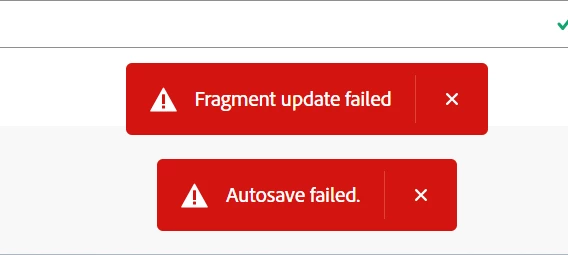
What I am missing here?
Below is the CompositeMultiField.js that is being used in my extension project.
import React, { useEffect, useState } from "react";
import { extensionId } from "./Constants";
import { attach } from "@adobe/uix-guest";
import {
  Provider,
  View,
  defaultTheme,
  Button,
  TextField,
  Flex,
  Repeat,
} from "@adobe/react-spectrum";
import "./CompositeMultiField.css";

const CompositeMultiField = () => {
  const [connection, setConnection] = useState(null);
  const [validationState, setValidationState] = useState(null);
  const [fields, setFields] = useState([{ key: "", value: "" }]); // Default one empty key-value pair

  // Update field value when the user types
  const updateField = (index, type, newValue) => {
    const updatedFields = [...fields];
    updatedFields[index][type] = newValue;
    setFields(updatedFields);
    connection?.host.field.onChange(updatedFields);
  };

  // Add a new key-value pair
  const addField = () => {
    setFields([...fields, { key: "", value: "" }]);
  };

  // Remove a key-value pair
  const removeField = (index) => {
    const updatedFields = fields.filter((_, i) => i !== index);
    setFields(updatedFields);
    connection?.host.field.onChange(updatedFields);
  };

  useEffect(() => {
    const init = async () => {
      const conn = await attach({ id: extensionId });
      setConnection(conn);

      const model = await conn.host.field.getModel();
      const defaultValue = await conn.host.field.getValue();

      if (Array.isArray(defaultValue) && defaultValue.length > 0) {
        setFields(defaultValue);
      }

      conn.host.field.onValidationStateChange(setValidationState);
    };

    init().catch(console.error);
  }, []);


  if (!connection) {

    return <Provider theme={defaultTheme}>Loading custom field...</Provider>;
  }

  return (
    <Provider theme={defaultTheme}>
      <View padding="size-200">
        {fields.map((field, index) => (
          <Flex key={index} gap="size-100" alignItems="center">
            <TextField
              label="Key"
              value={field.key}
              onChange={(value) => updateField(index, "key", value)}
              isRequired
              width="45%"
            />
            <TextField
              label="Value"
              value={field.value}
              onChange={(value) => updateField(index, "value", value)}
              isRequired
              width="45%"
            />
            <Button
              variant="negative"
              onPress={() => removeField(index)}
              isDisabled={fields.length === 1} // Prevent removing the last field
            >
              Remove
            </Button>
          </Flex>
        ))}

        <Button variant="cta" onPress={addField} marginTop="size-200">
          Add Key-Value Pair
        </Button>
      </View>
    </Provider>
  );
};

export default CompositeMultiField;
My next query is: When I done with testing the extension project(aio app run), I need to deploy to Adobe IO Runtime. Then, how can I link this project to AEM (as cloud service)
cc @daniel-strmecki @sarav_prakash @arunpatidar @amanath_ullah @amitvishwakarma
Thanks in advance.