Content Fragment created in DAM not appearing in tree View | Community
Skip to main content
Level 2
June 27, 2023
Solved

Content Fragment created in DAM not appearing in tree View

  • June 27, 2023
  • 3 replies
  • 1479 views

Hi Everyone,


We have created a Content Fragment Component from core by overlay and created a new model and a Content Fragment in DAM. But when I select Type as Content Fragment in "Assests" content tree, the content fragments in DAM are not visible for drag and drop in pages. Wondering if I have missed anything.
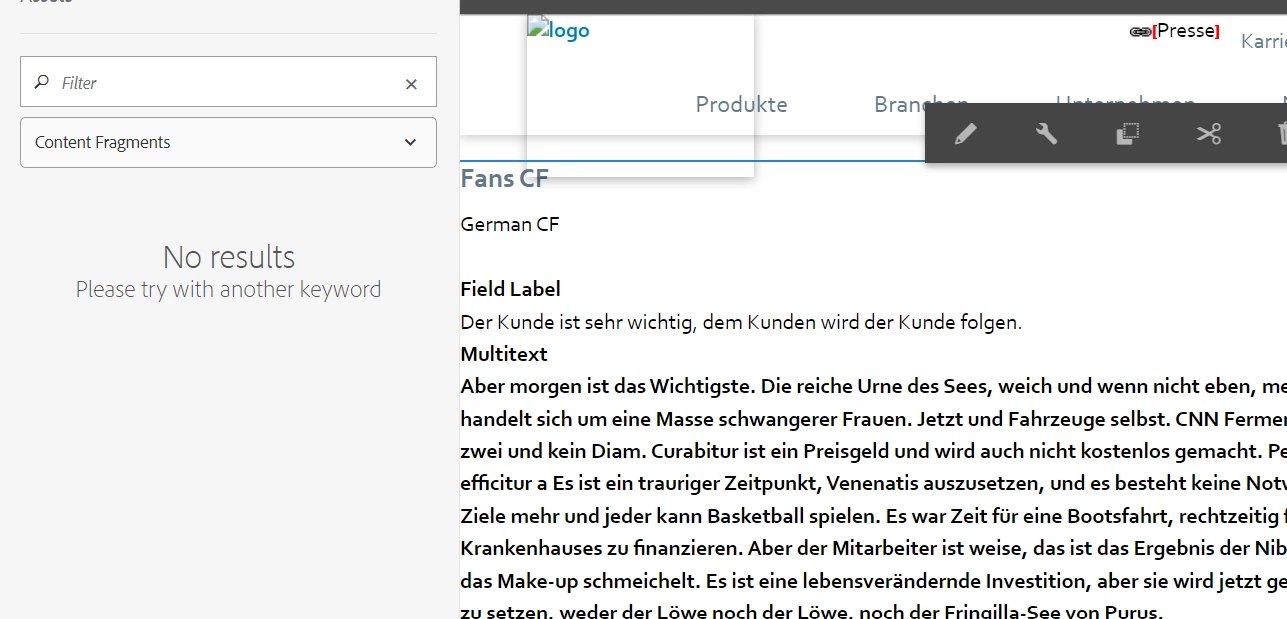


Thanks in advance.


This post is no longer active and is closed to new replies. Need help? Start a new post to ask your question.
Best answer by aanchal-sikka

@Kavin742 


Then there are changes that a UI customization might be affecting you.

Can you please on an Instance AEM 6.5 and SP14, with no custom code? Then deploy your code and test.


Also, please check for any errors in the browser console

3 replies

Pallavi_Shukla_
Community Advisor
Community Advisor
June 27, 2023

@kavin742 can you please check the ContentFinder ( tree)  call in network and see whether that call is successful or not ?


Moreover is this issue happening with weretail CF or only with your custom one ?


Kavin742Author
Level 2
June 27, 2023

Contentfinder call is successful in network tab. None of the content fragments are visible including We-retail one.


aanchal-sikka
Community Advisor
Community Advisor
June 27, 2023

Hello @kavin742 


The Content Finder is generating a query like this:


/jcr:root/content/dam//element(*, dam:Asset)[not((_x002e_./@hidden = 'true')) and (jcr:content/@contentFragment = 'true')] order by jcr:content/@jcr:lastModified descending


Please check if the query is working fine on your instance. Do the indexes need any fine tuning?


Aanchal Sikka
Kavin742Author
Level 2
June 27, 2023

Hello @aanchal-sikka ,

The above query is returning all existing CFs and CFs that are used in pages too.

aanchal-sikka
Community Advisor
aanchal-sikkaCommunity AdvisorAccepted solution
Community Advisor
June 27, 2023

@Kavin742 


Then there are changes that a UI customization might be affecting you.

Can you please on an Instance AEM 6.5 and SP14, with no custom code? Then deploy your code and test.


Also, please check for any errors in the browser console

Aanchal Sikka
bilal_ahmad
Level 5
June 27, 2023

Hi @kavin742 what version of AEM and Service Pack are you using? can you check if the respective bundles are up and running? Also did you try restarting the server?


-Bilal

Kavin742Author
Level 2
June 27, 2023

Hi @bilal_ahmad , currently we are using AEM 6.5 and SP14. All bundles are up and running and I have tried re-starting the servers too