
Component in template does not show up in a page | Community
Skip to main content
rkody
Level 3
October 11, 2023
Solved

Component in template does not show up in a page

  • October 11, 2023
  • 1 reply
  • 973 views

I am having an issue where a custom component called "metadata" is in a custom template, and shows up in the template editor, but does not appear in the page that is made with the template.


Here is the template editor in AEM:
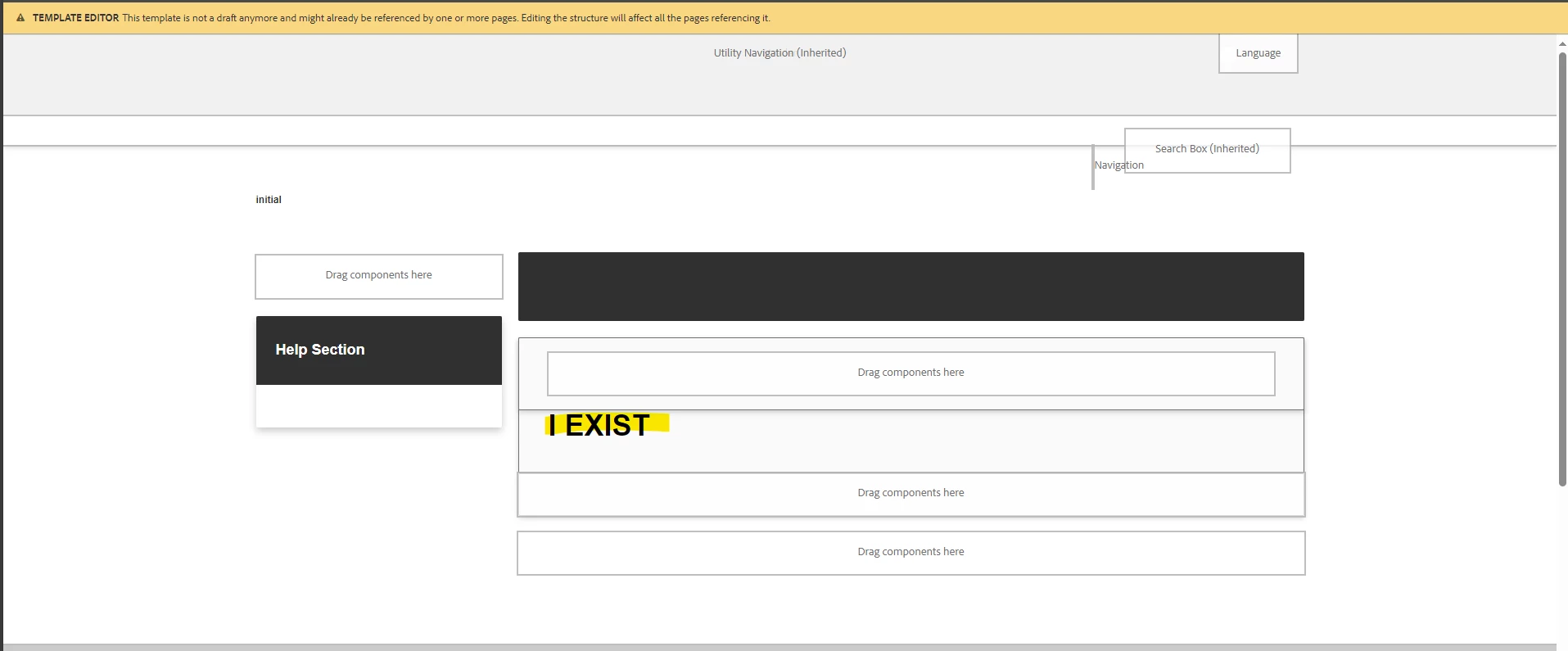
"I EXIST" is there showing that the component is in fact in the template. Here is the html of the "metadata" component:

<sly data-sly-use.Metadata="com.project.aem.dita.core.models.Metadata"></sly> <div class="dita_metadata_group"> <h1>I EXIST</h1> <sly data-sly-test="${Metadata.updatedDate}"> <p class="prop">${'UPDATED' @ i18n}: <span class="prop_value">${Metadata.updatedDate}</span></p> </sly> <sly data-sly-test="${Metadata.documentId}"> <p class="prop">${'DOCUMENT ID' @ i18n}: <span class="prop_value">${Metadata.documentId}</span></p> </sly> </div>


However, when a page is created with that template, "I EXIST" does not display. I even debugged my local instance and the component init function never gets called like it does on the template editor page.

protected void initMetadata() throws RepositoryException { ... }


What would cause a component to not display?


This post is no longer active and is closed to new replies. Need help? Start a new post to ask your question.
Best answer by rkody

Thank you for your reply. I figured out that because I was making edits to the template and moving things around, I needed to create a brand new page with the template. I was only testing with a page that was already created with the old version of the template.


Creating a new page allowed the metadata component to appear with no issues.

1 reply

aanchal-sikka
Community Advisor
Community Advisor
October 12, 2023

Hello @rkody 


Can you please check if you have cq:template property on the jcr:content node of the Page?


If absent, please append and check the component. The property should also be available on template's structure node 


Aanchal Sikka
rkody
rkodyAuthorAccepted solution
Level 3
October 12, 2023

Thank you for your reply. I figured out that because I was making edits to the template and moving things around, I needed to create a brand new page with the template. I was only testing with a page that was already created with the old version of the template.


Creating a new page allowed the metadata component to appear with no issues.