Carousel component's add button is not working in spa-editor | Community
Skip to main content
June 9, 2025

Carousel component's add button is not working in spa-editor

  • June 9, 2025
  • 2 replies
  • 896 views

Hello,
I have created a proxy carousel component which is properly working in non-spa editors.


But in spa-editor i am facing issue with add button under items. This add button is not responding without any console error's as shown below screen shot
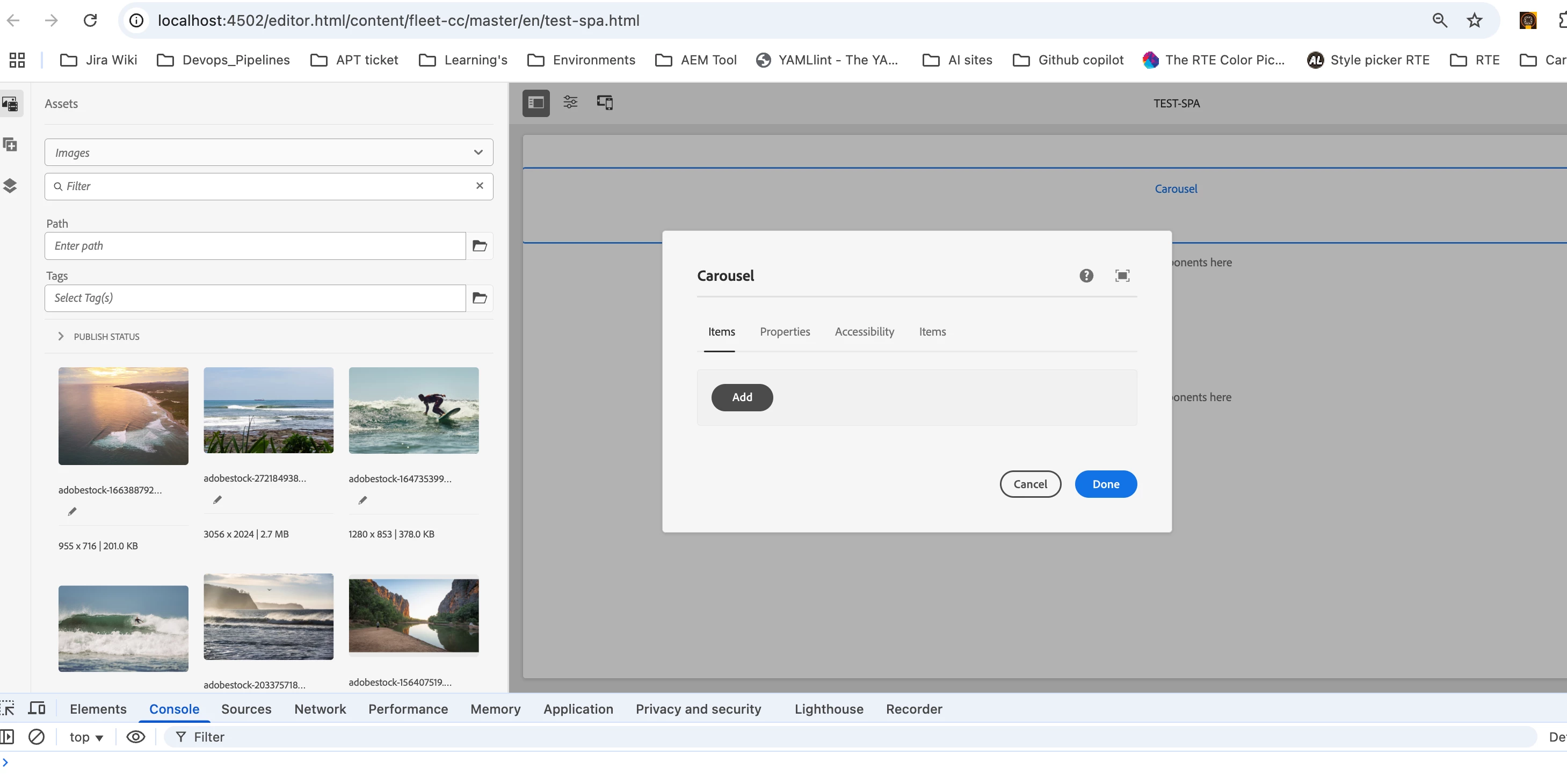
 

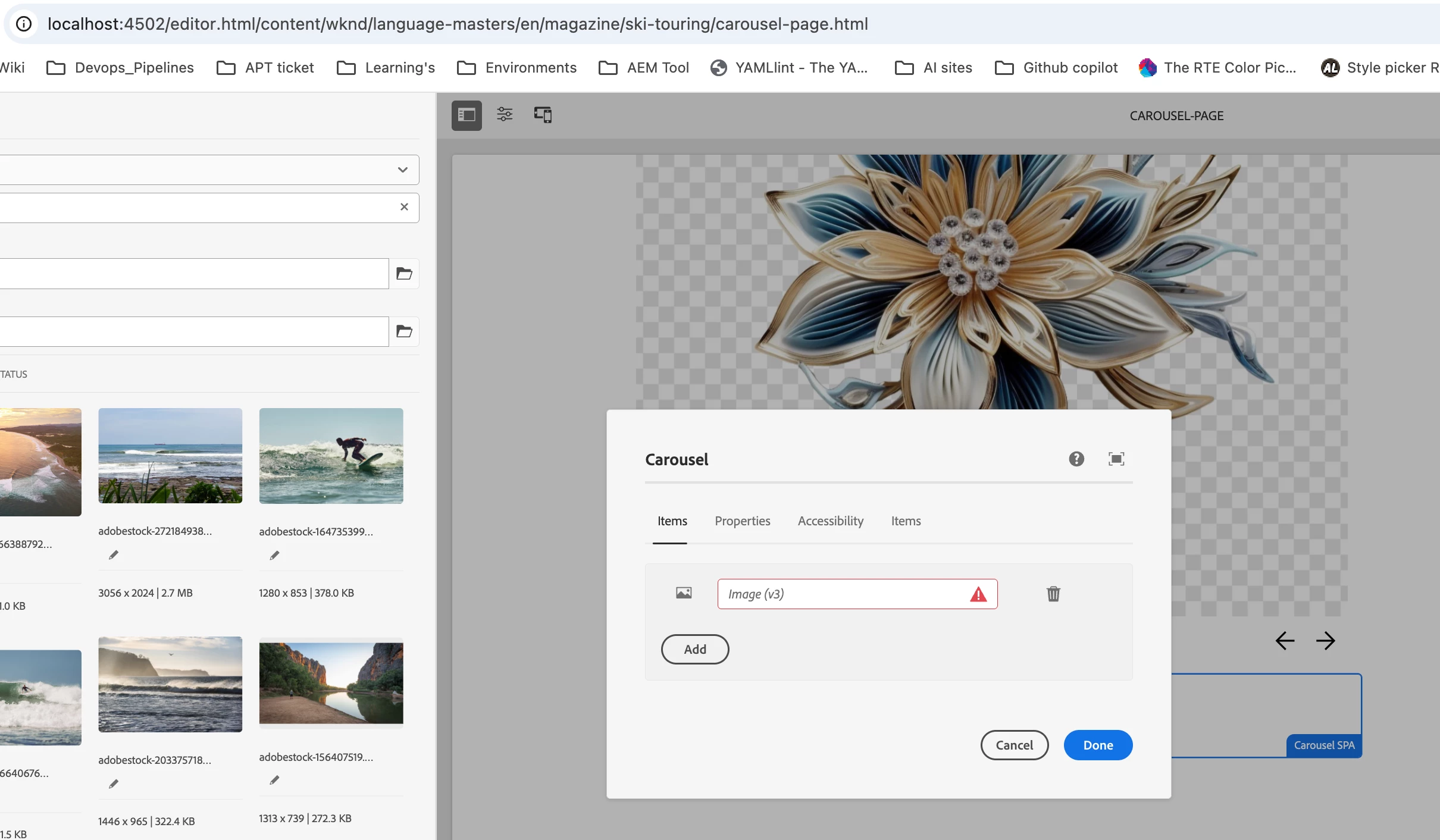
But if test same component in non-spa editor then it is working properly as shown below.

I have referred below threads and tried some work arounds like but no luck

1. Set cq:isContainer="{Boolean}true" in the component's .content.xml
2. Configure proper event listeners in _cq_editConfig.xml


https://github.com/adobe/aem-core-wcm-components/issues/1124 
https://github.com/adobe/aem-core-wcm-components/issues/341 
https://github.com/adobe/aem-core-wcm-components/issues/421 


Kindly need some help on this issue

This post is no longer active and is closed to new replies. Need help? Start a new post to ask your question.

2 replies

EstebanBustamante
Community Advisor and Adobe Champion
June 10, 2025

Hi, 


AFAIK, the standard Core Components are designed for the traditional Page Editor, not the SPA Editor. If you're using a React-based setup, you should use the Core Components specifically built for SPA use.

I'm not sure if a Carousel component is available for SPA, but you can check here for the available components:

https://www.npmjs.com/package/@adobe/aem-core-components-react-base/v/1.1.5 


Hope this helps

Esteban Bustamante
June 10, 2025

Hi @estebanbustamante ,


Thanks much for your reply.

My requirement is : I want to enable core components in React-based setup


Let me explain you the approach i am following

  1. I created proxy core components for core components such as text, image, carousel
  2. Now for these core components we are writing react-mapping scripts(Text.tsx, Image.tsx, Carousel.tsx) to make them work on React-based setup
  3. Also we created spa-template and created a test page for testing test spa-components.

By following this approach Text and Image components are working as expected but For Carousel component i am facing issue with add button under items(this same issue which i am facing is discussed in these threads but no proper solution https://github.com/adobe/aem-core-wcm-components/issues/1124 , https://github.com/adobe/aem-core-wcm-components/issues/341 , https://github.com/adobe/aem-core-wcm-components/issues/421 )

EstebanBustamante
Community Advisor and Adobe Champion
June 10, 2025

Hi, 


Did you try to add the "new" node as mentioned in the thread you shared? https://github.com/adobe/aem-core-wcm-components/issues/421#issuecomment-455230521 That seems to be the solution. 


Hope this helps. 

Esteban Bustamante
kautuk_sahni
Community Manager
Community Manager
June 26, 2025

@m_k_sai_gopalakr Just checking in — were you able to resolve your issue?
We’d love to hear how things worked out. If the suggestions above helped, marking a response as correct can guide others with similar questions. And if you found another solution, feel free to share it — your insights could really benefit the community. Thanks again for being part of the conversation!

Kautuk Sahni