Batch Replication Functionality | Community
Skip to main content
Level 2
June 3, 2024
Solved

Batch Replication Functionality

  • June 3, 2024
  • 4 replies
  • 1383 views

In my project I have to publish large amount of assets. So I enabled Batch Publishing option for my replication Agent so that it will create  batch of request instead of replicating assets individually. 
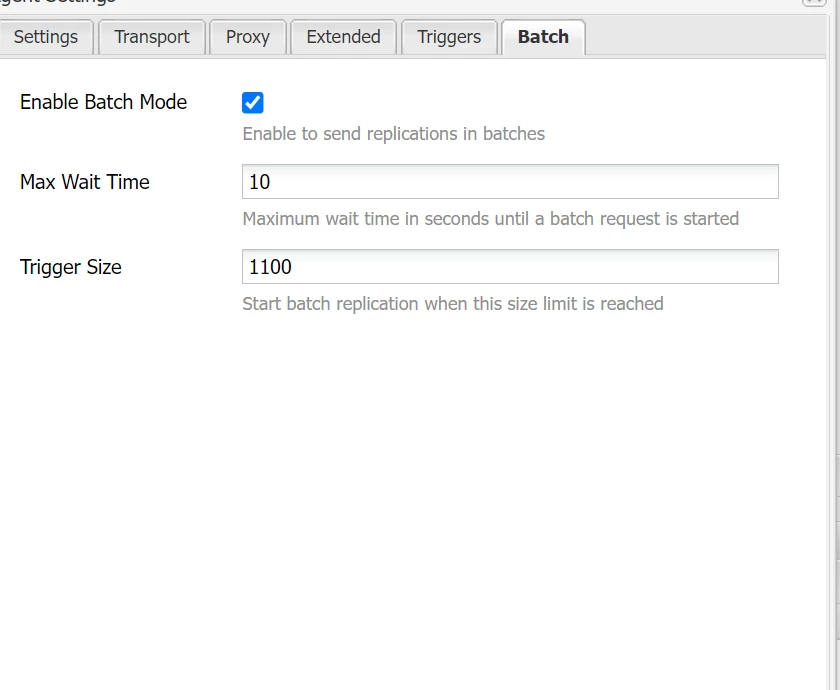
But the problem is when I replicate asset by calling replicator API from my servlet and provide it list of path. It is creating the batch request for each path I have passed to it Instead of clubbing all paths in one request as you can see it
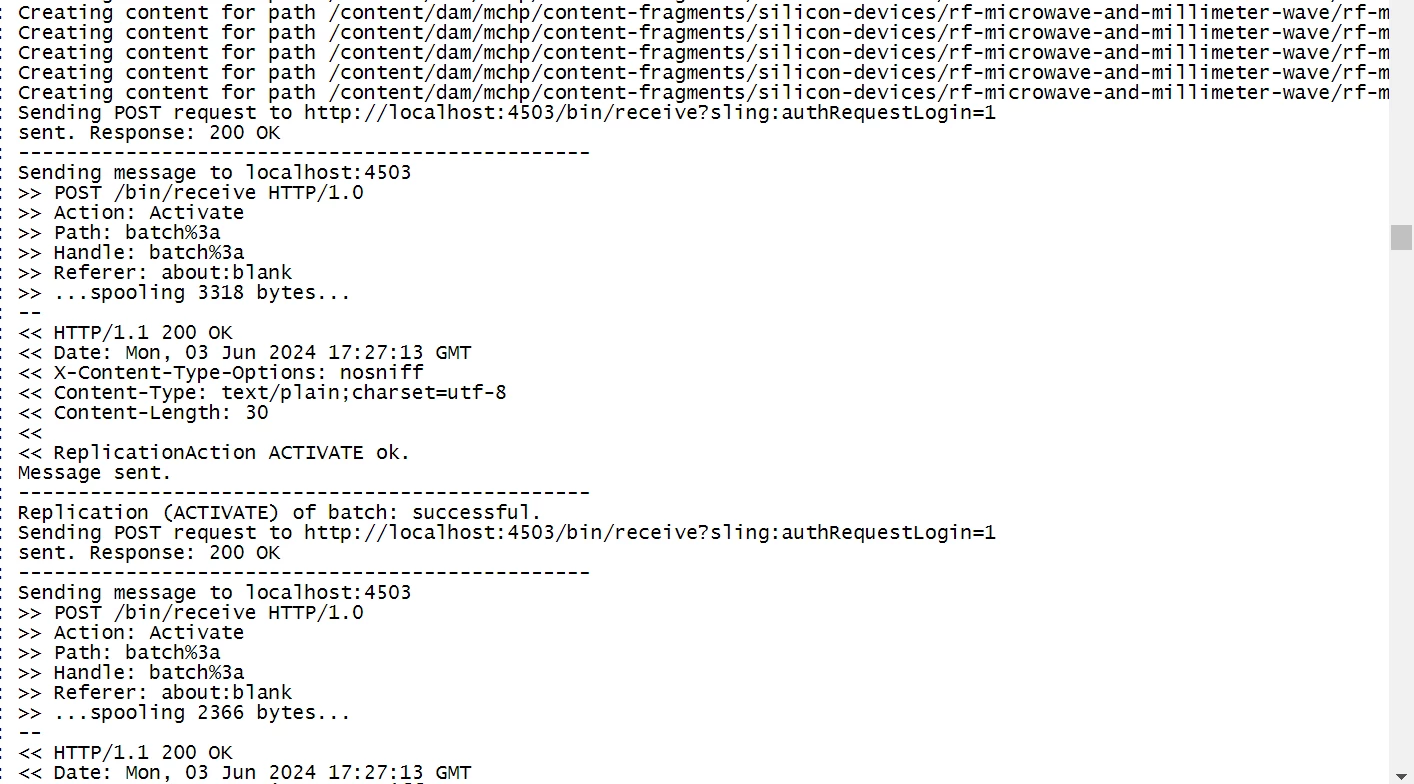
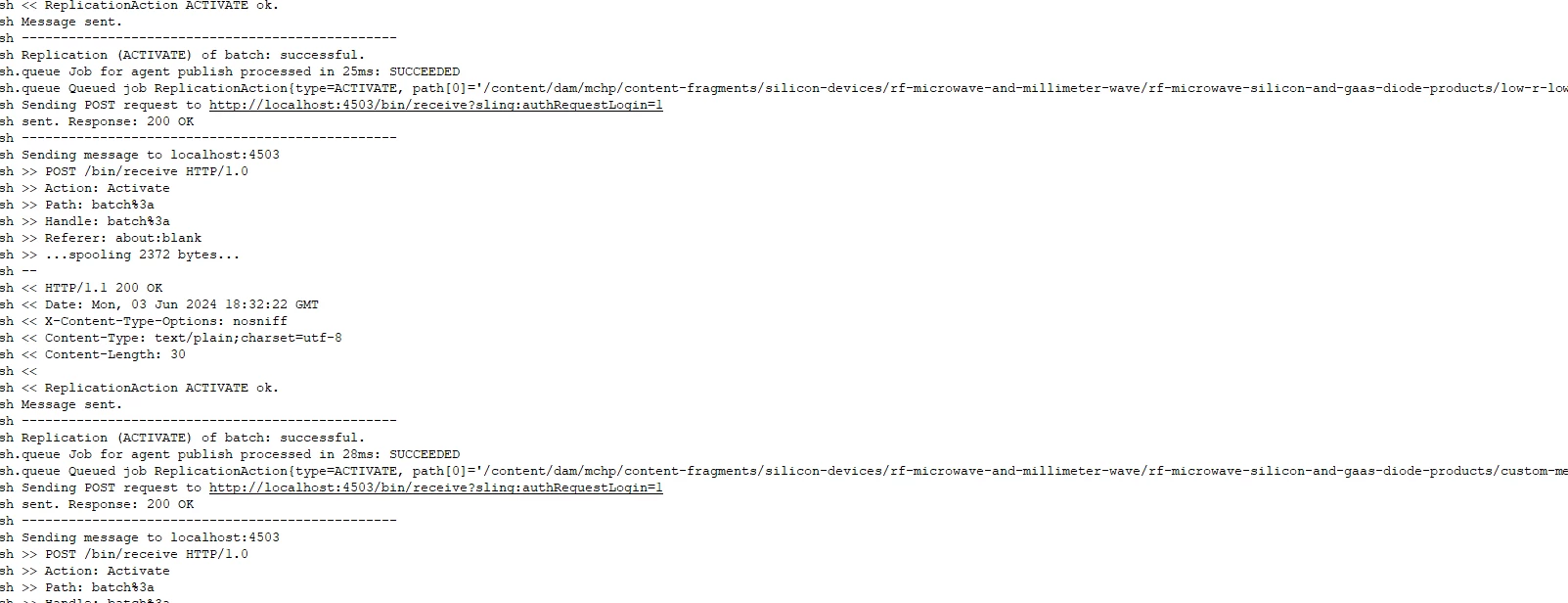


I want to know whether it is expected behaviour or am I miss understood something . I have tried to pass 1100 paths to test this functionality and it is taking longer time to complete

Best answer by joerghoh

if your code is calling the replication API anway directly: There is replicator.replicate() method which takes an array of pathes to replicate. IIRC even in AEM 6.x this packaged these paths up in a single call (in AEM CS it definitely does that).

4 replies

gkalyan
Community Advisor and Adobe Champion
June 3, 2024

@shivamra 

Unfortunately, Replicator API does not have direct control over batch replication settings. It treats each replication request as a separate entity, even when batch replication is enabled.


So, when you are using a servlet to programmatically send replication requests, the batch settings is taking each request a new batch request instead of packaging them as a single request.


Alternatively, there is older question community to handle high volume of activations. The second option suggested by @

markus_bulla_adobe in the below question might help you. 

https://experienceleaguecommunities.adobe.com/t5/adobe-experience-manager/aem-replication-agents-stuck/m-p/414364 


HrishikeshKagne
Community Advisor
Community Advisor
June 4, 2024

Hi @shivamra ,

The behavior you are experiencing might be due to the way the replication API processes the list of paths you provide. To better understand and potentially resolve this issue, let's go through a few key points and potential solutions.

Understanding Batch Replication

Batch replication is intended to group multiple replication requests into a single batch to optimize performance, especially when dealing with a large number of assets. This should theoretically reduce the number of individual requests and improve overall throughput.

Potential Issues and Considerations

  1. API Call Implementation:

    • Ensure that when you call the replicator API, you are correctly passing the list of paths in a way that the API can interpret as a single batch request.
    • If each path is being processed as an individual request, it could be due to how the request is being constructed or how the API interprets it.
  2. Replication Agent Configuration:

    • Verify the configuration settings of the replication agent to ensure it is set up to handle batch replication correctly. This includes batch size limits and other relevant parameters.
  3. Code Implementation:

    • Review the servlet code that invokes the replication API to ensure it is correctly bundling the paths into a single batch request.

Steps to Diagnose and Fix the Issue

  1. Review Replicator API Documentation:

    • Check the official documentation for the replicator API to ensure you are using it correctly for batch processing. Look for examples or specific parameters that might influence batch behavior.
  2. Check Replication Agent Settings:

    • Ensure the replication agent's batch settings are correctly configured. There might be a setting that limits the batch size or alters how batches are created.
  3. Example Code for Batch Replication:

      1. Logging and Debugging:

        • Add detailed logging to your servlet code to capture how the paths are being passed to the replicator API and how the replication agent processes them. This might help identify any discrepancies.
      2. Consult Support or Community:

        • If the issue persists, consider reaching out to the support team of the software you're using or participating in community forums. There might be known issues or additional configuration steps required.Here’s a generic example of how you might call the replication API to process a batch of paths:

      Batch replication should indeed club multiple paths into a single request, but if this is not happening, it might be due to misconfiguration or incorrect API usage. By reviewing the configuration, ensuring proper API usage, and debugging the code, you should be able to identify and resolve the issue. If all else fails, consulting official support or community forums can provide additional insights and solutions.

Hrishikesh Kagane
shivamraAuthor
Level 2
June 4, 2024

Hi @hrishikeshkagne Can you please provide any reference or article for programmatically send paths (using replicator API) for Batch replication. Since I have seen Adobe documentation related to it and it didnt provide much info on how to perform batch replication programmtically

joerghoh
Adobe Employee
joerghohAdobe EmployeeAccepted solution
Adobe Employee
June 5, 2024

if your code is calling the replication API anway directly: There is replicator.replicate() method which takes an array of pathes to replicate. IIRC even in AEM 6.x this packaged these paths up in a single call (in AEM CS it definitely does that).

Level 2
August 13, 2025

I know that this one is quite old, but just in case one faces the same issue. 

The Trigger Size field in Replication Agent Configuration is a batch size in bytes. So in this example the agent was constantly hitting the 1100 bytes threshold and replicating every single node. 


Regards,

Rustam