AEM Quickstart Jar file Not Working | Community
Skip to main content
Level 2
October 9, 2017
Solved

AEM Quickstart Jar file Not Working

  • October 9, 2017
  • 12 replies
  • 16662 views

I downloaded the quickstart jar file (link provided by Adobe support team) but it's only showing loading
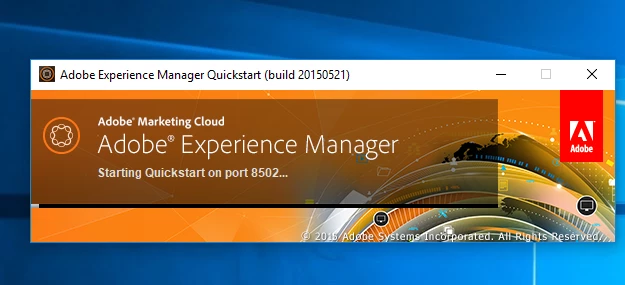
I also changed the port number from the default 6502, but its not working.

Any idea?

This post is no longer active and is closed to new replies. Need help? Start a new post to ask your question.
Best answer by kautuk_sahni

I guess this is AEM 6.1 build.

Can you please share your system details and JDK/JRE in use?

I would recommend you to have JRE 1.7 and please read Technical Requirements - docs.adobe.com

~kautuk

12 replies

Level 2
October 9, 2017

Thanks, It worked

September 26, 2023

Hi , I am facing the same issue now, how to resolve it..?

anusha912862987
November 29, 2018

this works, thank you brother

Level 3
October 23, 2021

Hello,
I have a jar file of AEM 6.5. I created the two instances (author and publish) but when I start the jar file the crx quickstart folder is created, with the "logs" folder inside, and an empty "upgrade" notepad file.


It should be noted that before doing this I installed Maven on my pc.

Can anyone help me? I can't start AEM from my pc.
