Level 2
Oct 9, 2017 6:53 AM UTC
Solved

AEM Quickstart Jar file Not Working

I downloaded the quickstart jar file (link provided by Adobe support team) but it's only showing loading
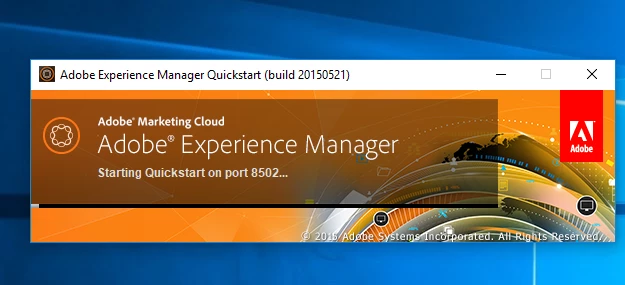
I also changed the port number from the default 6502, but its not working.

Any idea?

This post is no longer active and is closed to new replies. Need help? Start a new post to ask your question.
kautuk_sahni
kautuk_sahniAccepted solution
Level 9
Oct 9, 2017 9:31 AM UTC

I guess this is AEM 6.1 build.

Can you please share your system details and JDK/JRE in use?

I would recommend you to have JRE 1.7 and please read Technical Requirements - docs.adobe.com

~kautuk

Kautuk Sahni

14 replies

Level 3
Oct 9, 2017 6:56 AM UTC

You can check the error logs in \crx-quickstart\logs\error.log and see the error messages and warnings.

Translate
edubey
Level 10
Oct 9, 2017 7:03 AM UTC

I am assuming that you are starting this particular AEM jar the first time, If that's the case, it will take time to extract all the files in crx-quickstart (around 2 GB)

From next time onwards it will take less time.

Thanks

Translate
Level 2
Oct 9, 2017 8:21 AM UTC

No such file is there, only stderr and stdout is present

Translate
Level 2
Oct 9, 2017 8:22 AM UTC

Yes, I'm running for the first time and even waited for an hour but no progress

Translate
Ratna_Kumar
Level 10
Oct 9, 2017 8:59 AM UTC

Hi,

What's your RAM size in your computer. It also depends on RAM.

If you not able to start via clicking the JAR, try to start the JAR using command prompt in this way: java -jar cq-author-p4502.jar

~Ratna.

Translate
Oct 9, 2017 9:07 AM UTC

What type of os you are using for Adobe Experience Manager. The error may be because of the OS.

Thank you.

Translate
kautuk_sahni
kautuk_sahniAccepted solution
Level 9
Oct 9, 2017 9:31 AM UTC

I guess this is AEM 6.1 build.

Can you please share your system details and JDK/JRE in use?

I would recommend you to have JRE 1.7 and please read Technical Requirements - docs.adobe.com

~kautuk

Translate
Kautuk Sahni
Level 2
Oct 9, 2017 9:33 AM UTC

Hi, System ram is 24 GB, previously i ran 6.3 instance and it worked but now I'm running 6.1 instance.

Translate
Level 2
Oct 9, 2017 9:37 AM UTC

Java version is 9, let me check for 1.7 version

Translate
kautuk_sahni
Level 9
Oct 9, 2017 9:51 AM UTC

Try Downgrade JDK to 1.7 (do not keep 2 version of JDKs), do it in the new directory and then check.

~kautuk

Translate
Kautuk Sahni
