AEM Assets HTTP API - expose meta data | Community
Skip to main content
Level 3
July 5, 2022
Solved

AEM Assets HTTP API - expose meta data

  • July 5, 2022
  • 2 replies
  • 2126 views

Hi,


We are planning to consume AEM DAM assets (mainly documents/images) in a 3rd Party system by leveraging the out of the box HTTP assets API. 


However, the existing API does not expose all fields from metadata. For example: My image has title and description set in metadata.
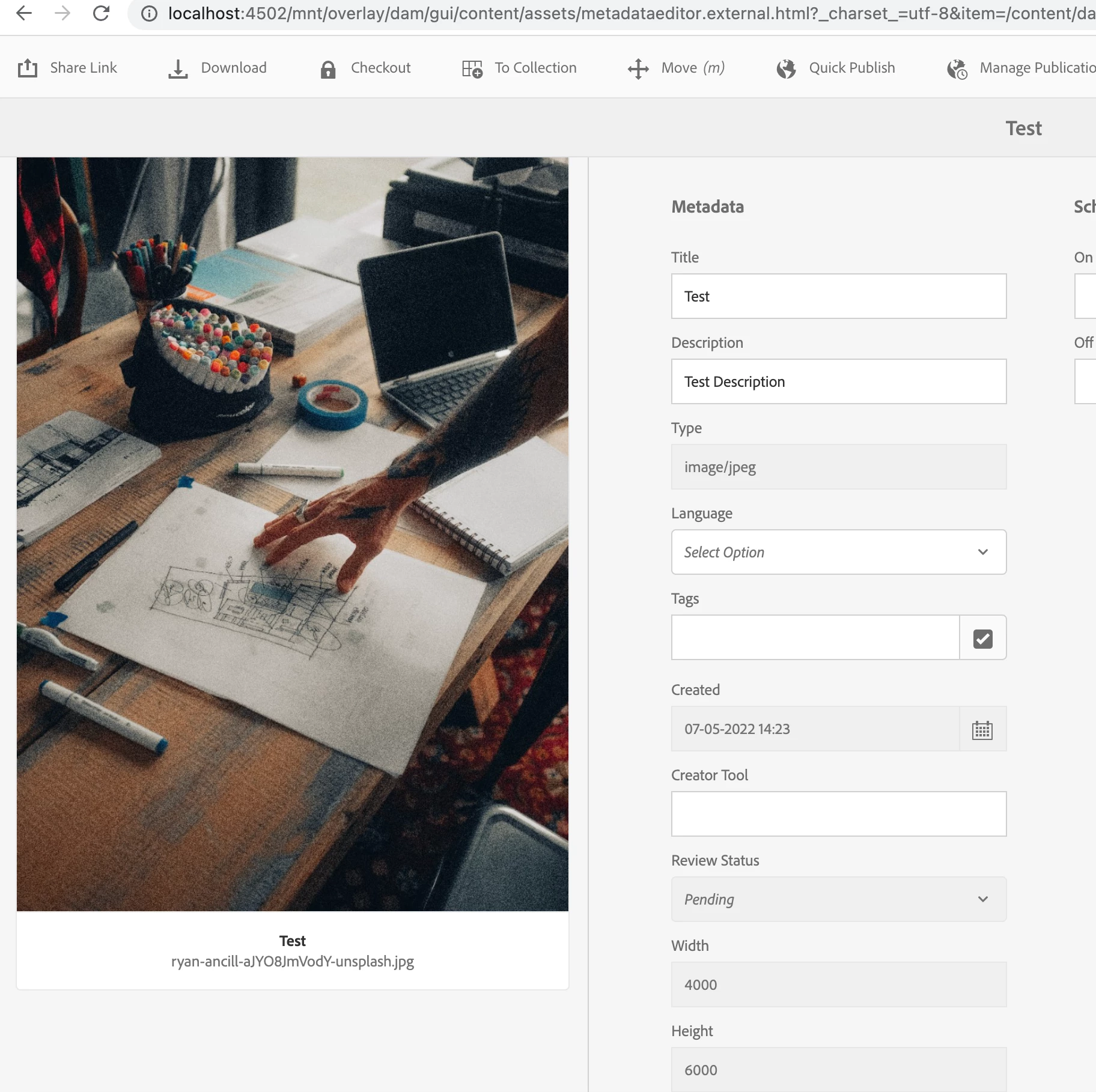
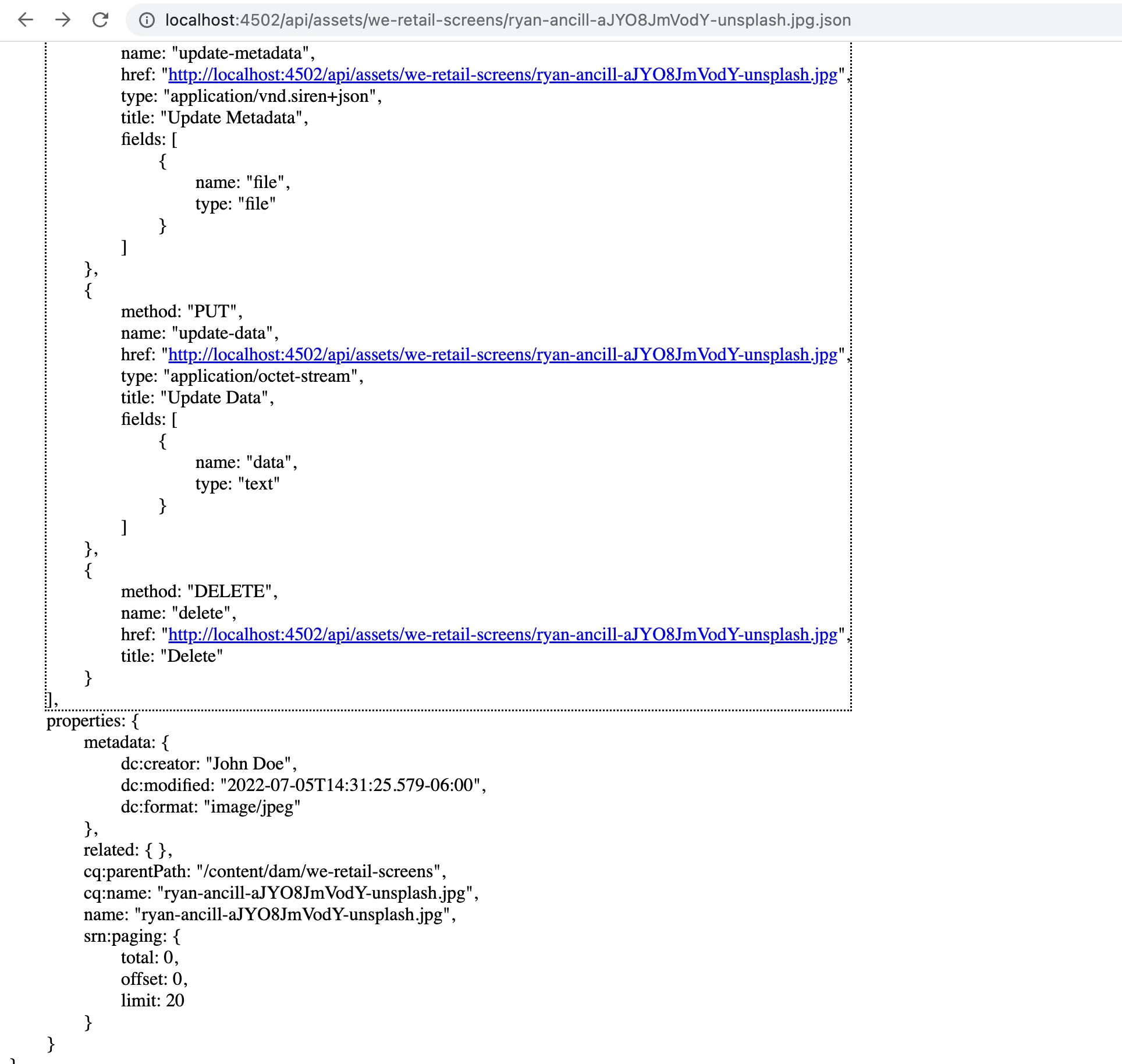


API response: http://jsonblob.com/993978613842067456 


API response does not contain title/description in metadata. Is there a way we can modify the OOTB HTTP api and extend it to have additional fields in response? 

This post is no longer active and is closed to new replies. Need help? Start a new post to ask your question.
Best answer by Shiv_Prakash_Patel

Hi @beast42 ,

You can use sync the metadata approach as suggested by @santoshsai in Adobe Asset API docs - https://experienceleague.adobe.com/docs/experience-manager-65/assets/extending/mac-api-assets.html?lang=en 

Also, we have alternative options to expose the asset's metadata as below (Replace the asset path with an asset available in your DAM) :

http://localhost:4502/content/dam/learning/sample.jpg.3.json

http://localhost:4502/content/dam/learning/sample.jpg.infinity.json  

Only Metadata

http://localhost:4502/content/dam/learning/sample.jpg/jcr:content/metadata.3.json 

http://localhost:4502/content/dam/learning/sample.jpg/jcr:content/metadata.infinity.json 

Hope this could help you !!!

Thanks

Shiv


2 replies

SantoshSai
Community Advisor
Community Advisor
July 5, 2022

Hi @beast42 ,

Custom properties added to the assets will be fetched by assets API. Such as if you have an additional field as "custom" which is having a value of "customValue" in the metadata node of the asset, when you try to fetch the metadata for the particular asset, it will fetch the additional metadata and will show in the JSON response.

you can see any property starting with dam:*, dc:* are not getting pulled into the JSON response whereas any custom property will be pulled into the response.

Unfortunately Asset HTTP API doesn't have any configurations to allow them.

"The API method updates the metadata properties in the jcr namespace. The updates made using the user interface change the metadata properties in the dc namespace. To sync the metadata values between dc and jcr namespace, you can create a workflow and configure Experience Manager to execute the workflow upon asset edit. Use an ECMA script to sync the required metadata properties. The following sample script synchronizes the title string between dc:title and jcr:title."

You can try the sync metadata approach like below:

  1. You can create a workflow and configure Experience Manager to execute the workflow when the dynamic media workflow completes.
  2. Use an ECMA script to sync the required metadata properties from dam:* to some custom Property.
  3. Read the property in the JSON response and use it wherever required.
  4. The following sample script synchronizes the title string between dc:title and jcr:title.
var workflowData = workItem.getWorkflowData();
if (workflowData.getPayloadType() == "JCR_PATH")
{
var path = workflowData.getPayload().toString();
var node = workflowSession.getSession().getItem(path);
var metadataNode = node.getNode("jcr:content/metadata");
var jcrcontentNode = node.getNode("jcr:content");
if (jcrcontentNode.hasProperty("jcr:title"))
{
var jcrTitle = jcrcontentNode.getProperty("jcr:title");
metadataNode.setProperty("dc:title", jcrTitle.toString());
metadataNode.save();
}
}

Reference: https://experienceleague.adobe.com/docs/experience-manager-65/assets/extending/mac-api-assets.html?l...

Hope that helps!

Regards,

Santosh

Santosh Sai
beast42Author
Level 3
July 5, 2022

Hi Santosh,


Thanks for your reply. It looks like it is returning some "dc:" properties and ignoring others. 


For example: Assets API returns "dc:creator" but ignores "dc:title" and "dc:description"


Do you have a list of OOTB metadata field it exposes or ignores?


SantoshSai
Community Advisor
Community Advisor
July 5, 2022

@beast42 Unfortunately, I couldn't found those list in documentation, the link I have passed has given sample code snippet which can be mapped to fetch property. You can consider steps to achieve as I mentioned above according to documentation. 

Santosh Sai
Shiv_Prakash_Patel
Community Advisor
Shiv_Prakash_PatelCommunity AdvisorAccepted solution
Community Advisor
July 6, 2022

Hi @beast42 ,

You can use sync the metadata approach as suggested by @santoshsai in Adobe Asset API docs - https://experienceleague.adobe.com/docs/experience-manager-65/assets/extending/mac-api-assets.html?lang=en 

Also, we have alternative options to expose the asset's metadata as below (Replace the asset path with an asset available in your DAM) :

http://localhost:4502/content/dam/learning/sample.jpg.3.json

http://localhost:4502/content/dam/learning/sample.jpg.infinity.json  

Only Metadata

http://localhost:4502/content/dam/learning/sample.jpg/jcr:content/metadata.3.json 

http://localhost:4502/content/dam/learning/sample.jpg/jcr:content/metadata.infinity.json 

Hope this could help you !!!

Thanks

Shiv


Shiv Prakash