Solved
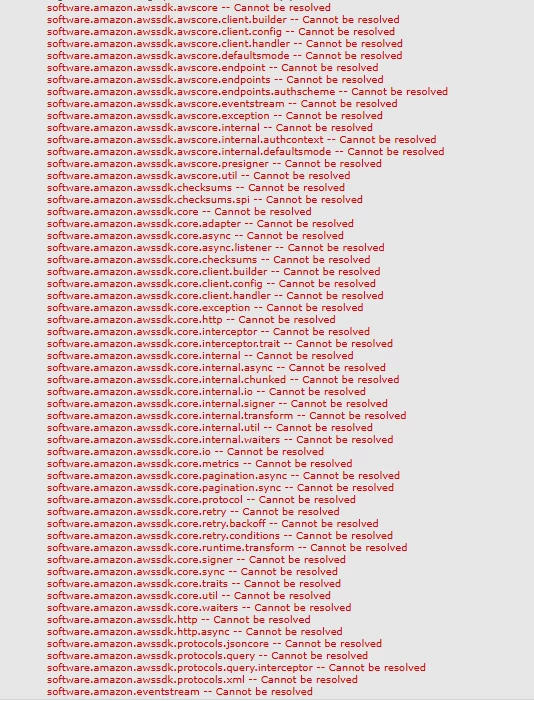
[AEM 6.5 OnPrem] Seeing lot of dependency issues while using AWS SDK Java 2.0 for S3 file read
I am trying to use AWS SDK Java 2.0 for S3 file read inside AEM servlet. I am using embed-dependency concept of maven-bundle-plugin. Able to read S3 file with the below three AWS dependencies in standalone maven project. However it is throwing lot of dependency issues while using with AEM. Has anyone implemented it on AEM successfully ?
<dependency>
<groupId>software.amazon.awssdk</groupId>
<artifactId>s3</artifactId>
<version>2.21.0</version> <!-- Check for the latest version -->
</dependency>
<dependency>
<groupId>software.amazon.awssdk</groupId>
<artifactId>auth</artifactId>
<version>2.21.0</version> <!-- Check for the latest version -->
</dependency>
<dependency>
<groupId>software.amazon.awssdk</groupId>
<artifactId>sts</artifactId>
<version>2.21.0</version> <!-- Check for the latest version -->
</dependency>
<groupId>software.amazon.awssdk</groupId>
<artifactId>s3</artifactId>
<version>2.21.0</version> <!-- Check for the latest version -->
</dependency>
<dependency>
<groupId>software.amazon.awssdk</groupId>
<artifactId>auth</artifactId>
<version>2.21.0</version> <!-- Check for the latest version -->
</dependency>
<dependency>
<groupId>software.amazon.awssdk</groupId>
<artifactId>sts</artifactId>
<version>2.21.0</version> <!-- Check for the latest version -->
</dependency>