AEM 6.5 not showing the Multifield in Classic dialog | Adobe Higher Education
Skip to main content
Level 3
October 2, 2021
Besvarat

AEM 6.5 not showing the Multifield in Classic dialog

  • October 2, 2021
  • 2 svar
  • 1862 visningar

Recently we deployed our AEM 6.1 code into AEM 6.5 version with the existing code the classic version of dialogs multifield not able to open "Add Item" thing content present on the page / It showing blank please refer the image.


Any one have reference link or article for this we stuck here that was huge code to convert in touch we need in classic only please let me know



 copy and  paste of component in page its not working 
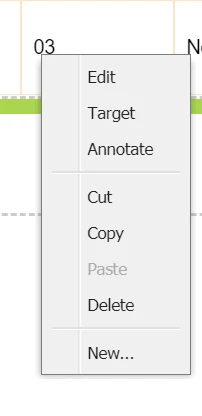
and also in parsys the components group showing empty
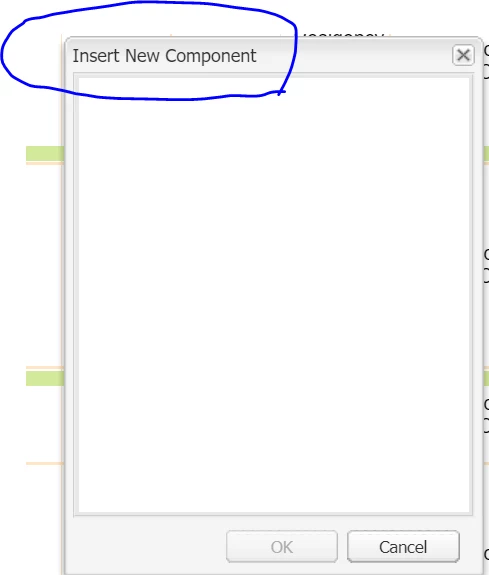


parsys resouce type is "foundation/components/parsys"


this multiple issues we facing currently please let me know any suggestions


Det här ämnet har stängts för svar.
Bästa svar av keshav_goud

Hi @sanjay_bangar@lukasz-m 


               Thanks for the reply,  Got solution for add item thing custom js written its working only thing is left with components not showing in edit mode kindly give any reference for that please its lot to me


2 svar

Sanjay_Bangar
Community Advisor
Community Advisor
October 2, 2021

Hi @keshav_goud ,

                              In AEM 6.5 most of classic UI features deprecated.

If you want then you need to write custom logic to stay your content as it is.

Kr,

Sanjay

keshav_goudSkribent
Level 3
October 3, 2021

Hi @sanjay_bangar ,


                Can you suggest me any reference of this things we stuck over here.


lukasz-m
Community Advisor
Community Advisor
October 3, 2021

hi @keshav_goud, could please have a look on AEM Upgrade related documentation:

In general you should first upgrade your application to be compatible with AEM 6.5, you can find upgrade guide under https://experienceleague.adobe.com/docs/experience-manager-65/deploying/upgrading/upgrade.html?lang=en


Finally, regarding to multifiled issues and other elements in classic UI, did you observed any errors in the browser console or in server logs? This could be a good starting point to figure out root case of the problems.


keshav_goudSkribentSvar
Level 3
October 4, 2021

Hi @sanjay_bangar@lukasz-m 


               Thanks for the reply,  Got solution for add item thing custom js written its working only thing is left with components not showing in edit mode kindly give any reference for that please its lot to me


keshav_goudSkribent
Level 3
October 4, 2021

Please check if your page is using proper design configuration - that defines list of groups/components available for specific parsys. https://experienceleague.adobe.com/docs/experience-manager-65/classic-ui/siteandpage/classic-page-author-design-mode.html?lang=en


Hi @lukasz-m,


            Its working in same configuration changes in 6.1 but not in 6.5