AEM 6.5.0 - Bundles Installed but not Active, WKND Project doesn't run | Community
Skip to main content
Level 3
July 10, 2022
Solved

AEM 6.5.0 - Bundles Installed but not Active, WKND Project doesn't run

  • July 10, 2022
  • 1 reply
  • 5158 views

Hello, 

i have installed AEM 6.5.0 in my pc. I have downloaded the main file from here

https://github.com/adobe/aem-guides-wknd 

My versions:

Maven version: 3.8.6

Java version: 11.0.15.1


I inserted mvn command 

"mvn clean install -PautoInstallSinglePackage -Pclassic"

i have changed in the pom master file the version of core component. The version before war 2.19.2, i inserted the latest 2.20.6. The version 2.19.2 was in similar error. Here the line in my POM file master:


core.wcm.components.version>2.20.6</core.wcm.components.version
 
The build was fine, but i don't see the component and pages! I see white pages, i don't see the contents, i'm blind in AEM! Help me please!
 
Here the list of warning in my bundles
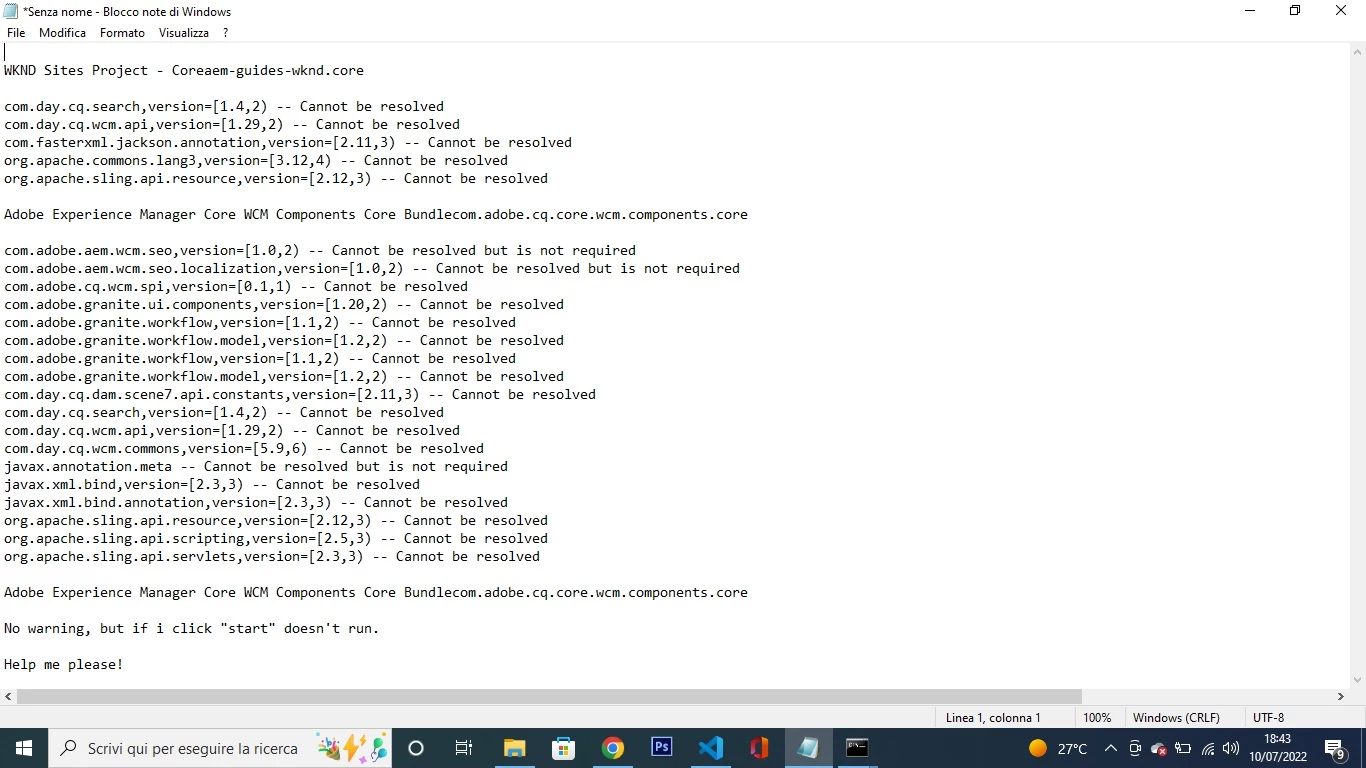
 
Help me please!
This post is no longer active and is closed to new replies. Need help? Start a new post to ask your question.
Best answer by SantoshSai

Hi @francobarresi ,

The github project which you have shared is for AEM 6.5.13+ - you can check in pom.xml post cloning.

<uber.jar.version>6.5.13</uber.jar.version>

You will have 2 options

  1. Install latest AEM Service Pack 6.5.13+ OR
  2. Create WKND project using batch mode for AEM 6.5.0

Although worth to check AEM Core component compatibility here  - https://experienceleague.adobe.com/docs/experience-manager-core-components/using/versions.html?lang=en

You can verify What AEM version is compatible to what AEM Core version.


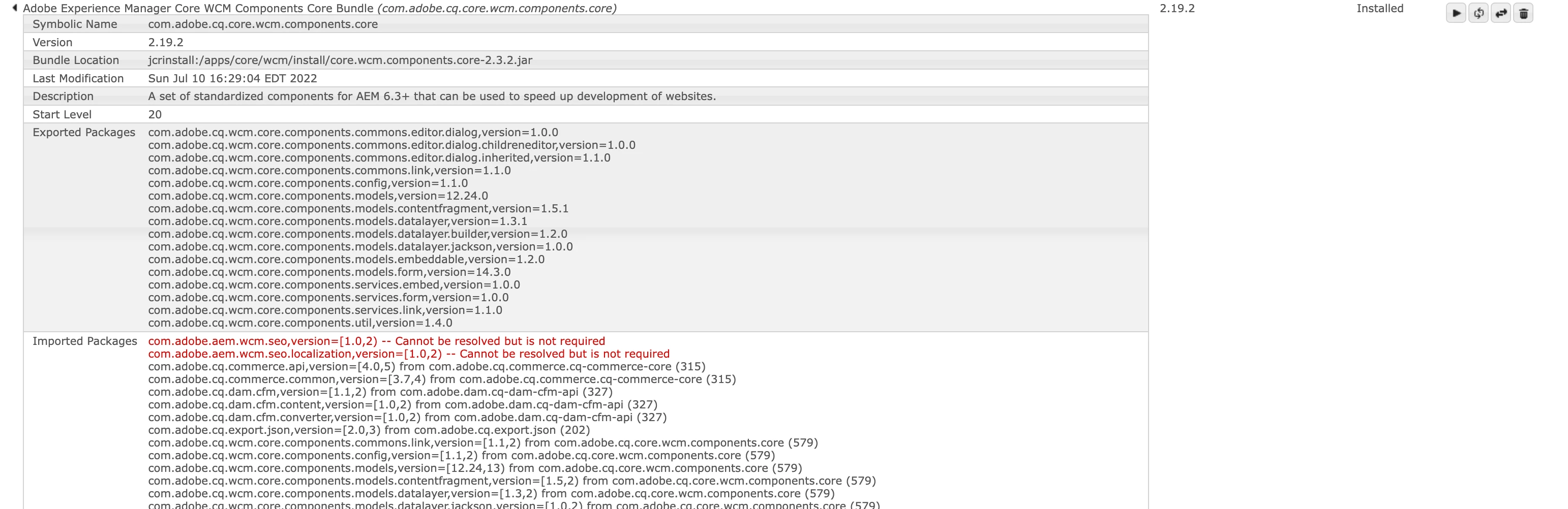
If you look at you AEM Core Component bundle state it is in Installed state - that's because incompatibility of your AEM and core version.

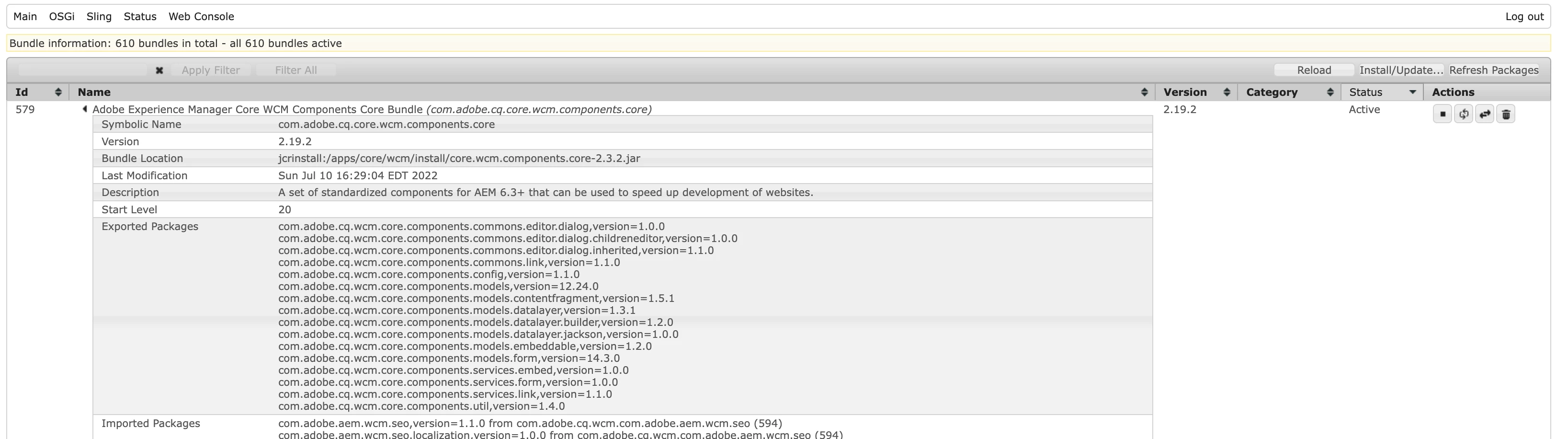
After Installing AEM 6.5.13 SP, AEM Core Component bundle is in Active state and pages are accessible as below

Hope that helps!

Regards,

Santosh

1 reply

SantoshSai
Community Advisor
SantoshSaiCommunity AdvisorAccepted solution
Community Advisor
July 10, 2022

Hi @francobarresi ,

The github project which you have shared is for AEM 6.5.13+ - you can check in pom.xml post cloning.

<uber.jar.version>6.5.13</uber.jar.version>

You will have 2 options

  1. Install latest AEM Service Pack 6.5.13+ OR
  2. Create WKND project using batch mode for AEM 6.5.0

Although worth to check AEM Core component compatibility here  - https://experienceleague.adobe.com/docs/experience-manager-core-components/using/versions.html?lang=en

You can verify What AEM version is compatible to what AEM Core version.


If you look at you AEM Core Component bundle state it is in Installed state - that's because incompatibility of your AEM and core version.

After Installing AEM 6.5.13 SP, AEM Core Component bundle is in Active state and pages are accessible as below

Hope that helps!

Regards,

Santosh

Santosh Sai
Level 3
July 10, 2022

Hello! How can i install AEM Service Pack 6.5.13+ OR? In which way?

Level 3
July 10, 2022

@francobarresi Via package manager

  1. Visit http://localhost:4502/crx/packmgr/index.jsp
  2. Click to Upload and select package.
  3. Once it is uploaded -> Click to Install & wait for 10-15 min to resume AEM.

Thanks a lot @santoshsai! You saved me! I have restarted many times to retunr all 612 bundles in active. After the installation of service pack many bundles were in status "resolved" and "installed", but now these are alls in ACTIVE. And now i can see the project! Thank you!