This post is no longer active and is closed to new replies. Need help? Start a new post to ask your question.
AswiniLakshminarayananAccepted solution
Adobe Employee
Mar 20, 2023 1:41 PM UTC

In some cases, once the dev environment has been successfully updated with the latest release version, these updates will also be enabled for the staging and production environments. We recommend that you verify this and let us know if you continue to experience any issues.

3 replies

Adobe Employee
Feb 22, 2023 1:47 PM UTC

Hi @kentii,


Once the latest version is rolled out, you should see "Update available" option enabled in the status and you can click "update" from the list of options to upgrade.


Note: Please mark this answer as correct if it has answered your question, and contact us for any further queries or concerns. 

Translate
kentiiAuthor
Feb 22, 2023 2:51 PM UTC

Thank you very much for your answer.

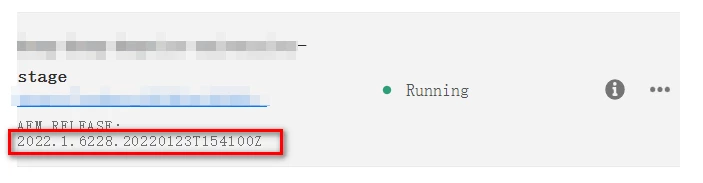
My current problem is that the dev environment can see "Update available", but the stage and prod environments cannot, even though the version of the stage environment is lower than that of dev.


I'm not sure where there is a problem. If you have experience in this field, please tell me, thank you


Translate
AswiniLakshminarayananAdobe EmployeeAccepted solution
Adobe Employee
Mar 20, 2023 1:41 PM UTC

In some cases, once the dev environment has been successfully updated with the latest release version, these updates will also be enabled for the staging and production environments. We recommend that you verify this and let us know if you continue to experience any issues.

Translate