How to make sure that certain paragraphs in a content never gets translated?
Easiest way is to make use of translation=no attribute.
- Authors can insert the additional attribute as 'translation=no' on the paragraphs that they do not want to translate. The translation vendor needs to be informed and they can do configuration at their end to ignore the text with this attribute.
- The OOTB machine translation (with trial Microsoft Translation connector) showcase the same behavior.
Here are few screenshots and steps that would help in better understanding:
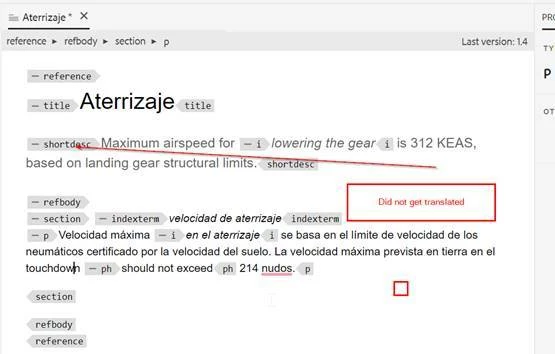
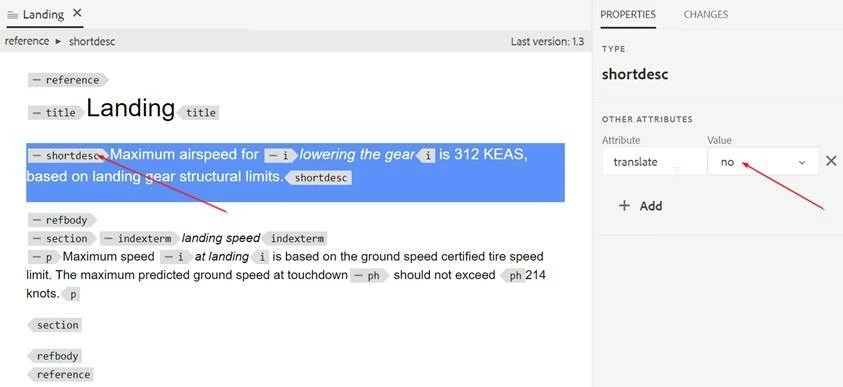
- Testing with Microsoft Translation : if you define translate=no attribute at paragraph level then it doesn’t translate the complete paragraph. This attribute can be defined at any element and the content inside that element will not be translated.
Example :
Source Content
Translated Content in Spanish