How to add custom filters in the Guides Editor
We are using Guides Version: 5.0.0.211 in AEM 6.5 with service pack 21. We want to add some custom filters in the guides editor. We followed these two documents.
https://experienceleague.adobe.com/en/docs/experience-manager-guides/using/install-guide/on-prem-ig/web-editor-configs/conf-custom-file-filters
https://experienceleague.adobe.com/en/docs/experience-manager-guides/using/knowledge-base/expert-session/metadata-define-manage-utilize-may2024
We added filters in the Folder Profile ui_config.json file. First, added the filters in the "browseFilters" section, and it's not coming in the editor. Then added filters in "repositoryFilters" section. Now the filters are appearing in the Advanced Filter popup like below
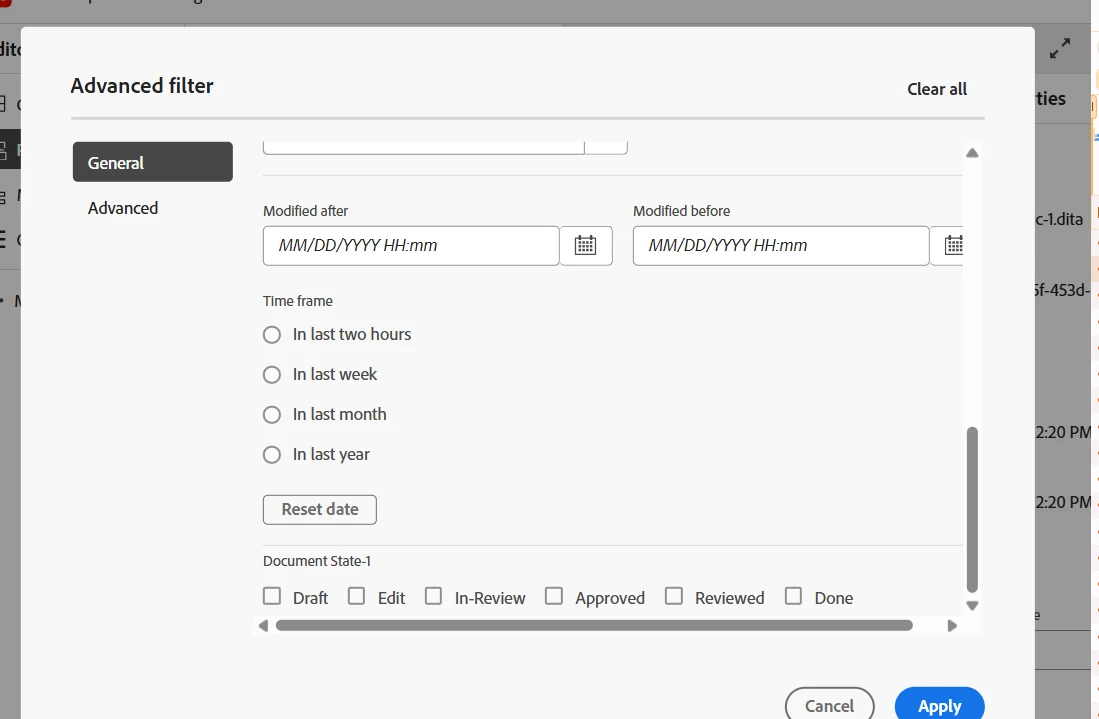
However, when applying these custom filters, the search results are not coming based on that. When inspecting the network call on clicking Apply, in the request payload, only the OOTB filters are going and not our custom filters.
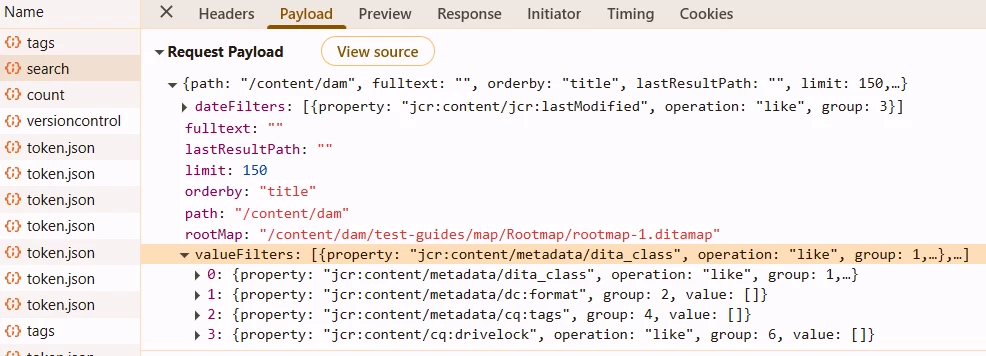
Also, we notice something called widgetId for a few of the OOTB filters. What's the purpose of the widgetId attribute? And what type of operations are supported in filters like "exists", "like", any other?