AEM Native PDF: List of Tables Showing Extra Tables at Beginning | Adobe Higher Education
Skip to main content
Level 4
June 4, 2024
Risolto

AEM Native PDF: List of Tables Showing Extra Tables at Beginning

  • June 4, 2024
  • 1 risposta
  • 1409 visualizzazioni

Hello!


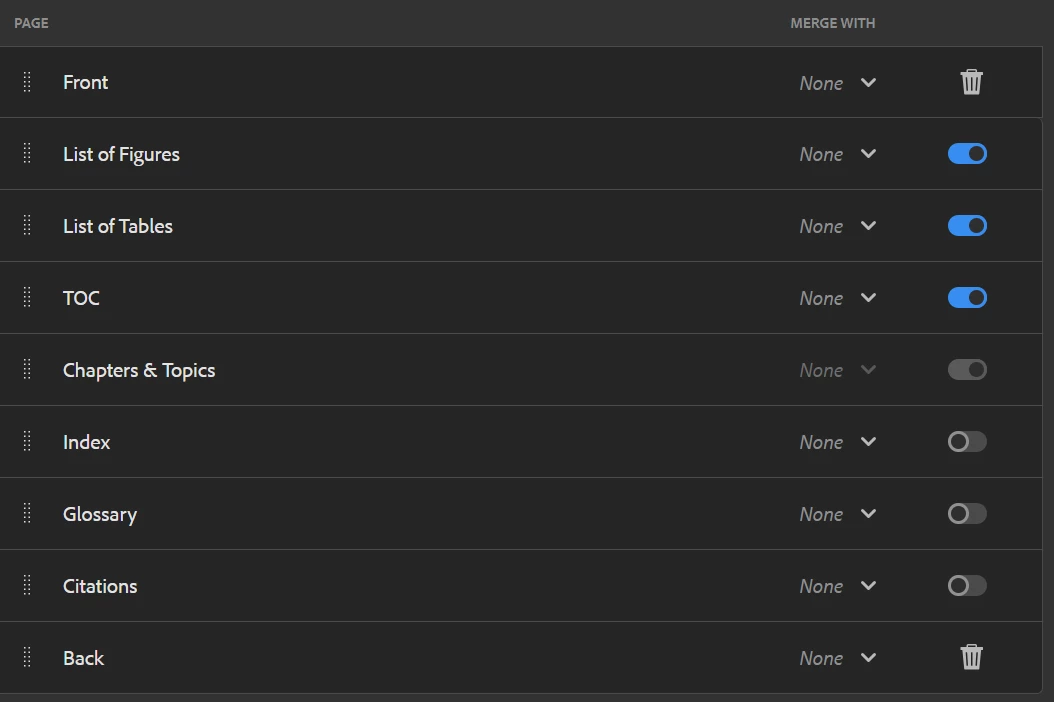
I'm working on a bookmap template in Native PDF. Here is the page layout order I'm using:
When I publish, this is what the List of Tables shows:
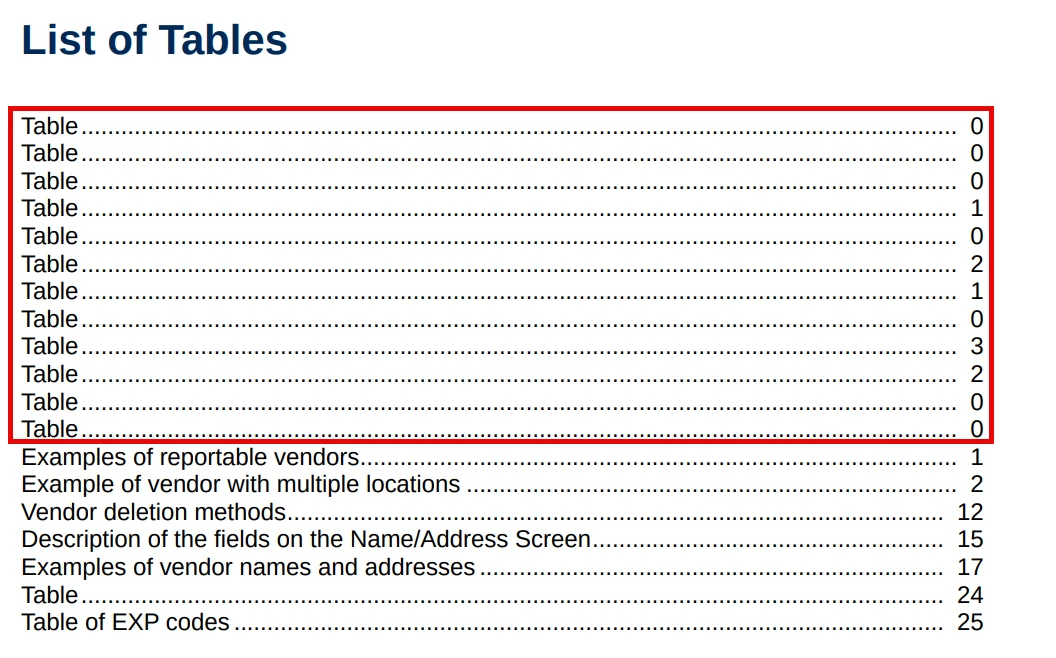
I'm assuming these tables in the red rectangle are pulling from frontmatter content. How can I make the list of tables start with page one, as illustrated above?


Thanks!

Josh


Questo argomento è stato chiuso alle risposte.
Migliore risposta di Surbhi_Maheshwari

Hi Josh,


If you know how may entries you want to remove from the beginning in list of tables then you can hide them like below: Here I am hiding first two entries:

.lot-body a:nth-child(-n+2){ display: none; }

The downside is that whenever a new table is added to front matter, you will need to update this number in CSS.

Let me know if it works for you.


Thanks and Regards,
Surbhi Maheshwari

1 risposta

Adobe Employee
June 5, 2024

Hi Josh,


If you know how may entries you want to remove from the beginning in list of tables then you can hide them like below: Here I am hiding first two entries:

.lot-body a:nth-child(-n+2){ display: none; }

The downside is that whenever a new table is added to front matter, you will need to update this number in CSS.

Let me know if it works for you.


Thanks and Regards,
Surbhi Maheshwari

Level 4
June 13, 2024

Thanks, Surbhi! As always, I really appreciate your help!