AEM Guides - Translation metadata inconsistencies
I’m having an odd issue when receiving translations back from our provider.
Issue:
When translations are accepted back into AEM from our translation provider, I'm seeing a variance in the metadata the assets end up with in the target folder.
It's mainly one field: "cq:TranslationSourcePath" (needed for my purposes)
Project 1: Results show the cq:translationSourcePath (along with other metadata) on the target (de_de) assets “jcr:content” node.
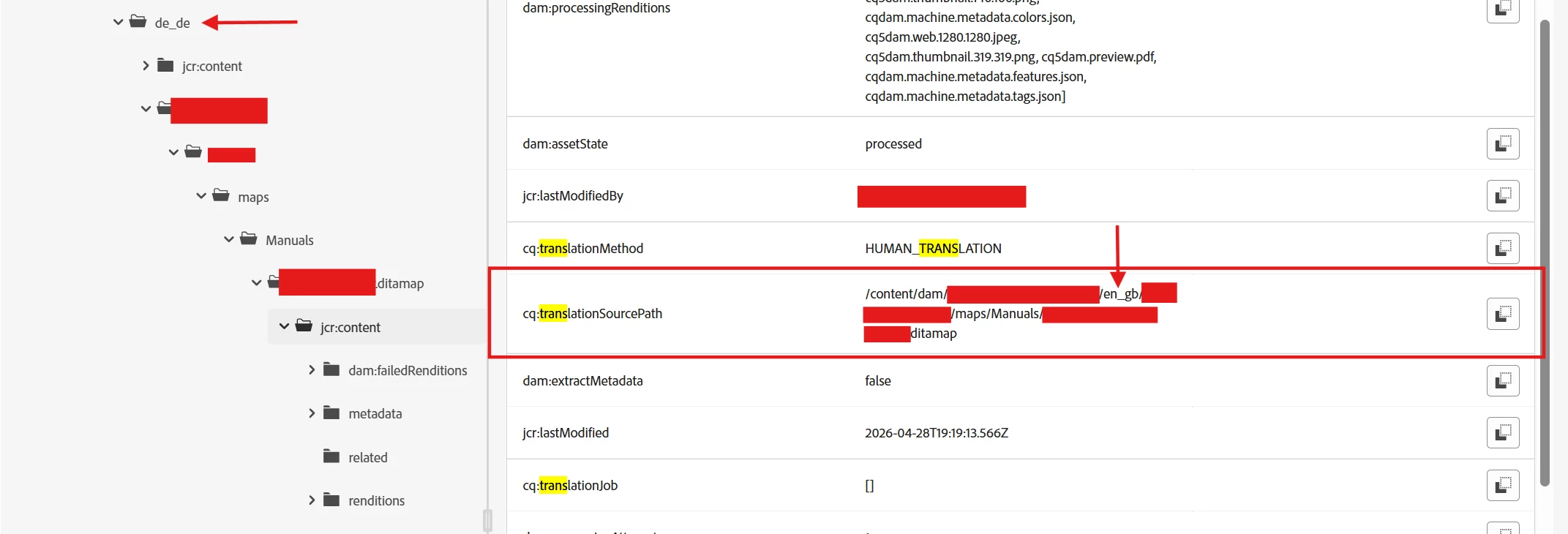
Project 2: missing translation metadata, Note it’s a different project, same target (de_de)

- note one of the only fields that gets copied to the target asset.
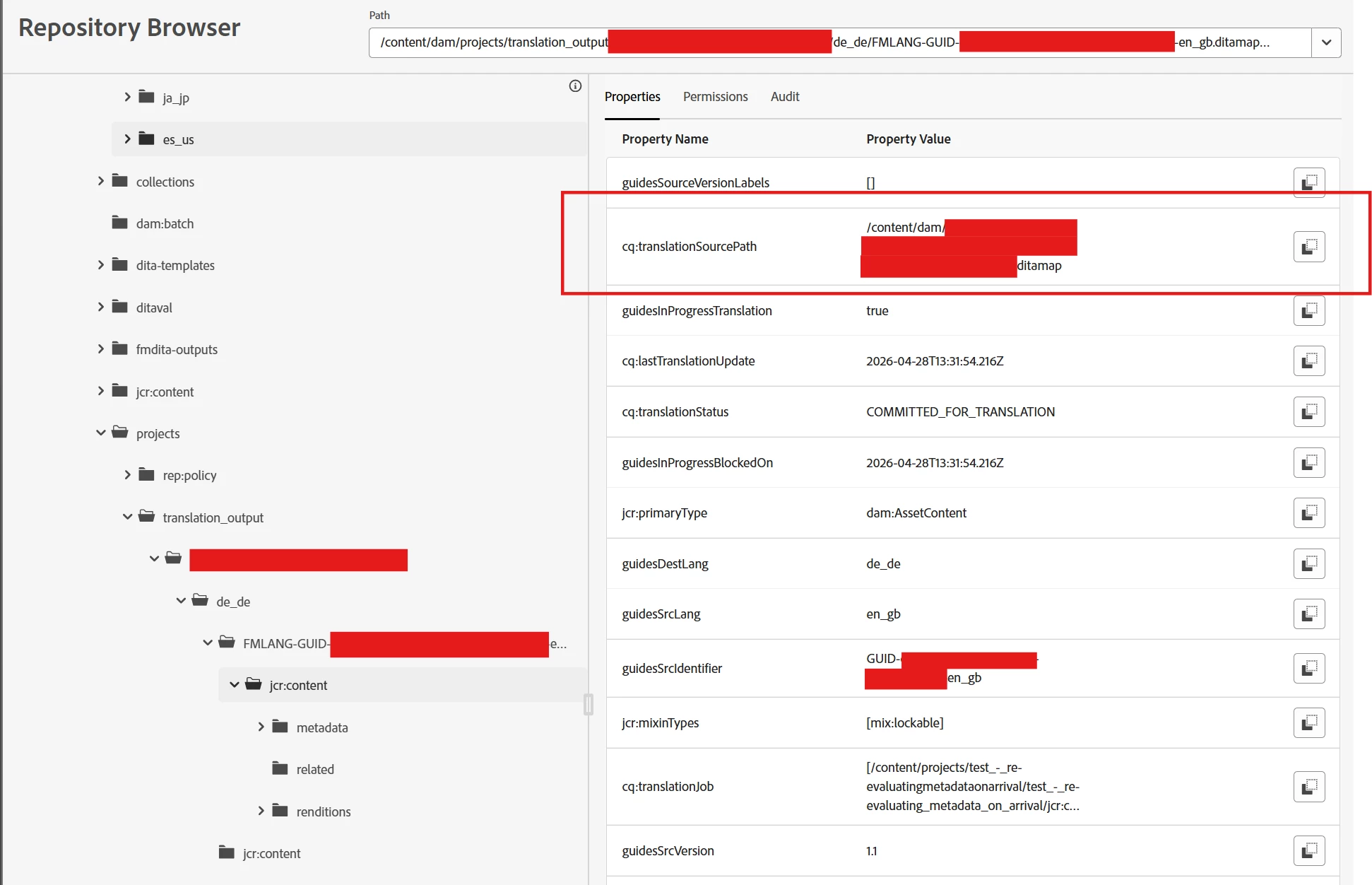
Please Note: I'm not convinced this is a translation provider-related issue, as the data already exists in the "staging" area that AEM creates when initiating translations. Please see the screenshot below for the temporary location created for the translation (this is before the translation was sent back to AEM, i.e., before it was deleted as part of clean up):
Conclusion:
Because the data exists in the translation staging area, it leads me to believe its an issue with a configuration in AEM. It seems as though the additional metadata fields gathered during the translation kick-off process are not all making their way onto the target language asset when that content is accepted back into AEM, in this case, the de_de version of the DITA content.
Questions:
-
Is it a permissions or user(account) specific configuration issue?
-
Noting that on the data that doesn't have the cq:TranslationSourcePath, I've been the one to submit the translation request.
-
But it seems like every the cq:TranslationSourcePath does appear it's when a colleague sends the translation request.
-
We both submit the request the same way (through AEM Guides interface → Map Console → Translation → Send for translation (as a new translation project)
-
We are both elevated users.
-
- Is there anything like a configuration (system) that is missing in our instance to ensure consistency?
- Why are we seeing the data sometimes?
- Is there anything that can be done to ensure the data appears consistently, every time?