XFA Form - Print Button
Hello,
I have been working on a XFA Form I created using AEM Form Designer. The form is used to intake customers who come to our service center for computer repairs. It has 2 pages the first is for the customer and the second is for the technician and has the computer info, ticket number, and customer info that was inputted on first page. The customer can drop off up to 5 different computers per form.
I originally built out a script using AcroForms which allowed me to print the customer page once and the technician page for the # of computers inputted on the form based on serial numbers with their respective fields being Serial1 through Serial5. The code below added the last page multiple times depending on if their were multiple serial numbers on the intake forms. This worked as intended without issues. Below is the code I used.
var printArray = [[0,0]];
for(var i = 1; i<=5; i++){
if((Serial + i).value != “”){
printArray.push([1,1]);
}
}
var pp = this.getPrintParams();
pp.printRange = printArray;
this.print(pp);
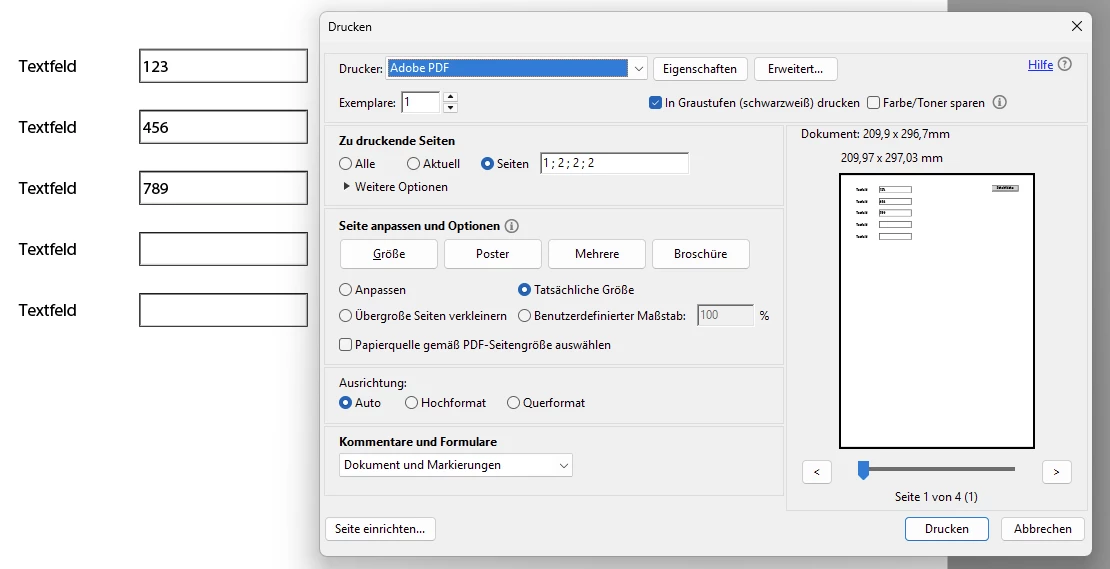
Trying to replicate this using XFA-forms I could only find info on the ‘Print Button’ which uses the built in print method. Which almost does what I want but it makes multiple print dialogue boxes where as the first method in AcroForms requires little user input and only has one dialogue popup. See below for my code for XFA-Form version:// Customer copy showing print dialogue box
xfa.host.print(1,”0”,”0”,0,0,0,0,0);
// Technician copy showing print dialogue box
xfa.host.print(1,”1”,”1”,0,0,0,0,0)
Is it even possible to do this using XFA Forms? Is there a way to use the script I made in AcroForms in XFA-forms? For instance a custom script that invokes the method I used in AcroForms.