Unable to view/download forms from the AEM Forms App | Community
Skip to main content
Level 2
February 18, 2021
Solved

Unable to view/download forms from the AEM Forms App

  • February 18, 2021
  • 5 replies
  • 1939 views

Hi all,


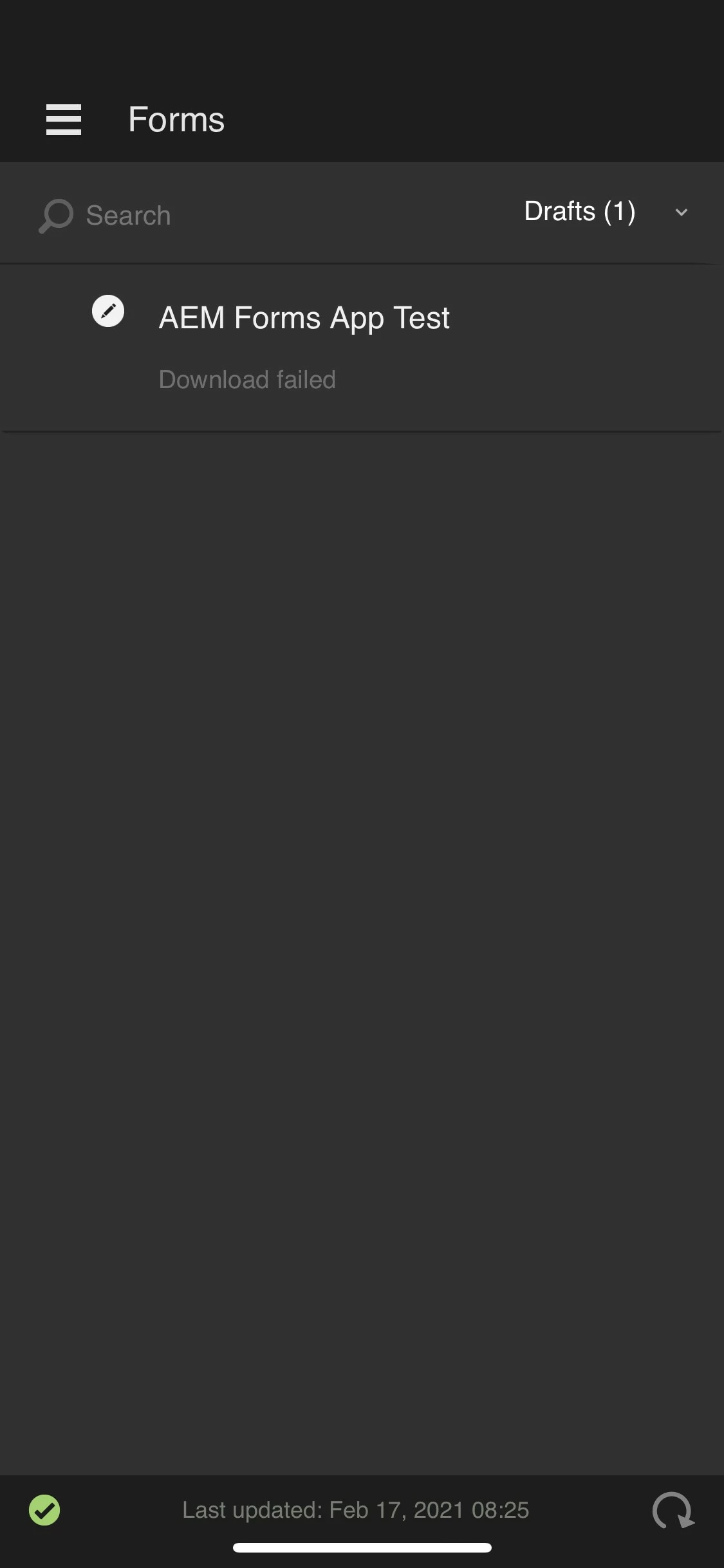
We are trying to use the AEM forms app, from the Google Play Store/IOS App Store, however we've been unable to open our forms from within the app. We are able to see which forms are available in the app, but not the ability to open/download them. The text "Download failed" also appears below the title of the forms. 


This post is no longer active and is closed to new replies. Need help? Start a new post to ask your question.
Best answer by workflowuser

Please log a support ticket with Adobe support

5 replies

Mayank_Gandhi
Adobe Employee
Adobe Employee
February 19, 2021

@scribblescrabble  What is the version of app and aem forms add on package on the server?

Level 2
February 19, 2021

Hi Mayank,

We are currently using the latest version of the app from the IOS App Store, Ver. 6.5.7. As for the forms package version we are using AEM Forms Add-on Packages: 6.0.138.

Adobe Employee
February 19, 2021

 is it happening with all the forms?

can you create another form and try

Level 2
February 19, 2021

I have synced another form with the app and it gives the same error. I've created a task as well and the "Download Failed" text also appears underneath the task name.


workflowuserAdobe EmployeeAccepted solution
Adobe Employee
February 19, 2021

Please log a support ticket with Adobe support

Mayank_Gandhi
Adobe Employee
Adobe Employee
February 22, 2021

@scribblescrabble  A similar issue is already in progress. We will update the thread will the fix release. 

Level 2
February 22, 2021

Hi Mayank,


Just wondering, is the issue residing with the app itself or could it be a configuration that needs to be changed from AEM?

And to add to this, I tried the Windows version of the app as well and am encountering the same "download failed" issue.

Level 8
February 22, 2021

Most likely with the app